Sales Commission Statements: Formats, Delivery, and Custom Columns
TL;DR: A sales commission statement is the per-period record that shows a rep which deals they were credited for, which rate applied, what was adjusted, and what will be paid. The best statements are generated from the calculation itself, approved before release, locked once paid, and delivered through a self-serve login.
Key takeaways
- The statement is the product reps actually see. Seventy-four percent of US reps do not trust how their pay is calculated, and the statement is where that trust is won or lost.
- Distribution, not calculation, is where admin hours disappear. Building, checking, and emailing one PDF per rep grows linearly with headcount.
- Format follows plan complexity. A spreadsheet tab works for five reps on a flat rate. It breaks at 30+ reps with accelerators, clawbacks, and split deals.
- Custom columns prevent disputes. Rate applied, adjustment reason, and prior-period corrections answer the questions reps would otherwise send to Finance.
- A paid statement should be a frozen snapshot. Corrections and clawbacks belong on the next statement as labeled adjustments, never as silent edits.
Most sales teams automate the commission math first and leave the sales commission statement for last. The result is a monthly ritual: export the numbers, paste them into a template, save one PDF per rep, check every file, and email them out one by one. The statement, which is the only part of the process reps actually read, stays manual.
The cost goes beyond administrative effort. According to Salesforce's Trends in Sales Compensation report, 74% of US sales reps do not trust how their pay is calculated, and 47% question whether their compensation is fair. When reps cannot understand how their commissions are calculated, they start doing the math themselves. The result? Shadow accounting spreadsheets, avoidable payout disputes, hours of reconciliation for Finance, and eroding trust in the compensation process.
In Visdum's buyer calls, manual statement distribution is the single most repeated admin complaint. A finance controller at a 70-rep SaaS company put it plainly:
"I have, like, some little script that, like, generates, like, 100 emails for me. But it's still, I have to, like, go PDF, like, every single statement and make sure it's, like, correct."
The statement is not a reporting afterthought. It is the moment your compensation plan meets the person it is supposed to motivate. This guide covers what a statement must include, a worked example, the formats teams use, how to automate generation, how to customize columns, how to distribute statements securely, how to handle corrections and audits, and how to evaluate commission tracking software on its statements rather than its calculation engine alone.
What is a sales commission statement?
A sales commission statement is the document that shows a rep how their commission was calculated for a specific period, and how much will be paid. A complete statement lets the rep trace every dollar back to a credited deal, a rate, and a rule.
The statement is often confused with three other documents that use the same data:
Most teams underestimate how different these audiences are. A sales commission report built for a controller, with "lines of data and nice totals," is not a statement a rep can verify in 30 seconds. One finance lead in Visdum's call corpus said exactly that about their current output: good for finance, but not the polished view reps expect.
What should a sales commission statement include?
Every sales commission statement should include six core elements: the payout period and status, the credited deals, the rate applied to each deal, attainment and any accelerator triggered, adjustments with reasons, and the final payable amount. Missing any one of these creates a question the rep will send to Finance.
Links for the tables: Commission statement · Quota attainment · Accelerator · Clawback
Mature teams treat quota attainment, accelerators, and clawbacks as statement-level fields, not footnotes. If a rep has to open three tabs to see why a rate changed, the statement has failed its job.
TL;DR: A sales commission statement answers "how was I paid this period, deal by deal." It needs six elements: period and status, credited deals, rate applied, attainment, adjustments with reasons, and the final payable amount.
Sales commission statement example with calculations
Here is a commission statement example for a fictional account executive, Megan Brooks, on a monthly plan with a $100,000 quota, an 8% base rate, and a 12% accelerator on bookings above 100% attainment. Her manager, Tyler Hayes, approved the run before it was published.
Statement header: Megan Brooks · Account Executive, Mid-Market · Payout period: October 2026 · Status: Approved · Quota: $100,000 · Attainment: 120%
How the numbers are calculated:
- Attainment: $120,000 in credited bookings ÷ $100,000 quota = 120%.
- Base commission up to quota: $40,000 + $50,000 + $10,000 = $100,000 × 8% = $8,000.
- Accelerated commission above quota: $20,000 × 12% = $2,400.
- Total earned: $8,000 + $2,400 = $10,400.
- Net payable: $10,400 - $600 clawback + $150 prior-period adjustment = $9,950.
Notice what this sales commission statement does. The Bluewater Freight deal is split across two lines, so Megan can see exactly where she crossed 100% and why part of the deal paid 12%. The clawback carries its original period and reason. The prior-period correction carries the source month. Every question she might email to Finance is already answered on the page.
What are the different commission statement formats?
The common commission statement formats are a spreadsheet tab per rep, a PDF attachment, an email summary, a manager-relayed statement, a self-serve portal view, a team rollup, and a payroll export file. Each fits a stage of plan complexity, and each fails in a predictable way when the team outgrows it.
Which commission statement format should you choose?
Choose the format based on plan complexity and headcount, not on what is easiest to produce this month. The real decision is not spreadsheet versus software. It is whether the statement is a copy of the calculation or the calculation itself.
- Stay on a spreadsheet if you have fewer than 10 payees, one plan, no accelerators, and no clawbacks.
- Move to a generated statement once you have tiered rates, split deals, or more than one plan running at the same time.
- Require a self-serve portal once disputes, "where is my statement" emails, or payout delays start consuming hours every close.
TL;DR: Spreadsheet tabs and emailed PDFs work until plans get tiered or headcount passes about 30 payees. After that, the statement should be generated from the calculation and delivered through a self-serve login.
How do you automate sales commission statements?
You automate sales commission statements by generating them from the same system that calculates commission, so no one re-keys numbers into a template. Automated commission statement processing follows six steps, and the statement becomes a by-product of the close instead of a separate project.
A commission statement template or a commission report template from the internet can help you pick columns, but it cannot remove the underlying work: every template still has to be filled, checked, and sent by someone. Automation removes that step, because the statement is produced by the system that calculated the payout.
Can admins preview calculated commission amounts before the statement is issued to reps?
Admins should always be able to preview calculated amounts before a statement is issued, because the rep should only ever see the approved run. Draft calculations belong in the admin view. As Visdum's guide to what reps see vs what admins see explains, only the approved run becomes the rep's statement.
Visdum's commission close playbook recommends sharing a preliminary statement during the close with a 48 to 72 hour review window, so reps can flag a missing deal before approval rather than dispute it after payday. If you are still deciding whether to move off spreadsheets, Visdum's guide to replacing Excel for sales commission tracking covers the tipping points.
TL;DR: Automate statements by generating them from the calculation: sync data, apply rules, generate, approve, publish, export to payroll. Templates help you choose columns; automation removes the build, check, and send cycle.
How do you customize columns and statement layouts?
You customize columns and statement layouts by starting from your plan's most common dispute and adding the field that answers it, then hiding everything a rep does not need. A canned format forces your plan to fit the template. Custom columns let the statement fit the plan.
Can the commission statement be customized to match our existing spreadsheet format, with extra columns added later?
A commission statement should be customizable, because no two comp plans generate the same questions. Buyers ask this in almost exactly these words. One put it simply: "Are the statements, I know we didn't look at them, but are the statements kind of a canned format?" Four companies in Visdum's buyer calls asked whether statement formats can be customized or matched to an existing spreadsheet.
Most teams think custom columns are cosmetic. They are not. Every missing column is a question a rep will email to Finance, and every extra raw column (formula IDs, internal codes) is noise that makes the statement harder to trust. One buyer reviewing a sample output said it directly: "That's very operational data-driven. This is not really standard-friendly, right?"
Which custom columns should you add to a sales commission statement?
Add custom columns that answer your plan's most common dispute. The right columns depend on how your plan pays, not on what a commission statement template happens to include.
Links for the tables: Accelerator · Clawback · True-up · Commission accrual · Bookings vs collections
Every row above comes from a real buyer request in Visdum's call corpus. One comp admin asked for this exact workaround: "Can we add a column in here and say payroll amount? And if it's negative, put zero." Another asked: "can you split that out in that statement instead of having it be both years? Can it be year one? x commission at x rate and year two y commission at y rate."
If your plan pays on bookings in some cases and collections in others, read Visdum's explainer on bookings vs collections before deciding which "earned" and "paid" columns your statement needs.
Which columns should you hide from reps?
Hide raw formulas, internal record IDs, other reps' data, and draft calculations from the rep-facing statement. Show the business-friendly breakdown: deal, rate, rule, adjustment, payout. Keep the full calculation trail in the admin view and the commission audit trail.
TL;DR: Custom columns are dispute prevention, not decoration. Add the columns your plan's mechanics require (tier reached, clawback reason, payroll amount, prior-period adjustment), and hide formulas, IDs, and drafts.
How do you distribute statements securely?
You distribute statements securely by publishing each approved statement to an individual, role-based login and sending a notification, instead of attaching pay data to emails or shared folders. Emailing 100 PDFs is slow, and it is also the easiest way to send one rep's pay to the wrong inbox.
"How do you send commission statements, right, how do we send them" is one of the most repeated statement questions in Visdum's buyer calls. Eight companies asked about statement distribution or export, including whether statements can be exported at the team level, exported as PDF, or sent automatically once calculations are final.
How do you stop reps from seeing each other's commissions?
You stop reps from seeing each other's commissions with role-based access: each rep gets an individual login scoped to their own statement, managers see rollups for their direct reports, and admins see everything. A shared spreadsheet or shared drive cannot enforce this reliably, which is why five companies in Visdum's buyer calls asked some version of "Can we block them out?"
Single sign-on adds a second layer: when a rep leaves, disabling their identity account removes statement access at the same time, with no orphaned file shares to clean up.
When should reps receive their commission statement?
Reps should receive their commission statement before or at the same time as the payout, never after. A CFO at a 20-rep medtech company described the cost of getting this wrong: "we end up giving them that statement two days after they get paid. But by that time, we already get like, you know, four notices like, hey, I think I'm being paid less."
TL;DR: Publish approved statements to individual, role-based logins with SSO, and notify reps by email, Slack, or Teams. Keep pay data out of attachments and shared folders, and release statements no later than payday.
How do you handle corrections, clawbacks, and audits?
You handle corrections, clawbacks, and audits by never editing a paid statement. Once a statement is approved and paid, it becomes a frozen snapshot, and every later change flows forward as a labeled adjustment on the next statement, with a reason and a source period.
A sales ops lead at a manufacturing company stated the requirement clearly: "whatever was already paid and submitted to payroll, whatever is on that statement, should not change anymore. It's a snapshot, right?"
Links for the tables: Clawback · True-up · Commission audit trail
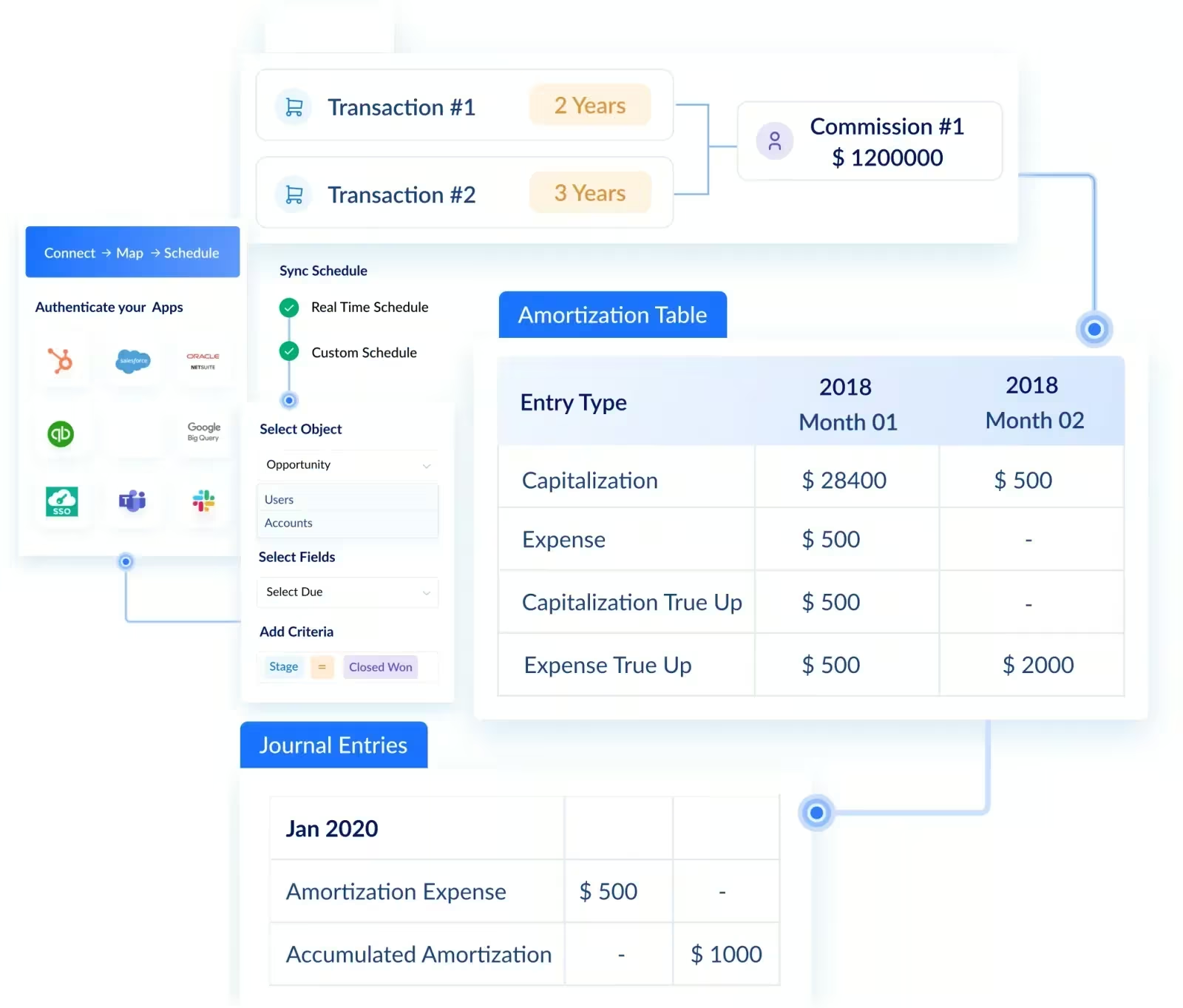
What looks like a small issue becomes an audit problem fast. If a recompute silently rewrites a paid statement, the statement no longer matches the paycheck, the general ledger, or the ASC 606 amortization schedule built from it. Five companies in Visdum's buyer calls asked how a downsold or canceled deal shows up on the statement, which is the question a forward-flowing adjustment answers.
This also matters legally in parts of the US. California Labor Code Section 2751 requires commission contracts to be in writing and to state how commissions are computed and paid, with a signed copy given to each employee. A statement that shows the method behind every number, and a log of every adjustment, is the operational proof that the written contract is being followed.
Visdum's guide to why commission errors happen covers the reconciliation checks that catch most of these problems before a statement is published.
TL;DR: Freeze paid statements. Push clawbacks, split corrections, and late deals forward as labeled adjustments with a reason and source period, and keep an adjustment log for audits and ASC 606.
What do companies struggle with when managing statements?
Companies struggle most with the manual work between calculation and delivery: building statements by hand, getting them to reps privately, explaining numbers reps cannot trace, and keeping paid records consistent. These problems surface repeatedly in Visdum's buyer calls, in the buyers' own words.
The pattern behind every row is the same. The statement is treated as a document someone produces, rather than a view of data the system already holds. Fix that, and most of the other struggles disappear with it.
TL;DR: The common struggles are manual building, private distribution, untraceable errors, late delivery, and finance-only formatting. All share one root cause: the statement is produced by hand instead of generated from the calculation.
How should you evaluate commission statement software?
Evaluate commission statement software by asking to see the rep's view first, not the admin console, and by testing your hardest real deal on it. Seventeen companies in Visdum's buyer calls asked what the platform looks like from an individual rep's own login, statement included. That is the right instinct.
Bring one deal that broke your spreadsheet last quarter, such as a multi-year contract, a split with an overlay rep, or a clawback after a downsell, and ask the vendor to show it on the rep's statement. The commission software implementation guide covers what to prepare before that proof of concept.
TL;DR: In a demo, ask to see the rep's login first. Then test drill-down, preview before release, configurable columns, automatic delivery, in-app queries, frozen paid records, and role-based access on your hardest real deal.
How Visdum automates sales commission statements
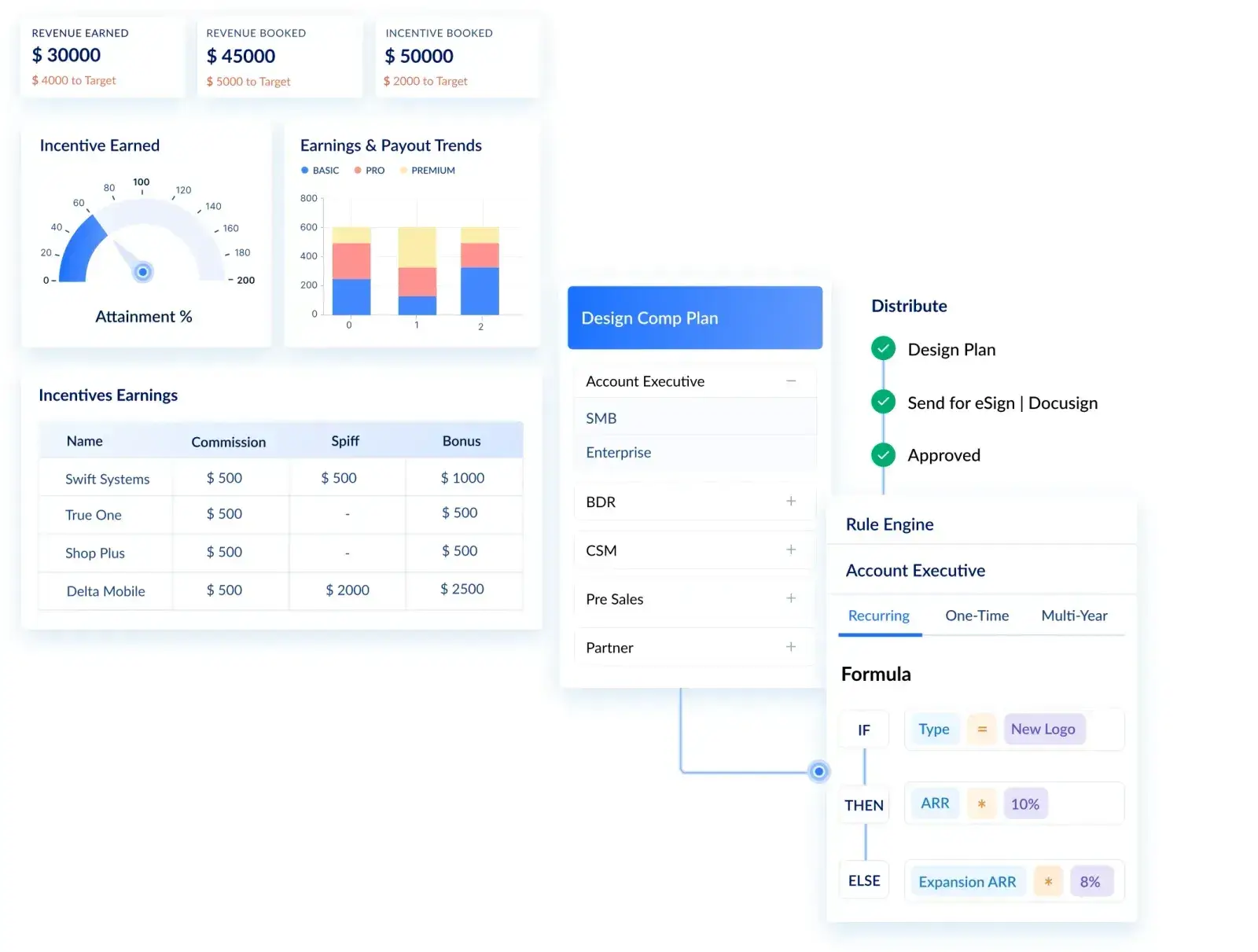
Visdum automates sales commission statements by generating them from the same live CRM data it calculates commission on, routing them through approval, locking them once paid, and publishing them to each rep's secure login. The statement is not a separate export, so it stays consistent with what Finance reconciles.
Here is how Visdum maps to each part of the statement workflow above:
Links for the tables: Payee experience · Commission automation · Pay, report, and comply · Integrations
The operational outcomes are measurable. After moving off spreadsheets, WebEngage cut its commission process from 168 hours to 6 hours and its monthly payout time from 3 days to 2 hours for 60+ sellers on 4 complex plans. CV Library replaced 25+ spreadsheets with a single data entry point for 85+ reps across 9 departments, reduced time spent by 90%, and moved to automated statements for every rep.
Users describe the same shift. One verified TrustRadius reviewer wrote that Visdum means "No more manually distributing endless commission statements," and that reps now have full visibility into their earnings.
You do not need a statement tool. You need a statement system: one source of truth, one approval gate, one locked record, and one place reps go to check their pay. That is what Visdum's payee experience is built around.
Sources: Visdum commission statement glossary entry · How Visdum helps Sales Ops automate payouts · What reps see vs what admins see · Visdum + Dynamics 365 Sales · TrustRadius review of Visdum
Next step: See a rep's statement the way your team would. Take the product tour or talk to us with your hardest deal.
About Visdum
Visdum is sales compensation software for Finance, RevOps, and Sales teams at mid-market and enterprise companies. It replaces spreadsheets and legacy commission systems with one platform for plan design, automated calculations, approvals, commission statements, dispute management, payroll export, and ASC 606 commission amortization. Visdum integrates with CRMs such as Salesforce, HubSpot, and Microsoft Dynamics 365 Sales, accounting systems such as Sage Intacct, and pushes approved payout data to payroll and ERP systems. It holds a 4.8 out of 5 rating on G2, is named Easiest to Use in the G2 Mid-Market Usability Index, and is SOC 2 Type II certified. According to G2 Summer 2026 data, Visdum customers go live in about 0.65 months on average, against a 3.5-month category average. See pricing or compare sales commission software.
FAQs
What is a commission statement?
A commission statement is the per-period document that shows a sales rep how their commission was calculated and how much will be paid. It lists every credited deal, the rate applied to each, attainment against quota, any accelerators triggered, adjustments and clawbacks with reasons, and the final payable amount. It differs from the commission plan, which explains how a rep will be paid in general, and from a sales commission report, which summarizes payouts across the whole team for Finance. A good statement lets a rep trace every dollar to a source deal without emailing anyone.
What should be included on a sales commission statement?
A sales commission statement should include the payout period and status, credited deals with value and close date, credit percentage on split deals, the rate or tier applied, quota attainment, adjustments and clawbacks with reasons, and the net payable amount. Teams with complex plans add custom columns such as a payroll amount that floors negatives at $0, prior-period adjustments with the source month, multi-year splits, and earned, pending, and paid amounts for collection-based plans. The test is simple: if a rep would need to email Finance to understand a line, the statement is missing a column.
How do you send commission statements to sales reps?
Most teams start by emailing a PDF or spreadsheet to each rep, then outgrow it. The scalable approach is to approve the commission run once and publish every statement to a secure, role-based login, with an email, Slack, or Microsoft Teams notification. This removes the per-rep build, check, and send cycle, keeps each rep's data private, and gives reps deal-level detail instead of a static total. Release a preliminary statement during the close for review, then a final statement no later than payday.
Can commission statements be customized?
Yes, and they should be. A canned format forces your plan to fit a template, while custom columns make the statement fit your plan. The most useful custom columns map to plan mechanics: tier reached and rate applied for accelerators, clawback reason and original deal for cancellations, a payroll amount column for negative balances, prior-period adjustments, multi-year splits, and currency fields for global teams. Hide raw formulas, internal IDs, and draft runs from reps. Keep those in the admin view and the audit trail, where Finance needs them.
How often should commission statements be issued?
Commission statements should be issued every payout period, which is usually monthly, sometimes quarterly, and should arrive before or with the payout, not after it. Many teams also share a preliminary statement during the close so reps can flag missing deals before approval. Note that the payout period and the quota period can differ. A rep on an annual quota can still receive a monthly statement showing progress, earned commission, and what is pending. Late statements are one of the fastest ways to turn correct payouts into disputes.
Should a commission statement change after it is paid?
No. Once a statement is approved, submitted to payroll, and marked as paid, it should be a frozen snapshot. Corrections such as a late clawback or a split change should appear as labeled adjustments on the next statement, with the source period and reason. Editing a paid statement breaks the link between the statement, the paycheck, the general ledger, and any ASC 606 amortization schedule. It also erodes rep trust, because the record they checked last month no longer matches what they see today.
What is the difference between a commission statement and a commission report?
A commission statement is a rep-facing record of one person's commission for one period, deal by deal. A commission report is an admin or leadership view across many payees, built for Finance, RevOps, or sales leaders to analyze payout totals, accruals, attainment, and cost. The same underlying data feeds both, but the audience and the columns differ. A report favors totals, filters, and pivots. A statement favors clarity, traceability, and the reasons behind each number. Using a finance report as the rep statement is a common source of confusion.
When should you replace spreadsheet commission statements with software?
Replace spreadsheet statements once you pass roughly 30 payees, run more than one plan, use tiered rates or accelerators, process clawbacks or split deals, or spend hours each close building and checking individual statements. Other signals include reps rebuilding their own numbers in shadow spreadsheets, statements arriving after payday, and Finance fielding repeated "where is my statement" requests. At that point, the cost of manual distribution grows with every hire, while generated statements cost the same whether you have 30 reps or 300.