Who Can See Whose Commission Data? A Practical Guide to Commission Data Access Control
TL;DR: Commission data access control means every person sees only the pay data their job requires. Reps see their own numbers, managers see their reporting line, finance sees what it approves, and nobody approves what they edited. Enforce it with roles, department scoping, approval chains, SSO and an audit trail.
Key takeaways
- Compensation data is employee personal data. Treat base salary, OTE, rates and payouts as restricted, not "internal."
- Visibility and editing are separate decisions. Leaks are usually view problems. Payout errors and audit findings are usually edit problems.
- Scope access by reporting line and department, not by job title alone. A BDR manager and an AE manager both carry the "Manager" title but should never see each other's teams.
- Separation of duties is non-negotiable: the person who changes a payout should not be the person who approves it.
- Spreadsheets fail access control by design. Every emailed file is a copy you can no longer revoke.
- Your InfoSec team will ask for evidence, not promises: a SOC 2 Type II report, SSO, role scoping, integration scopes and a change log.
Seeing commission data is one decision. Changing commission data is a different one. Most teams conflate them. Audits do not.
It is the last business day of the month. Your comp admin has 60 commission statements to send, one email at a time, from a master workbook that holds every rep's base salary, rate and payout. One wrong attachment and an account executive now knows what the entire West team earns.
That is not a hypothetical edge case. It is the default failure mode of spreadsheet comp. Verizon's 2026 Data Breach Investigations Report found that the human element was present in 62% of the 22,000+ confirmed breaches it analyzed, and that third-party involvement reached 48%. IBM's 2026 Cost of a Data Breach study puts the average U.S. breach at $11.5 million. Commission data sits squarely in that blast radius: it is personal, it is financial and it moves between CRM, HRIS, payroll and finance every single month.
Buyers feel this before any breach happens.
A commercial finance lead at a 16-rep SaaS company described month-end as having to "send out kind of sensitive documents to whoever is allowed to see each one."
A RevOps lead at a 40-payee SaaS company explained why their CRO rebuilds a separate payroll spreadsheet each month: "we can't have our BD team seeing our sales team."
Most advice on this topic stops at "use role-based permissions." That is necessary but not sufficient. This guide answers the questions Finance and InfoSec teams asked us most often about commission data access, drawn from Visdum deployment calls with mid-market SaaS teams. It covers the full Four-Layer Access Control Framework (Classify, Scope, Separate, Prove): what to classify, who sees what, who can change what, how data leaks outside the tool and what your InfoSec team will ask before it approves a vendor.
Sources:
- Verizon 2026 Data Breach Investigations Report, Executive Summary
- Baker Donelson: Ten Takeaways from IBM's 2026 Cost of a Data Breach Report
Why is commission data access control a revenue decision, not an IT checkbox?
Commission data access control is a revenue decision because weak controls create audit exposure for finance, erode rep trust in pay and stall software purchases at security review.
The real decision is not "which tool has permissions." It is whether your compensation process can scale without leaking pay data or losing auditability.
Weak access control creates three costs that land in three different budgets:
- Finance carries audit exposure: If anyone with the workbook can overwrite a rate, nobody can prove the payout was correct. A CFO at a 10-person healthcare company put it plainly:
"In Excel, the biggest problem is auditing. There is no auditing, right? There is no change log." - Sales carries the trust cost: When pay data leaks, reps compare numbers out of context, and every comparison becomes a dispute or a resignation conversation.
- RevOps carries the operating cost: Teams that cannot permission data properly end up maintaining parallel files per team or per plan, which is how one founder we spoke with ended up maintaining four separate Excel files just to keep each rep's structure confidential.
There is also a fourth cost that rarely shows up in a business case: stalled deals. When your commission software purchase reaches IT or InfoSec review, weak or unclear access controls push the decision back a quarter.
What looks like a small permissions question becomes a forecasting, audit and retention problem.
What counts as sensitive commission data?
Sensitive commission data includes base salary, OTE, commission rates, deal-level earnings, payout history, bank details and signed plan documents, and each carries a different level of risk. Classify the data before deciding who sees whose commission data. Not every field carries the same risk, and treating everything as "confidential" makes the policy unworkable.
Two rules fall out of this table. First, attainment and payout are different risk classes: you can show attainment widely while keeping dollar amounts tightly scoped. Second, your commission tool rarely needs bank or tax data at all. Data minimization is the cheapest access control you will ever implement.
This matters legally, too. California's employee-data exemption under the CCPA, as amended by the CPRA, expired on January 1, 2023, which brought employee and applicant personal information under the same privacy rights consumers have. Pay data is personal information about an identifiable employee, so treat your commission system like any other system of record for PII. (This is general context, not legal advice: check with your privacy counsel.)
Links for the tables:
- Plan documents and sign-offs: Visdum glossary: Plan sign-off
- Payout history and freezing: Visdum glossary: Commission audit trail
Sources:
Who should be able to see whose commission data?
The short answer: people see their own data, plus the data of anyone who reports to them, plus whatever they must approve. Everything else is a request, not a default.
This is the most common form of the objection on Visdum buyer calls. Five different companies asked some version of "Can Visdum restrict sales reps from seeing other reps' commission and performance data?" The answer is yes, but restricting reps is the easy part. The harder design work sits with everyone else who touches pay data.
The longer answer depends on persona. The day-to-day split between a rep's view and an admin's view is covered in our rep vs admin dashboard guide. Access control goes further: it adds finance, HR, IT, business-unit admins and auditors, and it separates seeing from changing from approving.
Notice what is missing: nobody outside finance and the payee's manager chain sees dollar payouts by default. That one rule removes most of the "who leaked the spreadsheet" incidents before they start.
Links for the tables:
- Raising disputes: Visdum glossary: Commission dispute resolution
- Approval levels: Visdum glossary: Commission approval workflow
![Commission data access control framework showing four layers (classify, scope, separate, prove) and which personas can see, change or approve commission data.]](https://cdn.prod.website-files.com/6894375effb744bd5d81b4da/6aed7e72bc7df20fa3ce385f_commission-access-control-infographic.webp)
How granular should access control be across HR, RevOps and Finance?
Granular enough that each function sees its slice and nothing else. Three different companies asked this exact question on Visdum buyer calls: "How granular is admin-level access control across teams like HR, RevOps, and Finance?"
A practical split:
- RevOps and comp admins need full plan logic for the departments they run, but not salary history.
- Finance needs every payout, accrual and adjustment, but should not be editing plan rules.
- HR needs approved totals and plan documents for payroll and employee records, but rarely needs deal-level detail.
HR data is a common sticking point. One RevOps buyer at a SaaS company wanted assurance that confidential fields held in their HRIS would not flow into the commission platform at all. That is the right instinct: sync only the fields the calculation needs.
Can commission admins be limited to their own line of business?
Yes, and they should be once you run more than one sales motion. A finance leader at a multi-line healthcare business asked whether each line of business could have its own commission admin, restricted to that line's agents, plans and data. CV Library runs this pattern in production: 25+ spreadsheets across nine departments collapsed into one platform, with each department scoped to its own admin.
The same pattern shows up in smaller companies. A RevOps buyer at a SaaS company described a manager who runs BDRs and a field CISO and "obviously shouldn't be able to see account executive commissions." Department scoping, not job title, is what makes that work.
What about cross-team deals and overlays?
This is where title-based access breaks. Here is a worked example:
- Nathan Hayes, an AE on the West team, closes a $120,000 deal sourced by a BDR on Ashley Turner's team.
- Megan Brooks, the West regional manager, sees Nathan's deal-level earnings and attainment.
- Ashley Turner sees the BDR's sourcing credit on that same deal, but not Nathan's AE rate or payout.
- Derek Walsh, VP of Sales, sees both teams in his rollup.
- Lauren Mitchell, the Controller, approves the payout run that includes both credits.
One deal, five people, five different slices of the same record. If your system can only answer "is this person a manager, yes or no," it cannot express this.
TL;DR for this section: Scope access by reporting line and department, not title. Separate the right to see from the right to change and the right to approve. Cross-team deals are the test case: if your tool cannot show one deal differently to five people, it is not doing access control.
What is role-based access control (RBAC) for sales commissions?
Role-based access control (RBAC) assigns permissions to roles, such as rep, manager, leader or admin, and then assigns people to those roles. Nobody gets permissions directly. When someone changes jobs, you change their role instead of rebuilding their access.
RBAC is how you put the principle of least privilege into practice. NIST defines least privilege as limiting users to the access needed for their assigned tasks, the minimum necessary and nothing more.
For commission data, pure RBAC usually needs two extensions:
- Hierarchy scoping, so a manager sees only their own reporting line.
- Department or business-unit scoping, so two admins with the same role cannot see each other's plans.
RBAC vs ABAC: which model fits commission data?
A hybrid model, roles plus department and reporting-line scope, fits most commission teams better than pure RBAC or pure attribute-based access control (ABAC).
The hybrid model wins for most revenue organizations. It keeps roles simple enough to audit and adds just enough scope to handle overlays, BDR teams and multiple business units.
One warning: hybrid models inherit the quality of your hierarchy data. If reporting lines in your CRM or HRIS are stale, the access model is stale too. Validate the hierarchy before go-live, not after the first leaked report.
Source: NIST CSRC Glossary: Least privilege
Who should be allowed to change commission data, not just view it?
Only comp admins or RevOps should change commission data, and someone else, usually a manager or finance, should approve every change before it reaches a payout.
Most access control conversations fixate on visibility. Mature finance teams spend more time on edit rights, because edits are where payouts go wrong and where audits find issues.
Buyers say this directly. A SaaS buyer asked: "So not everyone can just go in and start adding or changing data, obviously, right?" Another asked whether the head of sales could prepare commissions while finance only approved them. That is maker-checker, also called the four-eyes principle, applied to comp.
Separation of duties for commissions looks like this:
The rule that matters most: no one approves their own change. If your comp admin can edit a rate and approve the resulting payout in the same session, you do not have separation of duties. You have a spreadsheet with a login page.
Links for the tables:
- Approval chains: How Visdum approval workflows streamline commission sign-off
- Change logging: Visdum glossary: Commission audit trail
- Why edits cause payout errors: Why commission errors happen
How does commission data leak outside the system?
Commission data leaks through four gaps around the tool: exports and attachments, over-scoped integrations, leftover logins and external users. Access control inside the tool is only half the job:
- Exports and email attachments. Every exported CSV is a copy you can no longer revoke. Restrict who can export, and send reps a login, not a file.
- Integration scopes. A CRM or HRIS connector that requests full read and write access to every object is a liability. Ask which objects it reads and whether it writes back.
- Leavers. Departed reps and managers who still have logins are the quietest risk on the list. Tie commission access to your identity provider so offboarding is one action.
- External users. Channel partners and agencies sometimes need their own results. A RevOps lead at a 55-employee SaaS company noted that "for ISO purposes, it gets a little bit weird when you're granting access to external people to your internal systems." Give external users the narrowest, time-boxed access possible, or none.
The spreadsheet version of this failure is familiar. One case covered by YourTango in October 2025 captured the pattern: a worker's boss accidentally emailed him a spreadsheet with the entire staff's salary data instead of a different file. He discovered he earned about $15,000 less than a coworker doing the same job, and started updating his résumé. One misdirected file turned a pay question into a retention problem.
This is the core weakness of spreadsheet comp, sometimes called Excel Hell: the only access control is "who did I send it to."
Source: Reddit r/antiwork: "My boss accidentally sent me a spreadsheet with..." (coverage verified via YourTango, October 2025)
How do AI assistants change who can see commission data?
AI assistants add a new path to commission data, so an AI assistant must inherit the exact permissions of the person asking. Buyers are already raising this. In an October 2026 call, a prospect asked whether individual AEs could query only their own commission data through an AI assistant.
The test is simple. The AI Permission Test. If a rep cannot open a teammate's statement in the dashboard, they should not be able to get it by asking a chatbot "what did the top AE earn last quarter?"
The risk is not theoretical. IBM's 2026 breach research found that among organizations that reported an AI-related security incident, 92% lacked proper AI access controls. When you evaluate commission software with AI features, log in as a rep during the demo and try to ask the assistant about someone else's pay.
Source: Baker Donelson: Ten Takeaways from IBM's 2026 Cost of a Data Breach Report
Is it illegal for reps to discuss their commissions with each other?
Generally, no. If the question is "is it illegal to discuss pay at work?", U.S. federal labor law answers it directly: the National Labor Relations Board states that under the National Labor Relations Act, employees have the right to talk with coworkers about their wages.
This changes how you should think about commission data access control. The goal is not to stop reps from talking about pay. It is to make sure the company's systems do not disclose one employee's pay to another without a business reason.
Two practical consequences:
- Do not write "keep your commission confidential" policies for non-supervisory staff without legal review.
- Do make the system the source of truth. If reps can see exactly how their own pay was built, a hallway comparison becomes a plan question, not a trust crisis. That is what real commission transparency means: each rep can verify their own number without seeing anyone else's.
(General information, not legal advice. Coverage differs for supervisors and some employers, so confirm your policy with employment counsel.)
Source: NLRB: Employee rights under the NLRA
TL;DR for this section: Reps can legally discuss pay. Access control is about what your systems disclose, not about gagging conversations. Give every rep full visibility into their own calculation and zero visibility into anyone else's.
What will your InfoSec team ask about commission software?
Your InfoSec team will ask for evidence on ten controls: SOC 2 Type II, SSO and MFA, the role and scope model, separation of duties, audit trail, integration scope, encryption, offboarding, AI assistant access and incident notification. If your commission software purchase stalls on compensation data security, it usually stalls here. Security reviewers want evidence, and they want it in a format they recognize. Use this as your pre-review checklist:
Three tips keep security reviews moving. Request the SOC 2 report and NDA in the first week, not after the business case is signed. Bring IT a one-page access matrix, like the persona table above, so they review your intended policy instead of inventing one. And run this checklist against yourself first. Half the questions apply to your own hierarchy data, offboarding process, and change log, not just the vendor's. If you cannot answer them about your own current state, your access problem is upstream of any software decision.
Running a security review now? Visdum shares its SOC 2 Type II report under NDA. Book a demo and bring your security questionnaire so IT can review the access model on a live account.
Links for the tables:
- SOC 2 Type II, encryption and incident handling: Visdum Security Policy
- SOC 2 background: Visdum SOC 2 Type II certification
- Audit trail definition: Visdum glossary: Commission audit trail
How do you set up commission data access control in five steps?
- Classify the data: Use the sensitivity table above. Decide which fields the commission system genuinely needs, and leave bank and tax data in payroll.
- Clean the hierarchy: Confirm reporting managers, teams and departments in your CRM or HRIS. Access scoping is only as accurate as this data.
- Map personas to see, change and approve: Start from the persona table. Write down exceptions, such as a VP who needs one peer region, as named grants rather than new roles.
- Configure approvals before the first live run: Set the chain, for example manager, then finance, then payroll, and confirm nobody can approve their own edits.
- Review access every quarter, and on every role change: A quarterly user access review catches leavers, promotions and the "temporary" admin rights that never got removed.
Run step 5 like a close task, not an IT favor. Finance owns the policy, RevOps administers it and IT verifies it.
How does Visdum handle commission data access control?
Visdum handles commission data access control with four user roles, department and named-user scoping, multi-level approval chains, frozen paid records, a full audit trail and SSO, backed by a SOC 2 Type II report.
The pattern across this guide is consistent: problem (pay data in files anyone can forward), gap (permissions that only know "manager or not"), framework (classify, scope, separate, prove). Visdum is built to run that framework without workarounds.
Who sees what:
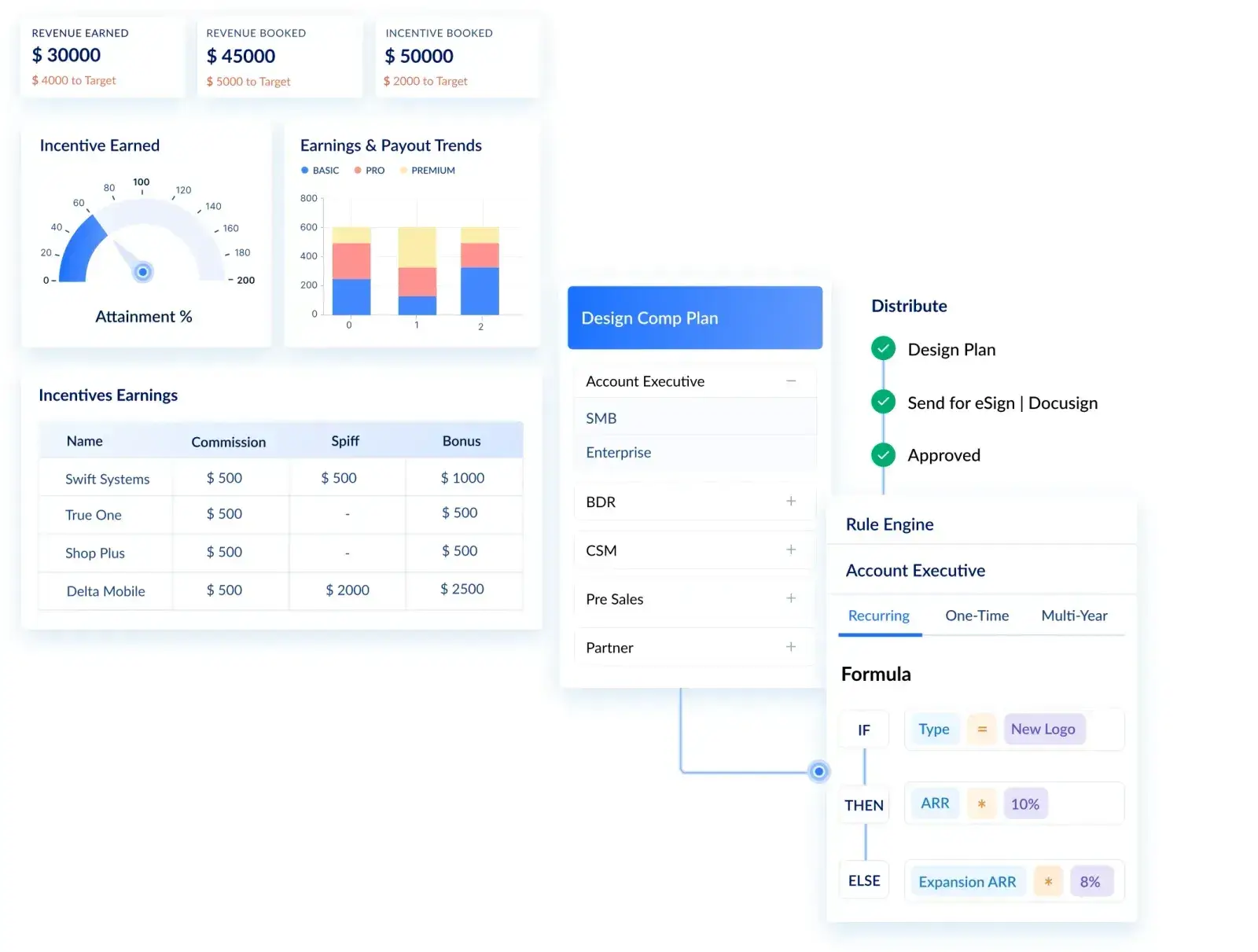
Visdum uses four user roles: Admin, Individual Contributor, Manager and Leader. Report visibility can be limited by role, by department and to specific named users, so a report built for BDR managers does not appear for AE managers. Data streams can be restricted to admins of a specific department, which lets you run separate admins per sales motion or business unit.
Who changes what:
Payout runs move through approval workflows: an admin can self-approve when they hold that authority, or send the run through a multi-level chain such as manager, then HR or finance as final approver. Teams that want strict separation of duties route every run through the chain instead of admin self-approval. Every adjustment captures a reason. Once commissions are marked paid, those records are frozen and cannot be modified, which is what auditors want to see.
Proof after the fact:
Visdum keeps a full audit trail on commission calculations, and admins can switch on field-level history tracking for data stream fields to see exactly how a value changed over time. Reps raise questions through in-app dispute resolution instead of email threads.
Security your IT team will recognize:
Visdum holds a SOC 2 Type II report covering Security, Availability and Confidentiality, available under NDA, and is GDPR compliant. Data in transit uses TLS 1.2 or higher, data at rest is encrypted, and reps log in individually or through SSO with Okta, Google, OneLogin, Azure AD or any SAML 2.0 provider. Integrations authenticate with OAuth and are scoped to the data objects you choose to share.
What this looks like in practice?
WebEngage moved four complex plans covering 60+ sellers off spreadsheets and cut its commission process from 168 hours to 6, with reps now seeing a clear breakdown of their own commissions. CV Library replaced 25+ spreadsheets across nine departments and gave leaders a hierarchical view of compensation across departments, while reps receive their own automated statements.
Who Visdum is best for: mid-market and enterprise revenue teams, typically 40 or more payees, running multiple plans, overlays or business units, where finance needs auditability and IT needs a clean security review before signing.
Links for this section:
- Visdum platform overview
- Visdum Security Policy
- WebEngage case study
- CV Library case study
- How Visdum compares with alternatives
- Top sales compensation software compared
About Visdum
Visdum is a sales compensation platform for Finance, RevOps and Sales teams at high-growth, mid-market and enterprise companies. It replaces spreadsheets and legacy commission systems with one place to design plans, automate calculations, run approvals, resolve disputes, forecast commission expense and support ASC 606 commission amortization. Visdum is rated the easiest-to-use sales compensation software and is SOC 2 Type II compliant. If pay-data sensitivity is the objection holding up your commission project, book a demo and bring your InfoSec questions, or estimate your payback with the Visdum ROI calculator.
FAQs
What is commission data access control?
Commission data access control is the set of rules that decides who can see, change and approve compensation data, such as rates, attainment and payouts. A good model gives each person only the pay data their job requires: reps see their own pay, managers see their reporting line and finance sees what it approves. It also separates the people who edit commission data from the people who approve it, and logs every change with a reason so finance can prove each payout during an audit.
Is commission data considered personally identifiable information (PII)?
Yes, in practice. Commission and salary data describe the pay of an identifiable employee, which makes them personal information under most privacy frameworks, including California's CCPA, which now covers employee data. Treat payouts, OTE and base salary as restricted data with named access only. Keep bank and tax details in payroll or your HRIS rather than your commission tool, because the commission calculation does not need them and every extra copy of PII adds risk.
Who should own commission data access in a company?
Finance should own the policy, because finance owns payout accuracy, commission expense and audit exposure. RevOps or the comp admin team administers roles, scopes and approval chains day to day, since they know the plans and the hierarchy. IT or InfoSec verifies the setup through SSO, offboarding and periodic access reviews. Splitting ownership this way is itself a form of separation of duties: the team that configures access is not the team that signs off on it.
How often should you review access to commission data?
Review access at least quarterly and on every role change, promotion or departure. A quarterly user access review catches leftover admin rights, managers who changed teams, "temporary" exceptions that became permanent and leavers who still have logins. Tie the review to your close calendar so it happens on schedule, and keep the signed-off review as audit evidence alongside your payout approvals.
Does SSO solve commission data access control on its own?
No. Single sign-on (SSO) proves who someone is, which is authentication. Access control decides what that person can see and change, which is authorization. You need both. SSO through a provider such as Okta or Azure AD handles login, MFA and fast offboarding. Role and scope rules inside the commission system decide whether that logged-in person sees their own pay, their team's pay or nothing at all.
Should external partners or channel reps get access to commission data?
Only if they need their own results, and only with the narrowest, time-boxed access available. External users should never see internal reps' pay, plan logic or other partners' results. Some security teams prefer sending partners an approved statement over creating external logins inside internal systems, especially under ISO or SOC 2 controls. If partners do get logins, review them in every quarterly access review.
What should a commission software vendor's SOC 2 report cover?
Ask for a SOC 2 Type II report, which tests controls over a period of time rather than at a single point. For commission data, the Security and Confidentiality trust criteria matter most, and Availability matters if payroll depends on the platform running on schedule. Check the audit period, the scope of systems covered and any exceptions the auditor noted. Visdum's SOC 2 Type II report covers Security, Availability and Confidentiality and is shared under NDA.
Can I restrict one admin to only their own line of business?
Yes. Commission platforms with department scoping let you assign separate admins to each sales motion, business unit or region. A BDR comp admin can be scoped to BDR data only, with no visibility into AE plans or payouts. Three different Visdum buyer calls asked this question in nearly those words, usually from finance leaders running multi-line businesses where the head of one line should not see another line's rates.
How do I stop reps from seeing each other's commission plan logic?
Use plan-level access scoping, not just row-level filtering. Row-level filtering shows each rep only their own numbers, but it does not hide the plan document itself. If two reps are on different plans with different rates, make the plan document visible only to the rep it applies to, plus their manager chain and the comp admin. Five Visdum buyer calls asked some version of this question. The fix is plan scoping plus a reporting-layer rule that only shows attainment, not dollar rates, in any cross-rep view.