Sales Comp Software and Claude vs Excel and Claude
.webp)
TL;DR: Sales compensation software is a system of record that turns closed deals into correct, auditable payouts every cycle. Excel and a standalone Claude can model and explain commissions, they cannot run them: no live data sync, no audit trail, no memory of clawbacks. The upgrade is not dropping Claude, it is connecting it to a system built to run payouts.
Key takeaways
- A spreadsheet and a standalone Claude are built to model and explain commissions, not to run them as the official payout. Connected to a system of record, Claude changes jobs.
- Sales compensation software is the system of record: live CRM and billing sync, plan logic that holds state, an auditable computation log, and a dispute workflow.
- The break point is not headcount, it is complexity and consequence: tiers, clawbacks, multiple plans, multi-currency, or an audit each push you closer to the edge.
- A wrong number rarely gets caught by Finance. The rep catches it on payday, and that is the moment trust in the whole process erodes.
- The upgrade path is sales compensation software with Claude connected to it, not a cleaner spreadsheet or a smarter prompt.
The real question was never whether Claude can do commission math. It can, and most teams already lean on it. It is not whether Excel can hold a tiered formula either. It can. The question underneath the title is quieter and more expensive: what do you run Claude on? On a spreadsheet, you are still doing the work by hand. On sales compensation software built to run payouts on a ledger that remembers, the same model changes jobs.
Those are two different jobs. One is reasoning: explain this plan, model this scenario, check this formula. The other is record-keeping under pressure: sync the latest deals, apply last quarter's clawback, log who changed what, and produce a number Finance can defend if anyone asks. A chat window and a sheet are good at first. They quietly fail at the second, and the failure shows up on payday.
This is where RevOps ends up reconciling exports at 11pm, Finance ends up with a different total than the CRM, and a rep ends up in your inbox certain they were shorted. This guide draws the line honestly: where Excel and Claude earn their place, where they turn into risk, what sales compensation software adds that neither can, and how to tell which side of the line you are on before the next payout run.
What is sales compensation software, and how is it different from a spreadsheet or a standalone Claude?
Sales compensation software is a dedicated platform that automates commission calculations on live data, holds your plan logic and payout history in one place, and gives Finance, RevOps (revenue operations), and reps a single source of truth for what was earned and why. Think of it as compensation infrastructure, not a calculator.
The contrast is not "manual versus automated." It is stateless versus stateful. A spreadsheet stores numbers but not the reasoning, and it drifts the moment someone edits a cell. A standalone Claude reasons well but forgets everything between sessions and never touches your live data. Compensation software does the opposite of both: it keeps the connection to your data, the memory of prior periods, and the record of every calculation. Claude has a place in that picture too, once it is connected to the system rather than sitting beside it, which is where this guide lands later.
Most teams do not start here, and they should not. You do not buy software before you need it. The useful move early on is to model your plan cleanly and see where the math strains. If you want to pressure-test your own numbers, tiers, gates, and accelerators included, start with Visdum's tiered commission calculator instead of rebuilding it from a blank cell.
Can you run sales commissions on Excel or Claude?
Yes, up to a point, and it is worth being fair about that point because it is real.
Excel is genuinely fine for a small, simple plan: a few reps, one flat rate, no clawbacks. Claude adds a second capability spreadsheets never had: it can explain a dense comp plan in plain English, walk a tiered payout, apply an accelerator, and flag where a rep might dispute the logic before a plan ships. Used that way, a general AI removes a lot of "how do I actually get paid" back-and-forth. That is a legitimate, modern use, and it is more than most spreadsheets offer.
Notice what both have in common, though. They answer a question you bring them. They do not run a process. The moment the output stops being "help me understand this number" and becomes "this is the number we pay," you have changed jobs without changing tools. For the full breakdown of exactly what a general AI handles well and where it quietly stops, see Visdum's companion guide on how to use Claude for sales commissions and how long before it breaks.
If you would rather start from structure than a prompt, a pre-built sheet beats a blank one. Visdum's free commission tracking template ships with the tabs and formulas already wired for Excel and Google Sheets.
Where do Excel and standalone Claude break for sales compensation?
They break at the exact seam between calculating a number and being accountable for it. A chat window has no memory, no ledger, and no live data connection. A spreadsheet has no connection either, and it degrades every time a hand touches it. Here is the capability gap laid out plainly.
The pattern to watch: what starts as a convenient calculation becomes a reconciliation problem, and a reconciliation problem becomes an audit problem.
This is not hypothetical. RevOps and sales-ops practitioners describe the same loop constantly, one operator's version, "our commission calculations are all in spreadsheets and reps keep disputing payouts," is a widely echoed question in the community, and the top answers all converge on the same conclusion: stop calculating pay in a place that cannot show its work.
The cost is not abstract either. At freight brokerage TQL, a commission calculation error paid some brokers a 25% rate instead of the intended 20%, and the company then had to ask employees to return the overpayment. That is the hidden cost of a number nobody can trace: overpayments are awkward to claw back, underpayments cost you the trust of the rep they shortchanged, and both land on Finance to clean up.
TL;DR: Excel and a standalone Claude are safe for modeling a number. Neither is a safe place to store, defend, and reproduce every number, cycle after cycle. That is the line where sales compensation software starts.
What does sales compensation software do that Excel and Claude can't?
Four things work together, and none of them is "a smarter formula." This is the difference between a calculation someone performs and a process the system runs.
1. A live connection to your source of truth:
Deals, bookings, and billing sync automatically from your CRM (customer relationship management system, such as Salesforce or HubSpot) and ERP (enterprise resource planning system), so a late deal in the last week of the quarter is never missed and nobody re-pastes data by hand.
2. Plan logic that holds state:
Tiers, accelerators, clawbacks (recovering commission on a deal that later churns), draws, and true-ups apply across periods automatically, without anyone remembering to adjust a cell. The system carries the memory a chat window and a sheet cannot.
3. A transparent, tamper-evident computation log:
Every rep can trace their own payout to the deal and the rule that produced it, and Finance can defend the total in an audit. Fewer "trust me" conversations, faster month-end close.
4. A dispute and approval workflow:
Questions resolve against the exact transaction instead of scattering across email and Slack threads that no one can reconstruct later.
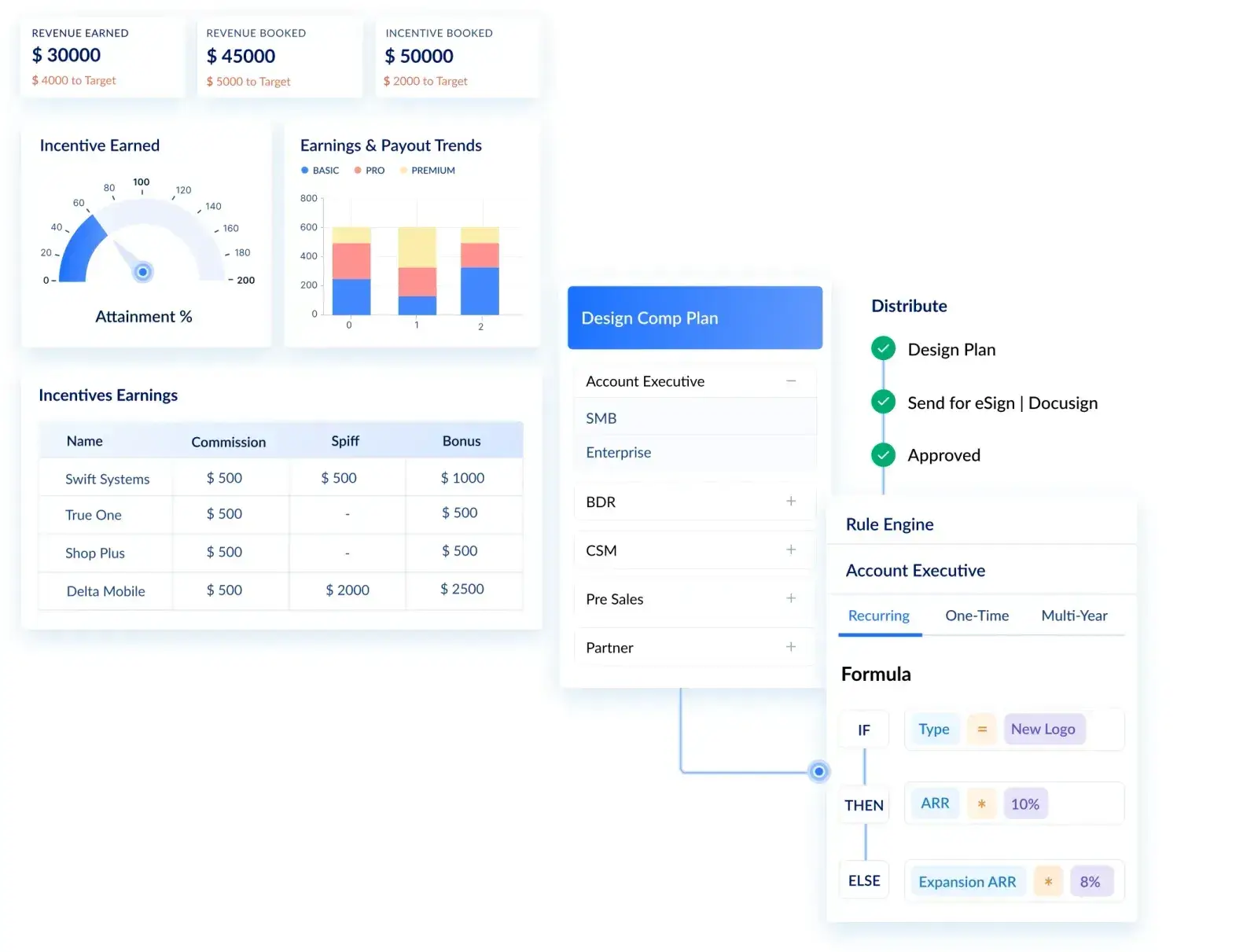
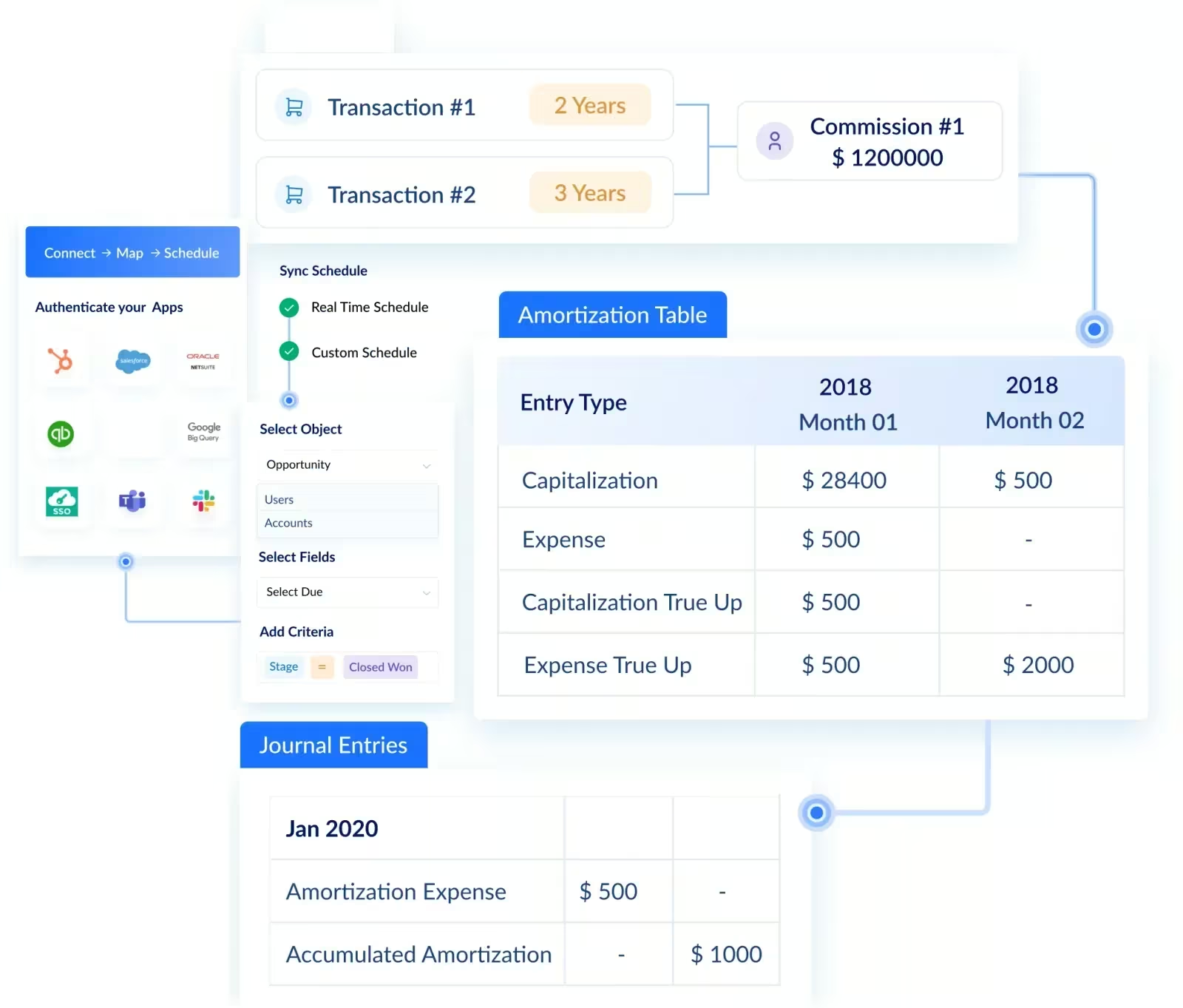
Layer ASC 606 (the revenue-recognition standard governing how the cost of winning a contract is capitalized and amortized) on top, plus live forecasting of commission cost against attainment, and you have moved from "I can calculate a commission" to "commissions calculate themselves, correctly, every cycle." You can see that shift on Visdum's commission automation page, and the newer pattern, AI inside the system rather than AI in a separate tab, on the AI Copilot page, where payout questions get answered from your real calculated data rather than a fresh guess.
Where does Claude actually fit once you have a system?
This is the resolution most posts skip. Claude does not disappear when you move to sales compensation software. It changes sides.
On its own, Claude is a standalone chat window: it reasons well, then forgets everything between sessions and touches none of your real data. That is the version that breaks on payout day.
Connected to the system of record, it is a different tool. Through Visdum's governed MCP (Model Context Protocol) connector, Claude reads your live, calculated commission data within the platform's access controls, so a question like "why is this rep's payout down" gets answered from the actual ledger, not a fresh guess. Same model, opposite job: a general chatbot that guesses, or a governed assistant grounded in your numbers.
So the honest end state is not "Excel and Claude," and it is not "sales compensation software" on its own. It is sales compensation software with Claude connected to it.
How do you know when you've outgrown Excel and a standalone Claude?
The trigger is rarely headcount alone. It is complexity and consequence: the moment a wrong number can damage rep trust or fail an audit, Excel and Claude have already cost more than they saved. Use this as a blunt self-check.
Most teams cross the middle row without noticing, usually one plan change or one disputed payout at a time. By the time the spreadsheet is a load-bearing part of payroll, switching feels risky precisely because everything depends on it.
Who is sales compensation software actually for?
- RevOps and sales-ops leaders who own comp admin and are tired of being the human integration layer between the CRM, billing, and payroll.
- Finance and accounting leaders (Controller, CFO, FP&A) carrying payout accuracy, audit readiness, ASC 606 amortization, and commission-cost forecasting.
- Mid-market and enterprise SaaS teams with 50+ reps, multiple or multi-currency plans, splits, clawbacks, and overrides.
- Not yet a fit: a small team on one flat plan. Model it well, keep it in a sheet, and revisit when complexity or an audit shows up.
TL;DR: If a single wrong payout can erode trust or fail an audit, you are already in sales compensation software territory. The question is whether you switch on your terms or after a bad quarter forces it.
How do you evaluate sales compensation software?
Once you have decided a spreadsheet and a chatbot are not enough, the evaluation itself is where teams stall. Skip the feature checklist theater and score platforms against the criteria that actually decide whether payouts stay correct as you scale.
1. Native integrations, not just an API:
Confirm live, out-of-the-box connections to your CRM (Salesforce, HubSpot), ERP and billing systems, and payroll or HRIS (human resources information system), plus multi-currency if you pay across regions. Native links mean far less maintenance than a connector you have to babysit.
2. Plan flexibility for real complexity:
Tiers, accelerators, splits, overrides, SPIFs (special performance incentive funds), clawbacks, and mid-period plan changes should be configurable without engineering help.
3. An auditable computation log:
Every payout should trace to the deal and the rule that produced it, so Finance can defend the number and reps can check their own math.
4. Rep-facing transparency:
Real-time dashboards and a self-serve payout breakdown reduce disputes and give sellers a reason to trust the process.
5. Forecasting and modeling:
The ability to test a plan against historical data and forecast commission cost against attainment before you ship it.
6. Compliance and controls:
ASC 606 amortization, SOC 2, GDPR, and role-based access, which matter more the closer you are to an audit or enterprise scale.
7. Implementation and support:
Ask for a realistic go-live timeline, whether you can change plans yourself afterward, and how much the vendor's team owns during rollout.
8. Useful AI, built on your data, not a bolt-on chatbot:
The AI worth paying for works on your live compensation data: surfacing payout anomalies, answering plan questions from the real numbers, and building reports on request. Platforms like Visdum run this across an AI Copilot, Report Builder, Nudge generator, and Visdum MCP (Model Context Protocol) connector, so the intelligence sits inside your system of record, not a separate chat tab.
.webp)
How much does sales compensation software cost, and is it worth it?
Pricing for a category like this usually runs on a per-payee subscription plus a one-time implementation fee, and modern platforms have pushed the entry point down and the timeline in. Visdum, for example, scopes pricing to your team size and plan complexity on a short call rather than a flat public rate, with go-live measured in weeks, not quarters.
Weigh that against the cost it removes, not against $0. One disputed quarter, one clawback conversation like the TQL example above, or the RevOps hours lost to reconciliation each month usually dwarfs the subscription. The honest ROI test is simple: add up the hours your team spends rebuilding the commission model every cycle, plus the cost of the errors you do not catch, and compare that to the price of a system that runs it once and repeats it correctly.
See it on your own comp plans
The fastest way to judge fit is to watch the software run your actual plan, not a demo dataset. A self-guided product tour shows what spreadsheet-free commission automation looks like end to end, and a personalized demo runs it against your own comp logic so you can see exactly where it removes manual work.
About Visdum
Visdum is compensation infrastructure for Finance, RevOps, and Sales teams. It replaces spreadsheets and manual reconciliation with a connected system that automates commission calculations, keeps a transparent and auditable computation log, supports ASC 606 amortization, and gives every rep real-time visibility into how their payout was earned.
The point is not more features. It is less risk: fewer errors, a faster month-end close, fewer disputes, and numbers Finance can defend. If you have been leaning on Excel and Claude to understand and model your commissions, Visdum is the natural next step to actually run them. Take a self-guided product tour to see it on your own terms.
FAQs
Can you use Excel to manage sales commissions?
Yes, for a small, simple plan: a few reps, one flat rate, no clawbacks. It stops being safe the moment you add tiers, multiple plans, or an audit, because a spreadsheet has no live data connection, no reliable memory across periods, and no way to prove how a number was built.
Can Claude or ChatGPT calculate sales commissions?
Yes, for a single scenario. A general AI will compute an OTE (on-target earnings), walk tiers, apply accelerators, and explain the logic, which makes it a strong modeling and explanation tool. It is not a place to run or store official payouts, because it is stateless: no persistent data, no audit trail, no live sync.
When should you switch from spreadsheets to sales compensation software?
When complexity or consequence crosses a line: multiple plans, clawbacks, multi-currency, an upcoming audit, or reps regularly disputing payouts. If a wrong number can damage trust or fail an audit, the DIY approach has already become the more expensive option.
How hard is it to move off spreadsheets to sales compensation software?
Less than most teams fear, and less than another year of manual reconciliation. A net-new rollout from Excel usually takes a few weeks, replacing an older system takes a little longer, and a good vendor runs your new setup in parallel with your existing process so every number is validated before go-live. The risk to weigh is not the switch, it is staying on a system that cannot show its work.
How much does sales compensation software cost?
Most platforms charge a per-payee subscription plus a one-time implementation fee, and many now scope the quote to your team size and plan complexity rather than list a flat public price. The number that matters more is what it saves: reconciliation hours and uncaught errors usually cost more than the software.
What should you look for in the best sales compensation software?
Prioritize live CRM and billing sync, a no-code plan builder that handles tiers and clawbacks, an auditable computation log, a dispute workflow, ASC 606 support, and fast implementation. Cross-check independent reviews on G2, Capterra, and TrustRadius rather than vendor claims. Visdum is rated #1 for ease of use and implementation on G2 across mid-market, which is a useful signal for teams that need to go live quickly.
Does sales compensation software handle ASC 606, clawbacks, and true-ups?
Yes, and this is a core reason to move off DIY. A system that holds state can apply clawbacks and true-ups across periods and maintain ASC 606 amortization schedules consistently. A spreadsheet strains at this and a chat assistant cannot do it at all, because neither remembers prior periods.
What is a good commission rate for sales?
It depends on role, margin, and pay mix rather than a single benchmark, which is exactly why plan design deserves its own attention before you automate anything. Settle the structure first, then let the system run it. Visdum's guide on how to structure a sales commission plan walks through base, quota, tiers, and accelerators.