What Is Workday? A Practical Guide for Finance and HR Teams
If you’ve ever tried to line up employee data with financial forecasts, you already know where things start to break.
HR has one system. Finance has another. Operations sits somewhere in between, usually in a spreadsheet or with their own set of software that’s already outdated. Even basic questions end up needing multiple people to answer.
This is usually when companies move to Workday. Workday helps teams clean up that disconnect, bring alignment cross-functionally, and help Finance and HR work towards productivity and efficiency.
Still, for something so widely used, there’s a surprising amount of confusion around what Workday actually is. Some call it an HR system while others think of it as an ERP. Both are partially right, which doesn’t make it any clearer.
So let’s look at Workday’s implications for businesses and why it is the preferred choice for HR and Finance teams worldwide.
What Is Workday?
Workday is used by over 10,000 organizations globally, including a large portion of Fortune 500 companies. It is a cloud-based platform that companies use to manage HR, finance, and planning in one place.
Instead of splitting employee data, financial records, and forecasts across different tools, Workday pulls them into a single system so teams are working off the same underlying data.
It covers human capital management, financial management, and a range of ERP-style capabilities, which is why it often gets grouped into ERP categories even though it didn’t start there.
What Does Workday Do?
The easiest way to understand Workday is to look at the problems it tries to remove.
In most companies, the issue isn’t a lack of tools. It’s that systems were added over time without being designed to work together. Workday is often less about adding another tool and more about rethinking how data flows across teams.
Workday’s goal is to reduce that gap.
The challenge isn’t collecting data. It’s making sure everyone is working from the same version of it.
What Is Workday Used For?
Gartner estimates that over 50% of organizations will move to industry cloud platforms by 2029, reflecting the shift toward platforms like Workday.
In day-to-day use, Workday tends to sit at the center of a few key workflows.
Companies largely rely on it to:
- Keep employee records consistent across regions
- Run financial close processes
- Align hiring plans with budgets
- Track expenses and procurement
- Support compliance and reporting
One of the more practical benefits is that finance and HR don’t have to rely on each other for every data update. They’re already looking at the same system.
Workday Modules and What They Actually Look Like in Practice
Workday Human Capital Management (HCM)
Workday’s HCM module becomes the place where employee data lives. Hiring, onboarding, performance reviews, compensation, payroll - it all feeds into the same system. It is the core layer that everything else builds on.
For HR teams, that usually means fewer manual updates and less time spent cross-checking data. With Workday HCM, there’s a single source that employees across teams trust, and this often becomes an important aspect once teams start scaling.
It manages employee data from hiring through to performance and compensation. More importantly, it keeps that data structured in a way that other parts of the business can use.
This is also why Workday HCM becomes the foundation for most implementations. Without clean workforce data, the rest of the system doesn’t hold up as well.
Workday Financial and Spend Management
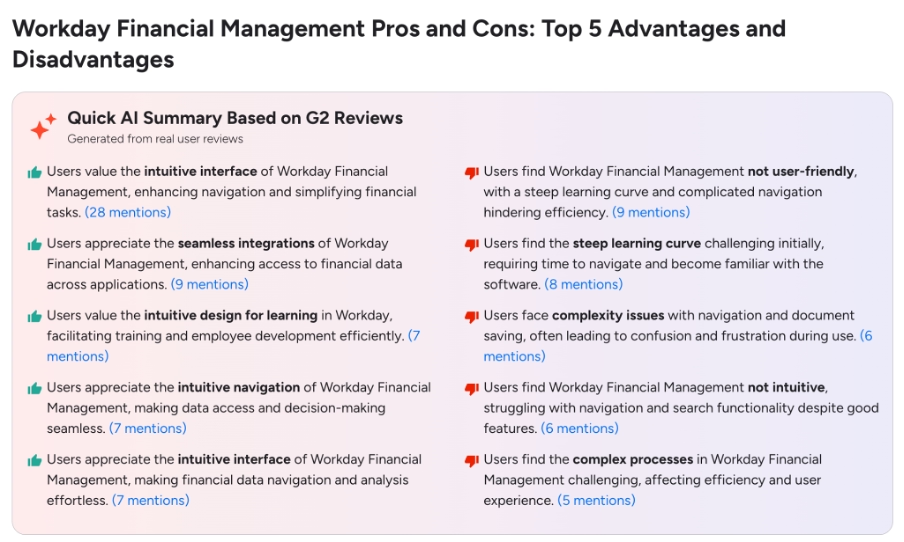
Workday Financial Management handles the usual core processes like general ledger, payables, receivables, and expenses.
While that part is a set expectation, what starts to make a difference is how closely this connects with spend.
Procurement, supplier data, contracts, and expenses don’t sit in separate systems or workflows. They’re part of the same flow, which means finance teams aren’t piecing together what was planned versus what was actually spent after the fact.
Because of this inter-connection, visibility improves in a practical way. Spend is tied back to departments, budgets, and even hiring plans as it happens, not just during reporting cycles.
Approvals also tend to be more consistent. Plans can be adjusted without reworking everything, so exceptions don’t quietly pile up over time.
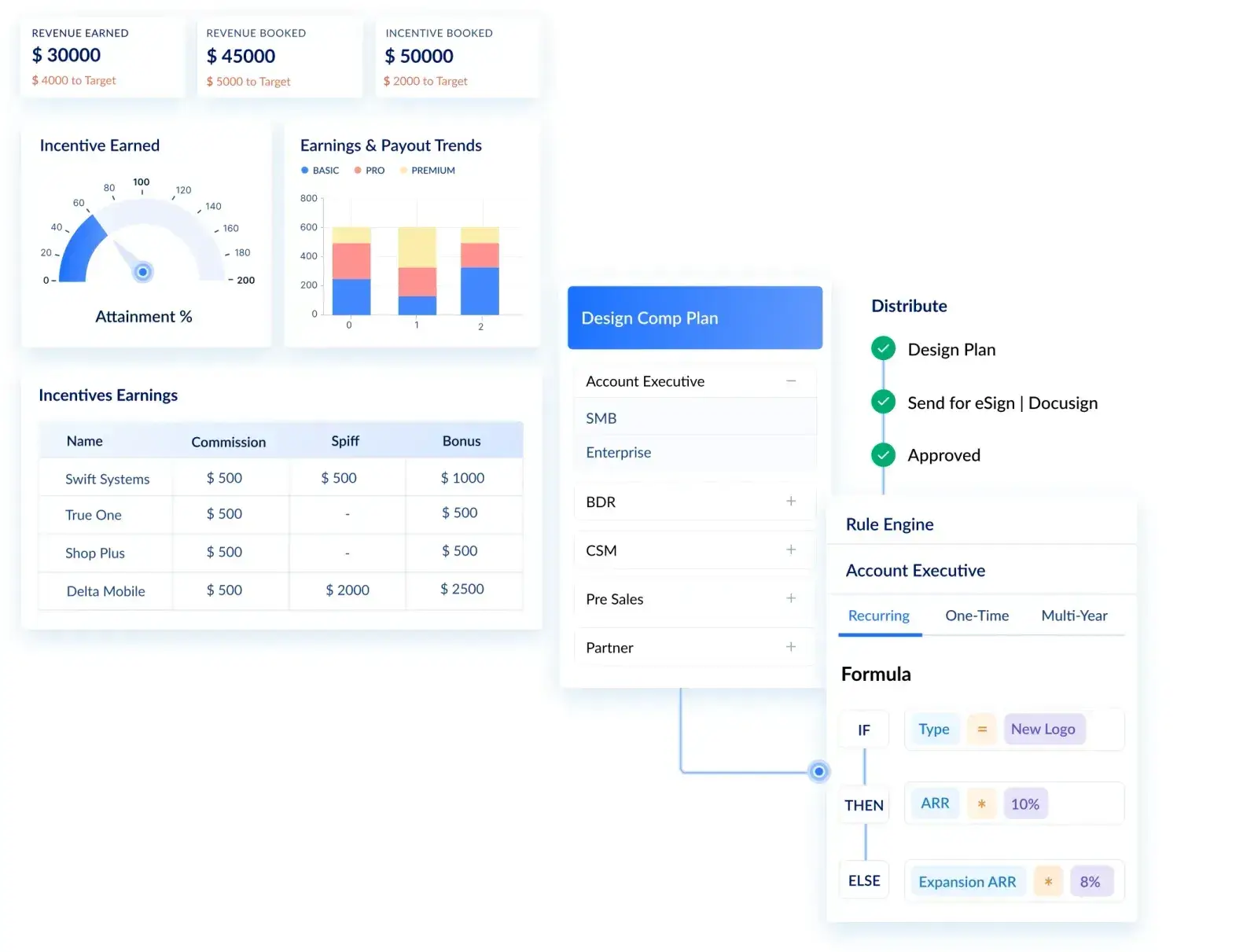
Even with this level of visibility, certain workflows like commissions calculations often sit outside the core system and require specialized sales commission tool like Visdum to manage effectively.
Put together, Workday Financial and Spend Management doesn’t necessarily change what finance teams are responsible for. It changes how much effort goes into tracking, validating, and explaining the numbers behind those responsibilities.
The connection between workforce data and financial planning is a big reason companies adopt Workday in the first place.
Workday Adaptive Planning
According to a study by Accenture in 2024, finance teams spend up to 85% of their time on data collection and validation rather than analysis.
While team may still rely heavily on spreadsheets for forecasting, even if they’ve invested in other systems, Workday’s Adaptive Planning reduces how dependent teams are on such disconnected models.
With a focus on budgeting and forecasting, finance teams use it to model different scenarios, adjust plans, and keep forecasts closer to what’s actually happening in the business.
You can adjust forecasts without rebuilding everything. If hiring slows down or a department expands faster than expected, those changes can be reflected without starting from scratch.
It doesn’t remove the effort involved in planning, but it does make the process less rigid.
This is where Workday Adaptive Planning becomes more useful than static, spreadsheet-driven planning.
.avif)
Workday Global Payroll Suite
Workday also handles payroll and supports companies operating across multiple countries.
This includes dealing with different regulations, currencies, and regional requirements.
For companies that are expanding internationally, this reduces the need to manage separate systems in each location.
Workday Analytics and Reporting
Workday doesn’t really treat analytics as a separate add-on. It’s built into how the system works across both HR and finance.
At a basic level, it gives teams access to reports, dashboards, and ad hoc analysis directly within the platform. You’re not exporting data into another tool every time you need answers. The data is already there, and it updates as things change.
For HR, teams can track things like hiring trends, turnover, and workforce performance without pulling data from multiple systems. For Finance, the same setup is used to monitor budgets, costs, and overall financial performance.
The more useful part is how these views overlap.
Because the data sits in one system, workforce metrics and financial metrics can be looked at together. For example, changes in hiring or compensation can be reflected in financial reports without extra reconciliation.
Workday also makes your teams much more self-serve. Managers and team leads can access dashboards and reports on their own, instead of relying entirely on analysts to pull data for them.
Workday Analytics & Reporting makes it possible to access data when you actually need it.
Is Workday an ERP?
This is where definitions start to matter.
Workday does cover a lot of what people expect from an ERP, especially around financial management and reporting, but it wasn’t designed to be a traditional ERP in the way older systems were.
Legacy ERP systems aimed to cover everything, often including supply chain and manufacturing, and were built in a very different era of software.
Workday took a narrower starting point with HR and expanded into finance and planning over time. It still depends on integrations for certain areas, which is why some teams hesitate to call it a full ERP.
In practice, many companies treat it like one. It just doesn’t try to replace every system in the stack.
The more useful question is not whether Workday is an ERP, but whether it replaces the need for one. In many cases, it becomes the system of record for finance and HR, while other systems continue to handle more specialized workflows.
What Is Workday Integration?
Workday doesn’t operate on its own.
While integrations isn’t a separate module of Workday, it acts as a comprehensive platform in itself that helps Workday connect with other third-party systems so customers can run their workflows smoothly on Workday.
It connects with other tools like CRM systems, payroll providers, and various financial applications. These integrations allow data to move between systems instead of being manually transferred.
That said, integrations aren’t always effortless. In larger setups, they tend to need ongoing attention as systems and processes evolve.
Pros and Limitations of Workday
No system solves everything, and Workday is no exception.
Where it works well
- Brings HR, finance, and planning into a shared system
- Reduces inconsistencies in data across teams
- Scales as organizations grow
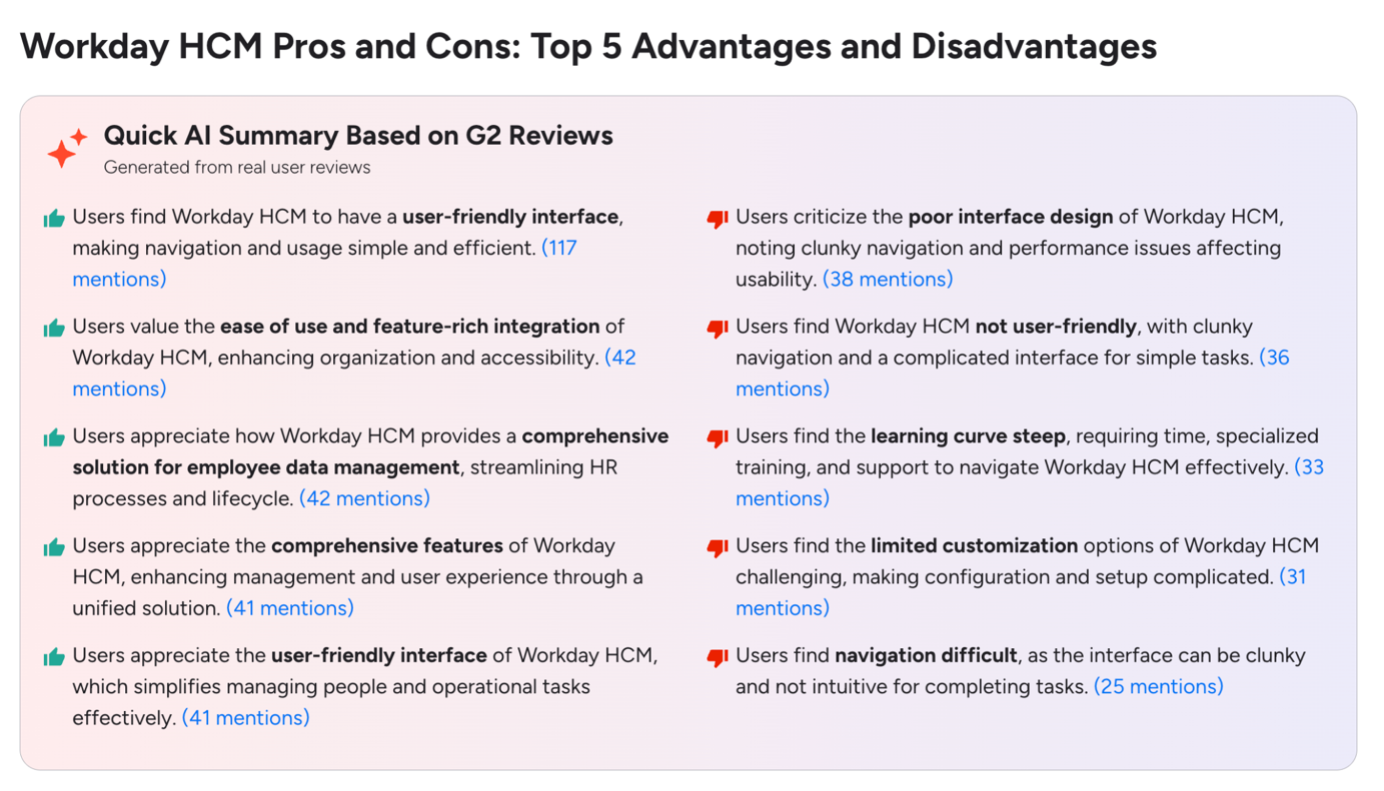
- Easier to navigate than many older systems
Many users highlight the benefit of having HR, payroll, and recruiting in one place, which reduces the need to manage multiple systems. Shared dashboards and self-service reporting also help teams stay aligned on the same data.
Where teams run into challenges
- Implementation can take longer than expected
- Costs can increase over time
- Some use cases still require additional tools alongside it
Some users note that certain workflows and reporting setups can feel complex, especially early on. Reporting in particular is often described as powerful but not always straightforward to build, depending on how the system is set up.
Workday vs Traditional ERP Systems
The differences are easier to see in context.
It’s less about one replacing the other and more about how companies want their systems to function day to day.
Who Should Use Workday?
Workday generally makes sense for:
- Mid-sized and larger organizations
- Companies with growing or distributed teams
- Finance and HR functions that need to stay aligned
- Businesses moving away from legacy systems
For smaller companies, it can sometimes feel like more structure than they actually need.
How Workday Works as Part of a Larger System
Workday has become a central system for companies trying to bring more consistency to how they manage people and finances.
It doesn’t remove complexity entirely, but it does reduce the friction that comes from disconnected tools.
At the same time, it’s not meant to cover every edge case. Most organizations still rely on other systems alongside it.
Workday solves a structural problem that most growing companies eventually face. But like most platforms, its impact depends less on what it can do and more on how well it’s implemented and what it’s paired with.
FAQs
1. Why do companies use Workday?
Workday comes in when existing systems stop keeping pace. As teams grow, HR, finance, and planning start drifting out of sync. Workday is often brought in to bring those pieces back together so teams aren’t working off different sets of numbers.
2. What exactly does Workday do?
At a basic level, Workday brings employee data, financial processes, and planning into one place. Instead of passing information between systems, teams can work off the same data, which cuts down on back-and-forth and manual checks.
3. What is Workday Human Capital Management (HCM)?
Workday HCM handles employee-related processes from start to finish. That includes hiring, onboarding, performance tracking, and compensation. It acts as the main system where workforce data is stored and updated.
4. What is Workday Adaptive Planning?
Workday Adaptive Planning is used by finance teams to build budgets and forecasts. It makes it easier to adjust plans as things change, without having to rebuild everything each time.
5. How long does it take to implement Workday?
There isn’t a fixed timeline. It depends on how large the organization is and how many modules are being rolled out. For bigger companies, it can take several months, and sometimes longer if the setup is more complex.
6. Why do companies switch to Workday?
The shift usually happens when existing tools start creating more friction than they solve. Data stops lining up, reporting takes longer, and planning becomes harder to trust. Workday is often seen as a way to bring more consistency to how teams work with that data.
.webp)