Top 10 Payroll Automation Software in 2026
Manual payroll still fails in the same predictable places: missed data, outdated tax rules, messy approvals, and last-minute fixes that slow down payroll and create compliance risk.
In 2026, payroll automation means your payroll engine is connected to HR data, time tracking, approvals, and accounting so payroll runs with fewer handoffs and fewer spreadsheets.
I like to frame it this way: payroll is the one workflow where “mostly accurate” is not acceptable, because even a small error hits trust immediately. This guide is for SMBs, mid-market teams, and global organizations that want automation, auditability, and integrations without turning payroll into a monthly fire drill.
Who this guide helps
- Founders and operators who want payroll to run predictably.
- HR teams that need employee self-serve and fewer back-and-forth edits.
- Finance teams that care about reporting, approvals, and clean journal entries.
Quick Comparison Table
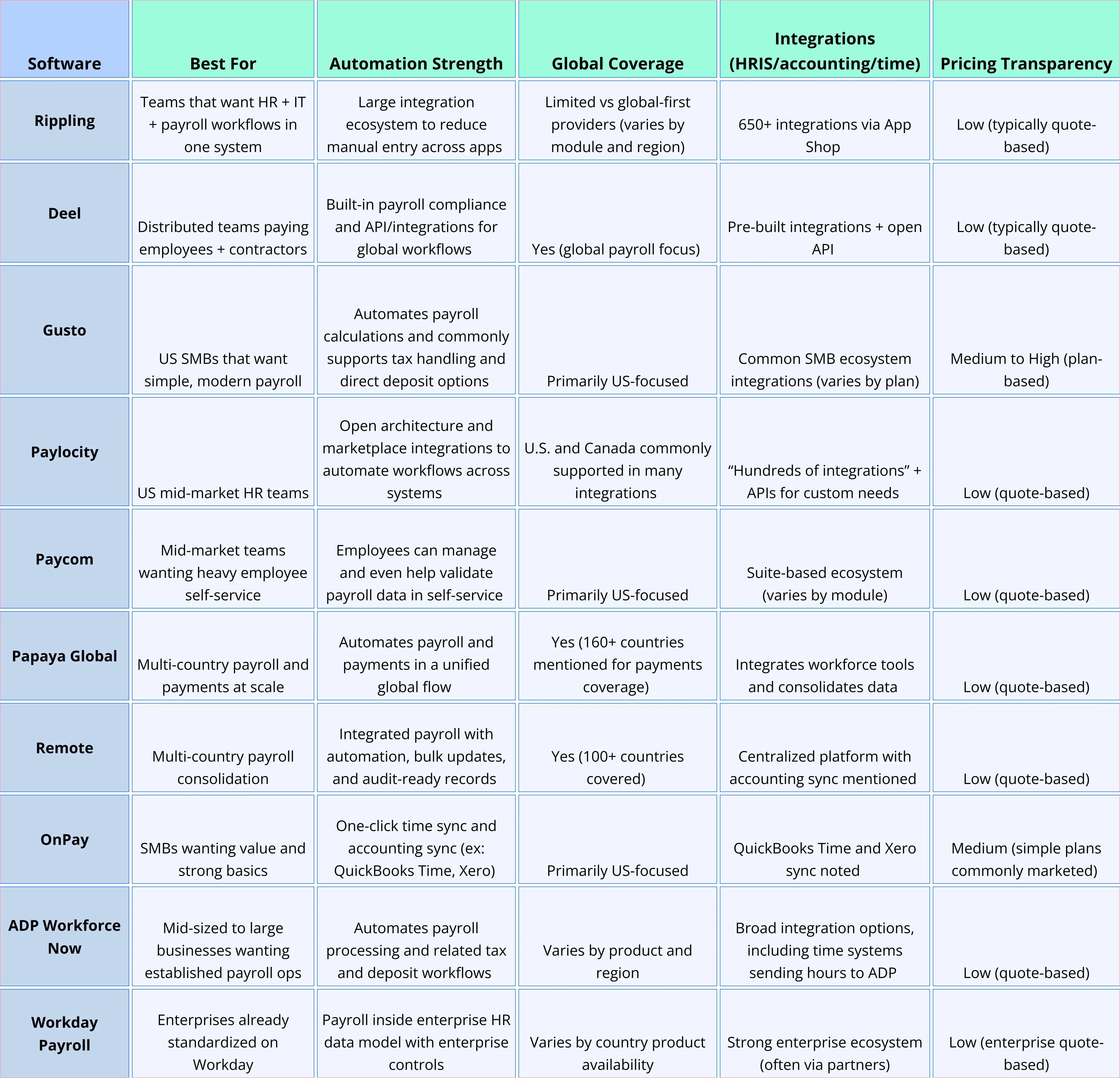
How to use this table
- If you are US SMB: start with Gusto, OnPay, and consider ADP if complexity is rising.
- If you are global: start with Deel, Remote, Papaya Global.
- If you want automation across systems: prioritize Rippling and Paylocity for integration-led automation.
Top 10 Best Payroll Automation Software in 2026
Diving into the full list in this section.
1) Rippling
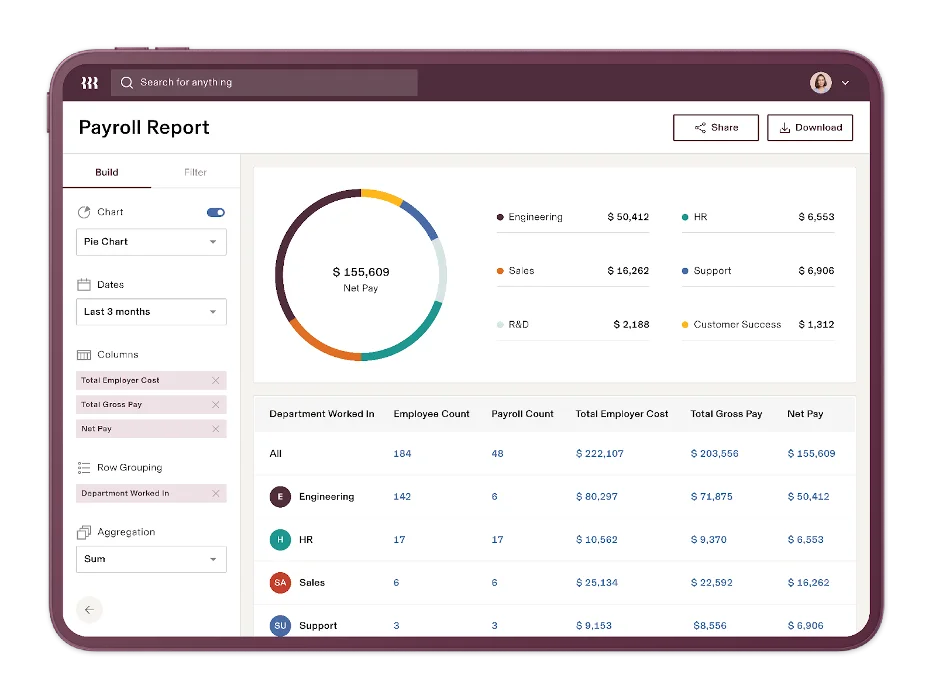
What it is: A workforce platform that brings payroll together with other operations, and leans heavily on integrations to reduce manual work.
Best for: Teams that want automation across HR, IT, and finance workflows more than a standalone payroll tool.
Standout automation features
- Large integration catalog that helps reduce rekeying and data silos.
- Workflow triggers and connected reporting across app data (useful for ops-heavy teams).
- Custom integration options using developer tooling.
Integrations: 650+ integrations through the App Shop.
Pros
- Very strong when the goal is automating processes beyond payroll.
- Fits well in multi-app stacks where data needs to move reliably.
Cons
- Pricing is usually quote-based, and costs can grow as modules scale.
- Global payroll depth varies compared with global-first vendors.
Pricing approach: Quote-based.
Bottom line: Choose Rippling when “payroll automation” really means cross-tool automation and workflows.
2) Deel
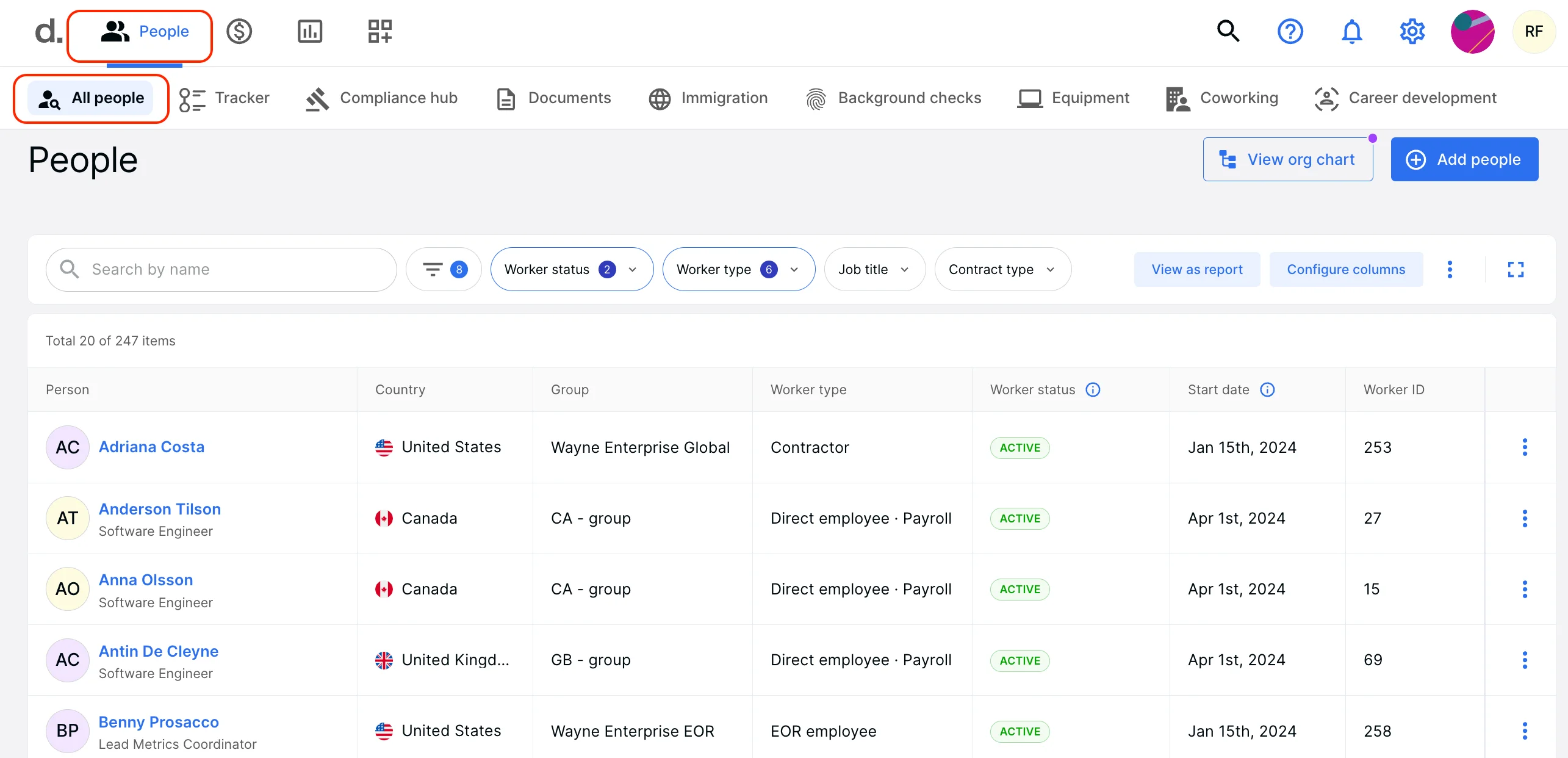
What it is: A global payroll and compliance platform designed for international hiring and payments.
Best for: Companies paying contractors and employees across multiple countries and wanting compliance built in.
Standout automation features
- Built-in payroll compliance support for global teams, including handling complex local requirements.
- Pre-built integrations plus an open API for custom workflows.
- Automated collection and management of compliance documentation for audit trails.
Integrations: Pre-built integrations and open API.
Pros
- Strong positioning for global compliance and multi-country operations.
- Integrations are emphasized as part of the product approach.
Cons
- Pricing is typically quote-based and can be complex at scale.
- Best value shows up when you actually have global complexity, not just a single-country payroll.
Pricing approach: Quote-based.
Bottom line: Pick Deel when international payroll compliance and paying different worker types is the core problem.
3) Gusto
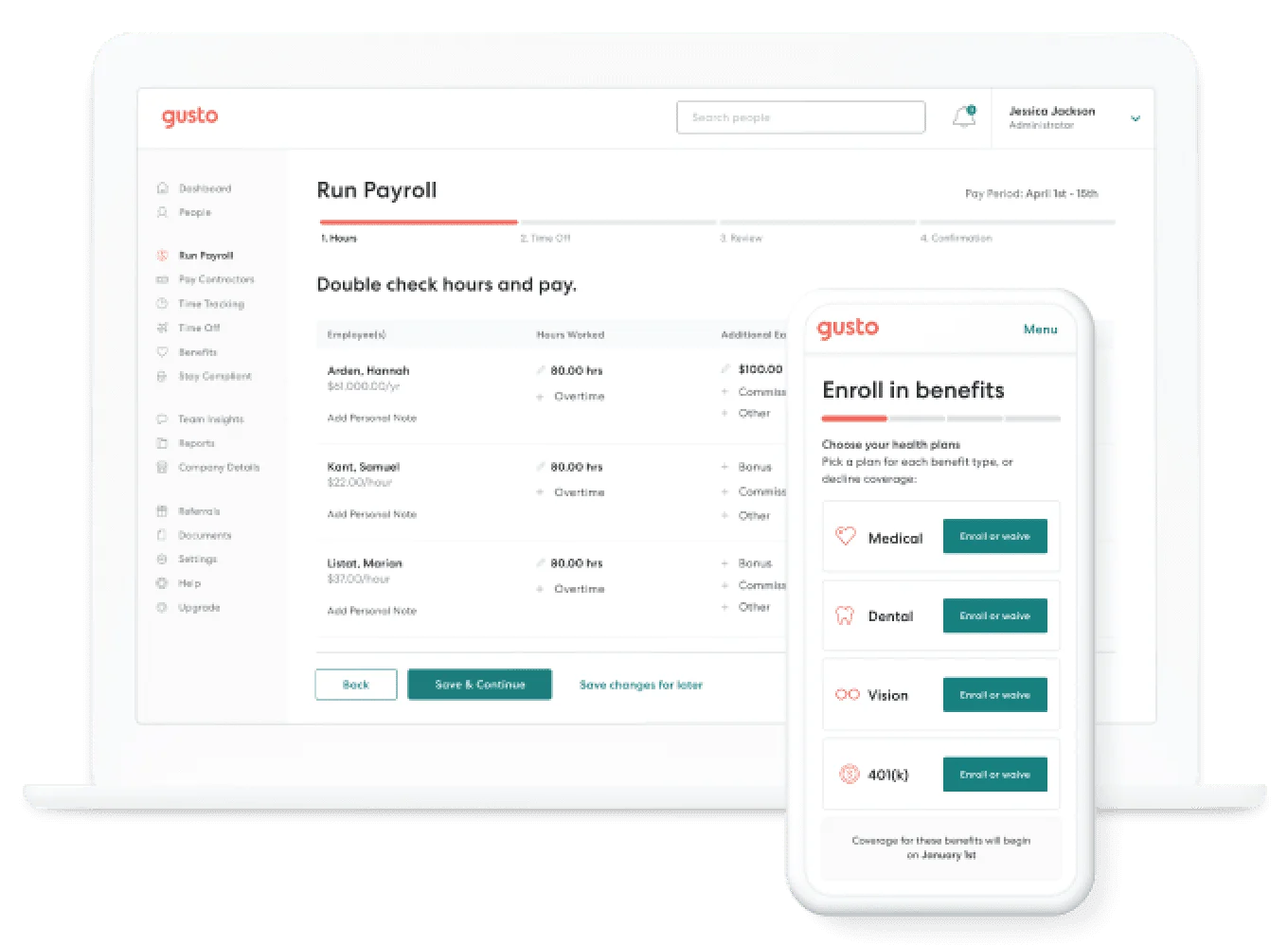
What it is: A popular payroll platform built for small and mid-sized businesses with a focus on usability.
Best for: US SMBs that want payroll to run smoothly with minimal admin.
Standout automation features
- Automates payroll calculations and tax-related processing workflows (commonly positioned as “full-service payroll”).
- Direct deposit options including faster processing in some cases.
- Employee-facing access to pay documents like W-2s through a portal experience (commonly highlighted).
Integrations: Common SMB integrations vary by plan and ecosystem.
Pros
- Strong employee experience and a simpler learning curve for SMB teams.
- Good fit when a lean HR team needs payroll to “just work.”
Cons
- Primarily US-focused, so global payroll needs usually push teams elsewhere.
- Advanced enterprise controls may require a different platform.
Pricing approach: Plan-based pricing is commonly marketed, so transparency is usually higher than enterprise quote tools.
Bottom line: If you are a US-first SMB and want simplicity with solid automation, Gusto is often a top shortlist item.
4) Paylocity

What it is: A payroll and HCM provider for growing mid-market organizations with a strong integration posture.
Best for: US mid-market teams that need payroll plus broader HR capability and connectivity.
Standout automation features
- Integrations designed to move HR and payroll data across systems and reduce silos.
- Marketplace approach, plus APIs and developer tools for custom integrations.
- Supports automation through connected workflows when integrated into existing systems.
Integrations: Hundreds of integrations and APIs for custom needs.
Pros
- Strong when a business already has multiple systems and needs them to “talk.”
- Flexible for teams that want both marketplace apps and custom builds.
Cons
- Pricing is typically quote-based.
- Implementation effort depends on how complex your existing stack is.
Pricing approach: Quote-based.
Bottom line: Choose Paylocity when mid-market HR workflows and integrations matter as much as payroll itself.
5) Paycom
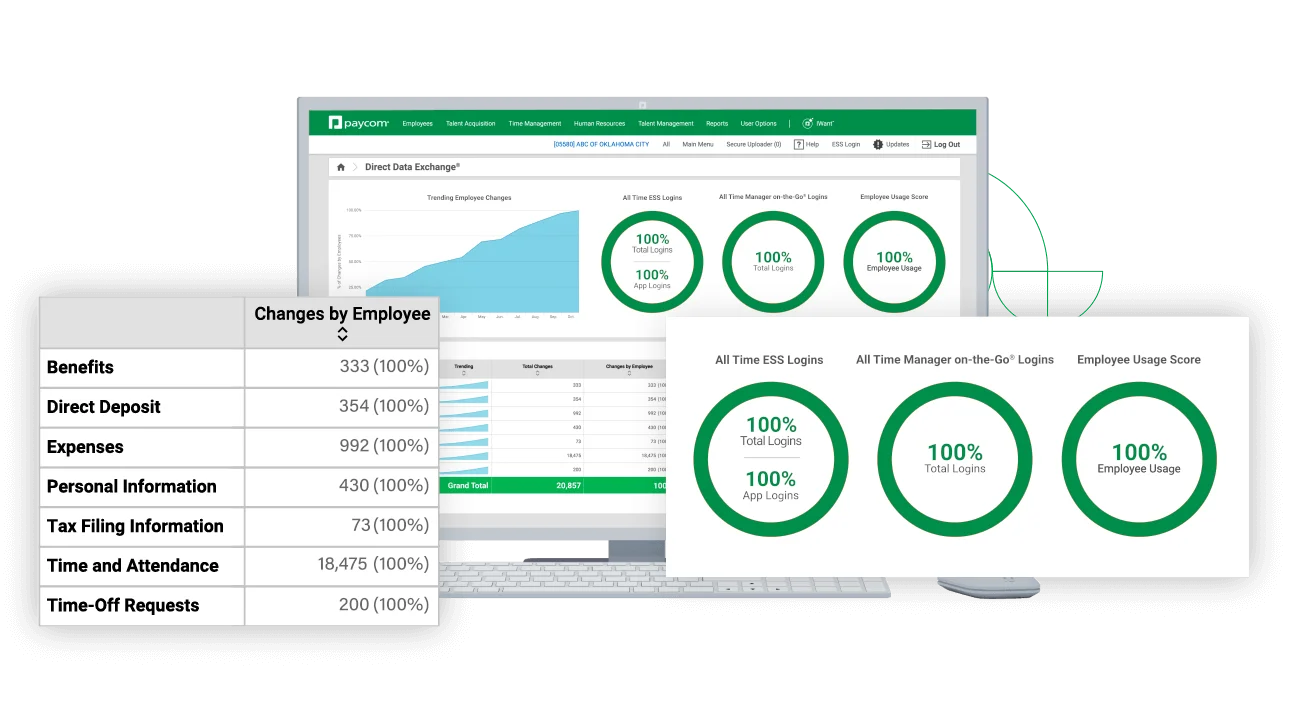
What it is: A payroll and HR suite with strong emphasis on employee self-service.
Best for: Mid-market teams trying to reduce HR workload by shifting routine updates and validation to employees.
Standout automation features
- Employee self-service for onboarding, direct deposit setup, benefits enrollment, and more.
- Employees can interact with payroll-related workflows directly, reducing admin back-and-forth.
- Data is intended to be entered once and flow through the platform’s tools.
Integrations: Suite-first approach, integrations depend on environment.
Pros
- Great for reducing repetitive HR tickets and updates.
- Self-service can improve payroll data accuracy because employees manage their own info.
Cons
- Quote-based pricing and a suite mindset may be heavier than SMBs need.
- Fit depends on how much you want to standardize inside one system.
Pricing approach: Quote-based.
Bottom line: If you want payroll to be “employee-driven” and reduce HR admin, Paycom stands out.
6) Papaya Global
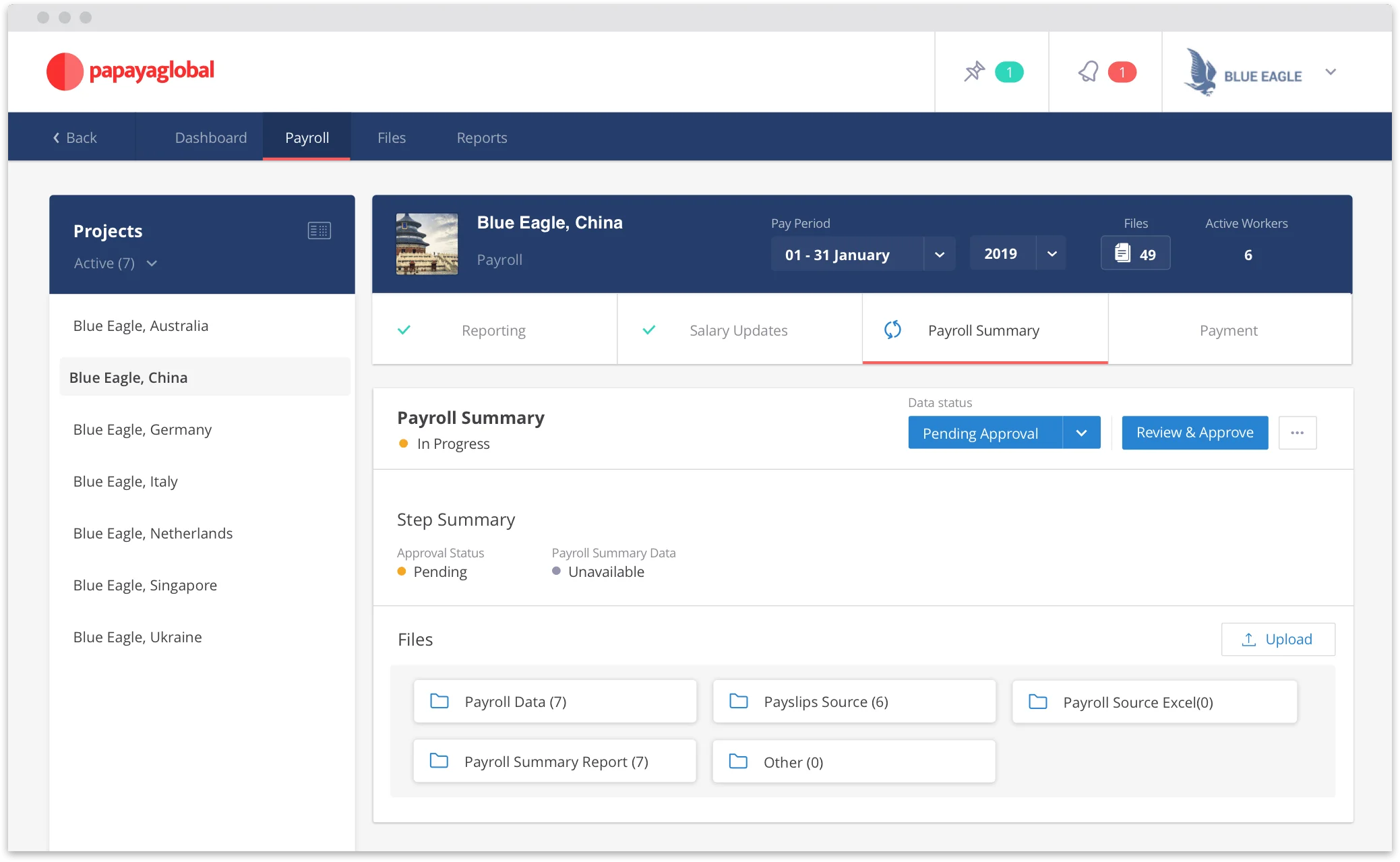
What it is: A global payroll and payments platform positioned around unifying payroll and cross-border payments.
Best for: Organizations running payroll across many countries that want centralized visibility and payment execution.
Standout automation features
- Automates payroll and payments through a centralized process with visibility end-to-end.
- Consolidates data from multiple locations into a single stream.
- Supports cross-border payments in local currency across many countries.
Integrations: Positioned around integrating workforce tools and consolidating data.
Pros
- Strong fit when payroll and payments need to be handled together globally.
- Built for multi-country complexity and standardization.
Cons
- Quote-based enterprise-style buying process.
- May be too heavy if you only operate in one country.
Pricing approach: Quote-based.
Bottom line: Choose Papaya Global when your biggest need is centralized global payroll plus global payments.
7) Remote
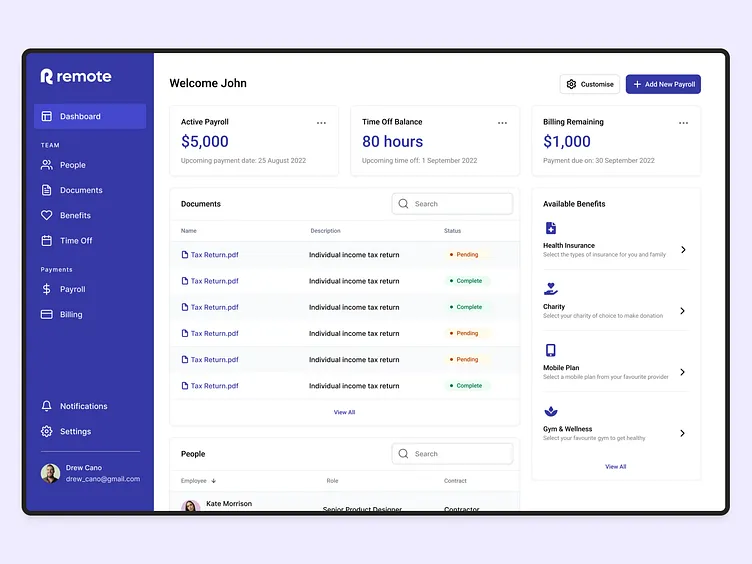
What it is: A global payroll platform focused on consolidating multi-country payroll and reducing manual work.
Best for: Teams managing payroll across multiple countries and wanting integrated automation and compliance workflows.
Standout automation features
- Centralized automation to reduce manual uploads and sync delays.
- Bulk updates, error detection, and audit-ready records are explicitly emphasized.
- Multi-currency payments and coverage across many countries.
Integrations: Mentions reporting that syncs with accounting systems and HR integrations.
Pros
- Built for consolidation and control across countries.
- Clear focus on reducing spreadsheet-based payroll operations.
Cons
- Quote-based pricing.
- Best fit depends on your specific countries and worker types.
Pricing approach: Quote-based.
Bottom line: If payroll consolidation across countries is the priority, Remote is a strong contender in 2026.
8) OnPay
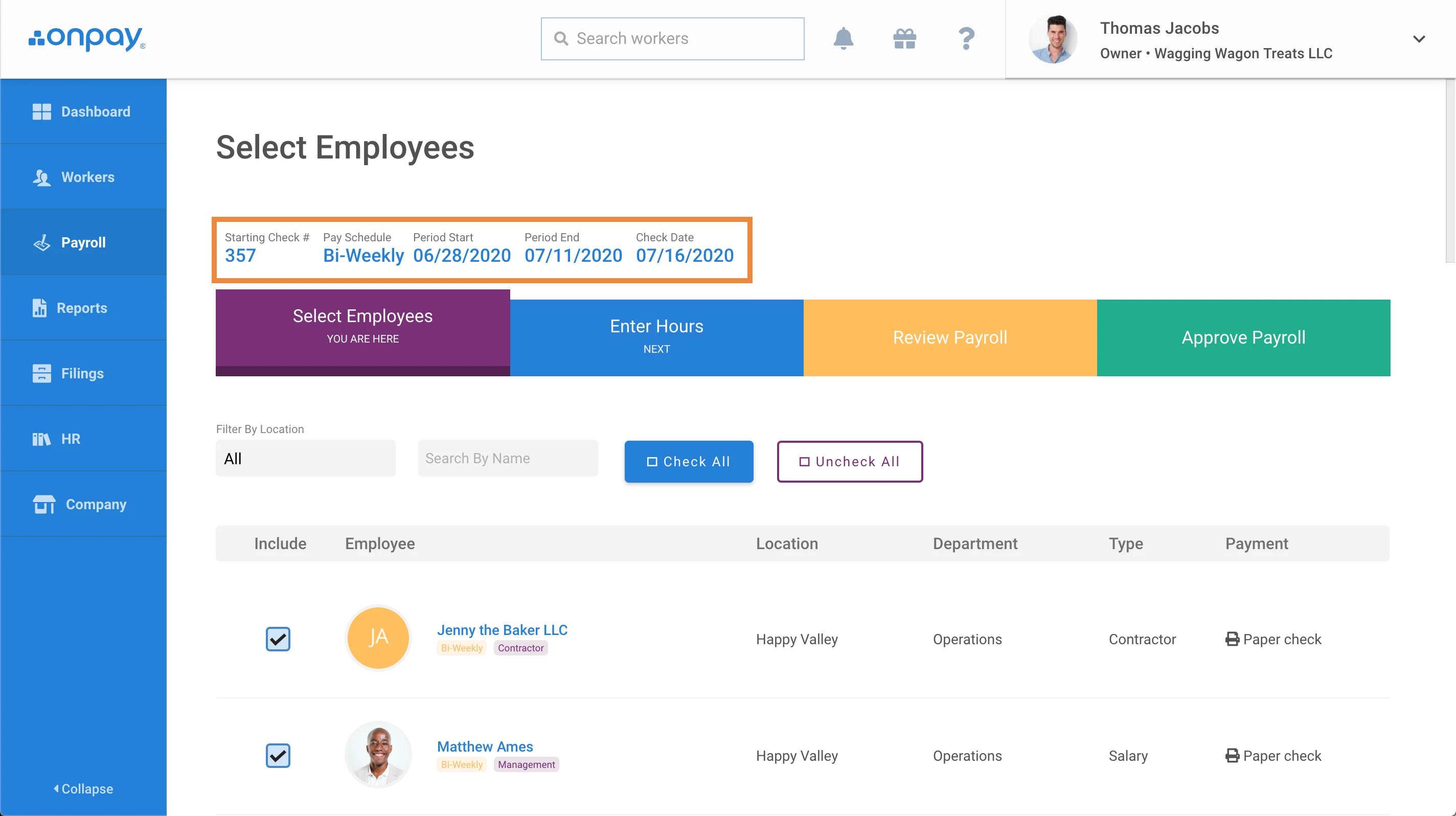
What it is: A full-service payroll and HR platform designed for small businesses.
Best for: SMBs that want a dependable payroll engine with useful integrations and minimal complexity.
Standout automation features
- Sync time and attendance data from QuickBooks Time to payroll with one click.
- Sync payroll data with Xero automatically with mapping and detailed journal entries.
- Tax-related automation is a highlighted benefit in reviews and product materials.
Integrations: QuickBooks Time and Xero sync are specifically noted.
Pros
- Strong basics done well, with practical integrations for small finance teams.
- Employee portal and tax workflows are commonly highlighted as time-savers.
Cons
- Primarily a US payroll choice if you need global payroll at scale.
- Not positioned as a deep enterprise suite.
Pricing approach: Often presented as simpler and more transparent than enterprise suites.
Bottom line: For SMB payroll automation with good integrations, OnPay is a “quietly strong” pick.
9) ADP Workforce Now

What it is: A widely used HCM and payroll platform for mid-sized and larger businesses.
Best for: Companies that want established payroll operations with automation and an ecosystem of integrations.
Standout automation features
- Automates payroll processing including compensation handling and typical tax and deposit workflows.
- Supports integrations that can feed worked hours and PTO into payroll processing.
- Fits teams that need a more standardized payroll ops model.
Integrations: Example shown where time tracking can send hours, pay rates, and PTO to ADP Workforce Now.
Pros
- Proven choice for scale and process standardization.
- Integration pathways exist for timekeeping and payroll inputs.
Cons
- Quote-based pricing and implementation effort can be significant.
- UX can feel heavier than modern SMB-first tools.
Pricing approach: Quote-based.
Bottom line: ADP Workforce Now is a practical choice when payroll needs structure, controls, and integration with time systems.
10) Workday Payroll
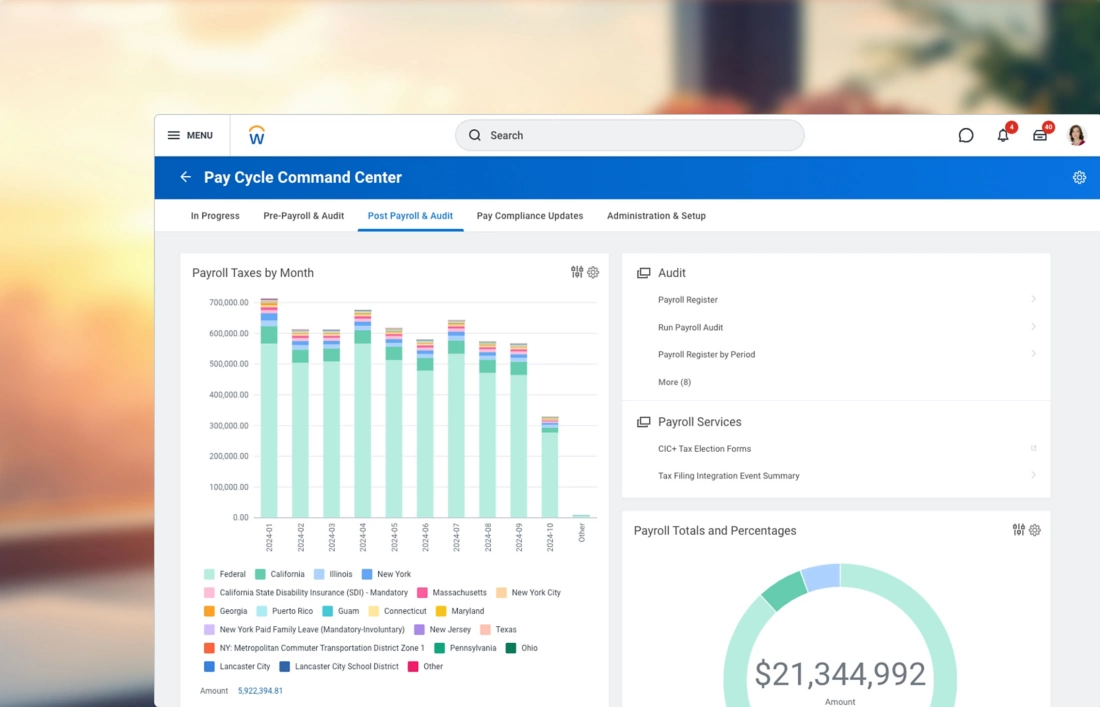
What it is: An enterprise payroll product typically chosen by organizations already invested in Workday HCM.
Best for: Enterprises that want payroll tightly aligned with their HR data model and enterprise governance.
Standout automation features
- Enterprise-grade role-based access, approvals, and audit expectations are typically central to Workday deployments.
- Works best when the organization is standardizing HR data in Workday and extending payroll within the same ecosystem.
Integrations: Commonly depends on enterprise integration strategy and partners.
Pros
- Strong for standardization and enterprise governance.
- Good fit when Workday is already the system of record.
Cons
- Enterprise complexity and longer implementations.
- Not ideal for SMBs or teams wanting a quick setup.
Pricing approach: Enterprise quote-based.
Bottom line: Workday Payroll makes sense when Workday is already the backbone of HR operations and payroll needs to follow that model.
Best features to look for in payroll automation software (2026 checklist)
In my experience, the “best payroll tool” is the one that removes your recurring failure points. Here’s the feature checklist worth using in demos and RFPs.
2026 Payroll Automation Checklist
- Compliance automation: Payroll taxes, statutory forms, and year-end reporting should be handled consistently, ideally with automation that reduces manual filing work.
- Unified worker types: If you pay employees and contractors, you want one platform and one set of workflows.
- Time, attendance, and leave syncing: One-click or direct integrations that bring hours and PTO into payroll reduce errors.
- Pre-payroll validation: Error detection and audit-ready records reduce last-minute fixes and re-runs.
- Multi-country and multi-entity support: If you operate internationally, prioritize consolidated workflows and multi-currency support.
- Approval workflows and role-based access: Separation of duties matters once payroll volume and risk grow.
- Employee self-serve: Let employees manage personal data, direct deposit, and payroll-related tasks to reduce HR load.
- Integrations and APIs: Look for marketplaces plus APIs so payroll data flows to accounting and BI without manual exports.
- Reporting and auditability: Audit-ready records and customizable reporting reduce finance friction.
- Security and data governance: SSO and strong security frameworks are increasingly expected in HR and payroll systems.
- Payments infrastructure: Multi-currency payments and global delivery matter if you pay international teams.
- Implementation and support: Global payroll vendors often emphasize in-country expertise and support because compliance is local.
AI Reality Check
- Useful AI: answering policy questions, highlighting anomalies, summarizing payroll changes.
- Risky AI: auto-changing pay outcomes without controls, approvals, or audit logs.
How to choose the right payroll tool (decision framework)
This is the framework I use to help teams shortlist without overbuying.
- Start with your workforce shape: headcount, employee vs contractor mix, and number of countries.
- List must-have integrations: time tracking, accounting, and HRIS need to sync cleanly to reduce payroll prep.
- Rate your compliance complexity: multi-state or multi-country compliance changes the vendor shortlist fast.
- Decide your buying preference: plan-based transparency vs enterprise quote-based procurement.
- Run a parallel payroll cycle: validate outputs, approvals, and accounting exports before a full cutover.
FAQs
What is payroll automation software?
Payroll automation software reduces manual payroll work by connecting employee data, time inputs, calculations, and payments into a repeatable workflow.
Can payroll software automatically file taxes?
Many payroll platforms position themselves as automating tax calculations, deductions, and filing workflows, especially for US payroll.
What’s the difference between payroll vs HRIS vs EOR?
Payroll focuses on paying people correctly, an HRIS manages employee records and HR workflows, and EOR services help hire and employ people in other countries through a local legal employer.
What’s best for international payroll in 2026?
For multi-country payroll consolidation, global-first platforms like Remote and Papaya Global emphasize centralized workflows, automation, and country coverage.
How long does payroll implementation take?
Implementation time varies widely based on integrations, data cleanup, and compliance scope, especially for multi-country rollouts.
What are common payroll automation mistakes?
The big ones are skipping parallel runs, underestimating integration effort, and not locking down approvals and permissions early.
.webp)