Commission Management Software: Top Picks, Features, Pros & Cons
.webp)
Variable pay has been used to motivate and ‘incentivize’ employees for a long time. So long in fact, that plan logic is constantly changing, resulting in more and more complex commission systems, which invariably become hard to manage. This leads us to tools designed to help manage such systems.
This blog contains the top commission management tools, yes, but also walks through the questions you should be asking once you're in the market for such tools. Let's dive right in.
Key takeaways
- Commission management software replaces spreadsheets with automated calculations, statements, and controls to reduce disputes and payout delays.
- The best commission management platform depends on plan complexity (splits/overrides), integrations (CRM/billing/ERP), and auditability.
- Use a shortlist + demo checklist to validate setup effort, data readiness, and rep transparency before buying.
What Is Commission Management Software?
A commission management software is a system that calculates variable pay based on your compensation rules and performance data, then produces statements and reporting for finance, sales ops, and reps. In sales, commission management tools streamline sales commission processes, such as calculating payouts, enabling approval workflows, strong data management, etc.
It’s often evaluated alongside sales compensation/ICM tools, but the buying job is the same: calculate correctly, pay on time, and keep the process explainable.
What should you look for in a commission management tool?
Use this checklist to compare any commission management software vendor. The main questions you should ask are:
Can it handle complex plans?
Look for tiering, splits, overlays, overrides, clawbacks, SPIFFs, and the ability to run recomputes without breaking historical periods. Don’t just look for the ability to do this, however, and look for the ease of implementing this instead.
Does it integrate with your systems?
At minimum, validate CRM integration and a practical path to connect billing/accounting (native connectors, APIs, or clean exports). Native connectors are the best and least hassle as they preserve data sanctity and are the fastest to implement.
Does it support approvals and audit trails?
Approvals and logged changes matter when you need governance over adjustments, exceptions, and payout sign-off.
Will reps trust it?
Rep-facing transparency (clear statements, drilldowns, earnings visibility) reduces disputes and improves adoption. The best tools offer intuitive dashboards for reps, leadership, finance, etc. which are customizable.
Best Commission Management Software
Here are the top picks in the commission management software category, with this data being sourced from official vendor profiles from G2 and other review sites.
1) Visdum
Visdum is a commission management platform positioned around ease of use and deep-native integrations with a wide range of CRMs, Billing, Accounting, ERP, E-signing, and HRIS platforms. With it also introducing AI-powered features recently, it is one of the most intuitive commissions management platforms.
Key Features
- AI Copilot: Visdum’s AI Copilot is a conversational layer across the system which can answer questions such as ‘Why is my attainment less than last quarter?’ or “Based on last quarter, which teams achieved more than their quota and which products had the most velocity?’ among other questions.
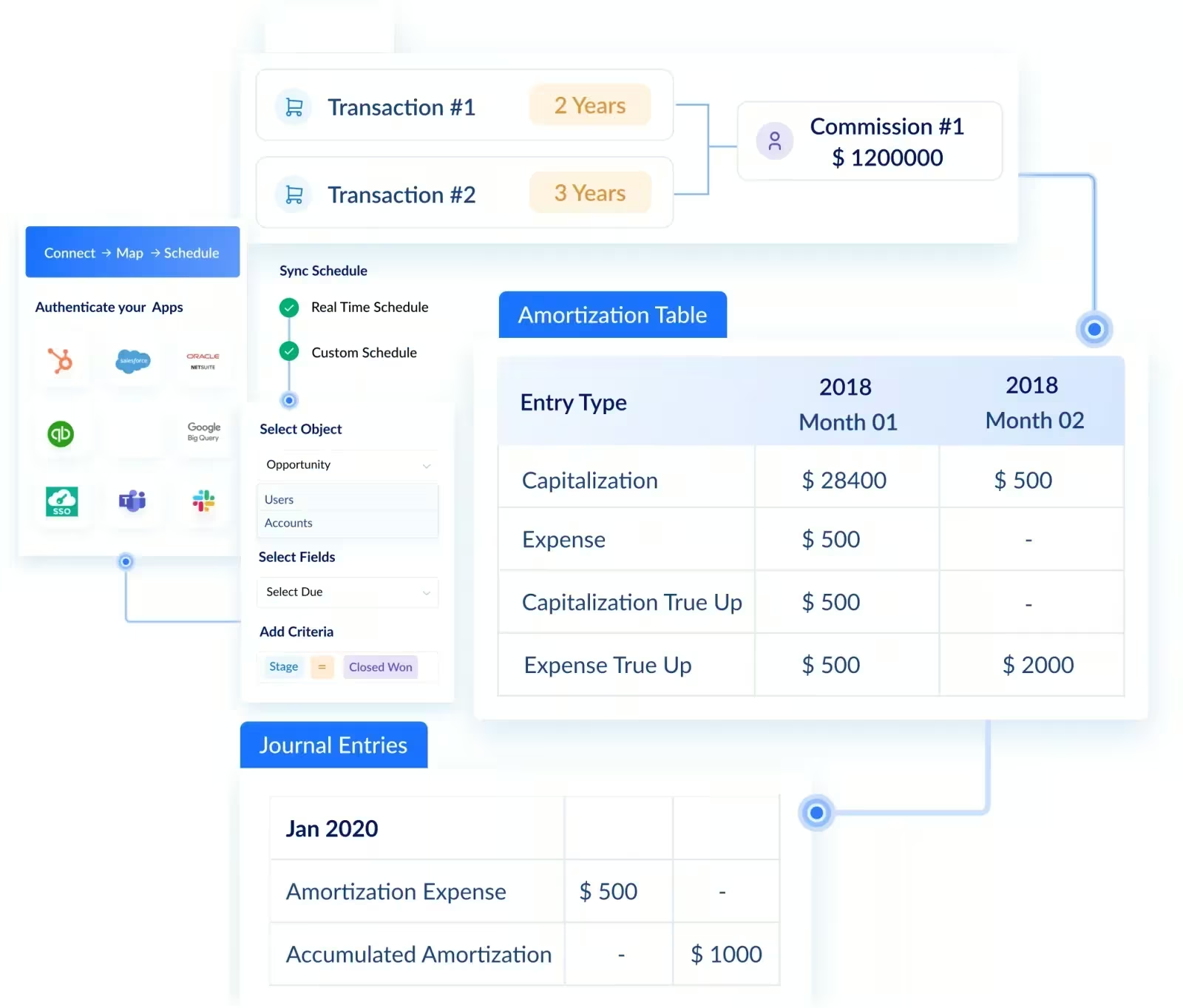
- Integrations: Visdum integrates with most prominent CRMs, Billing and Payments, HR &Payroll, SSO (Single Sign On), eSign, and other platforms. It also lets you customize which data subsets you want in Visdum via the integration controls. Visdum's integration uses OAuth/SFTP, is SOC 2 Type II certified.
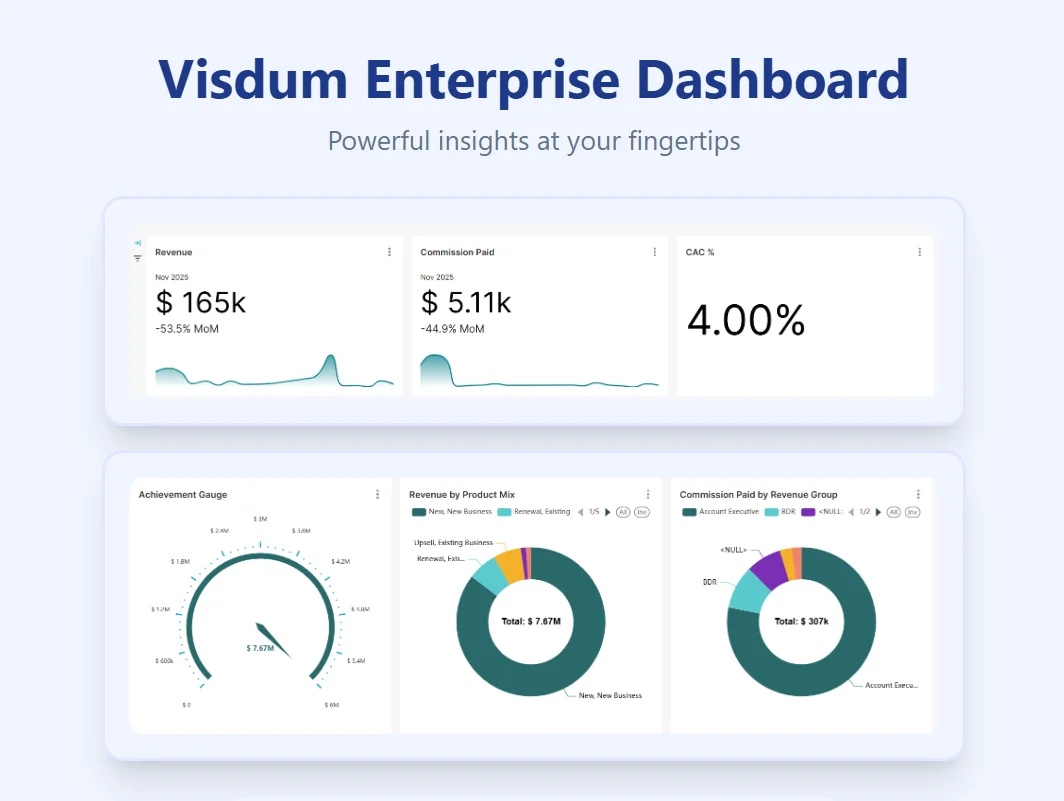
- Dashboards and Visibility: Visdum offer enterprise-level dashboards, with full customizability into what you want to see. Reps get their own dashboards to track their achievement amounts and progress, while leadership gets a more top-down view into performance.
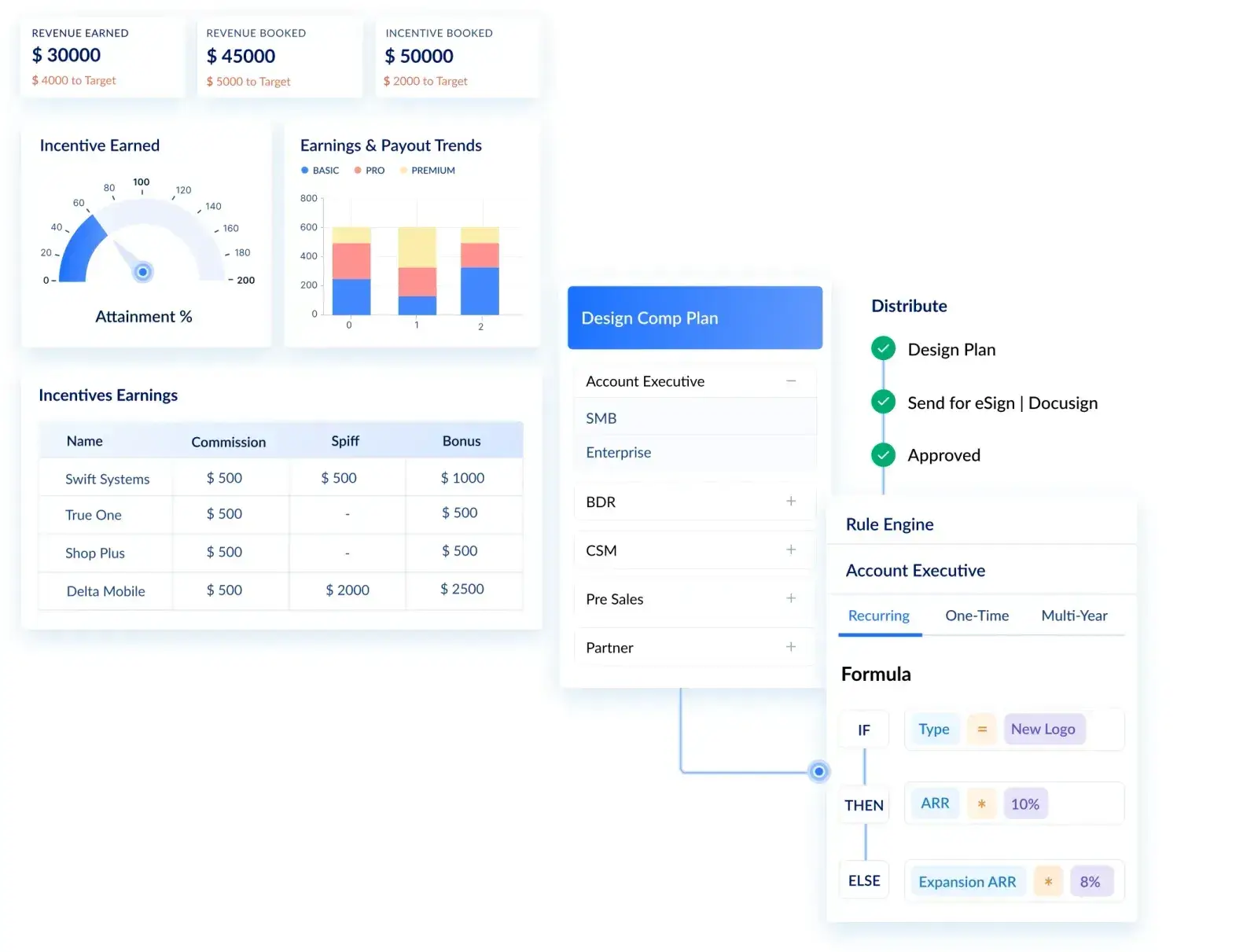
- Visual Rule Builder: Visdum is designed to make the transition from spreadsheet systems to automated solutions easy. As such, the rule configuration in plan builder is completely visual, with drag and drop conditions that mimic Excel formulas.
- Dedicated Support: Visdum offers dedicated implementation and onboarding support, along with comprehensive ongoing support options too. It was ranked #1 in the customer relationship reports by G2 in the Winter 2026 reports.
- Ease of Use: With an excel-like columnar view, full customizability of data streams, and a full audit trail, Visdum makes it easy to make sense of all the numbers on your screen.
- Fast Implementation: Unlike many compensation tools that require complex ETL and weeks of setup, Visdum offers pre-built, plug-and-play integration connectors that enable faster deployment with minimal technical effort.
Best for: Scaling teams that want deep integrations and clean data management, perfectly suited to mid-market teams looking to switch from spreadsheets.
Pros
- Integrations can reduce manual uploads and period-close effort.
- Clear dashboards/auto-generated commissions statements can lower payout disputes.
- Flexible plans support scaling complexity. SPIFFs, accelerators, etc. are far easier to implement than on Excel.
Cons
- Complex plan setup still takes effort up front (like most tools in this category).
.webp)
2) Qobra
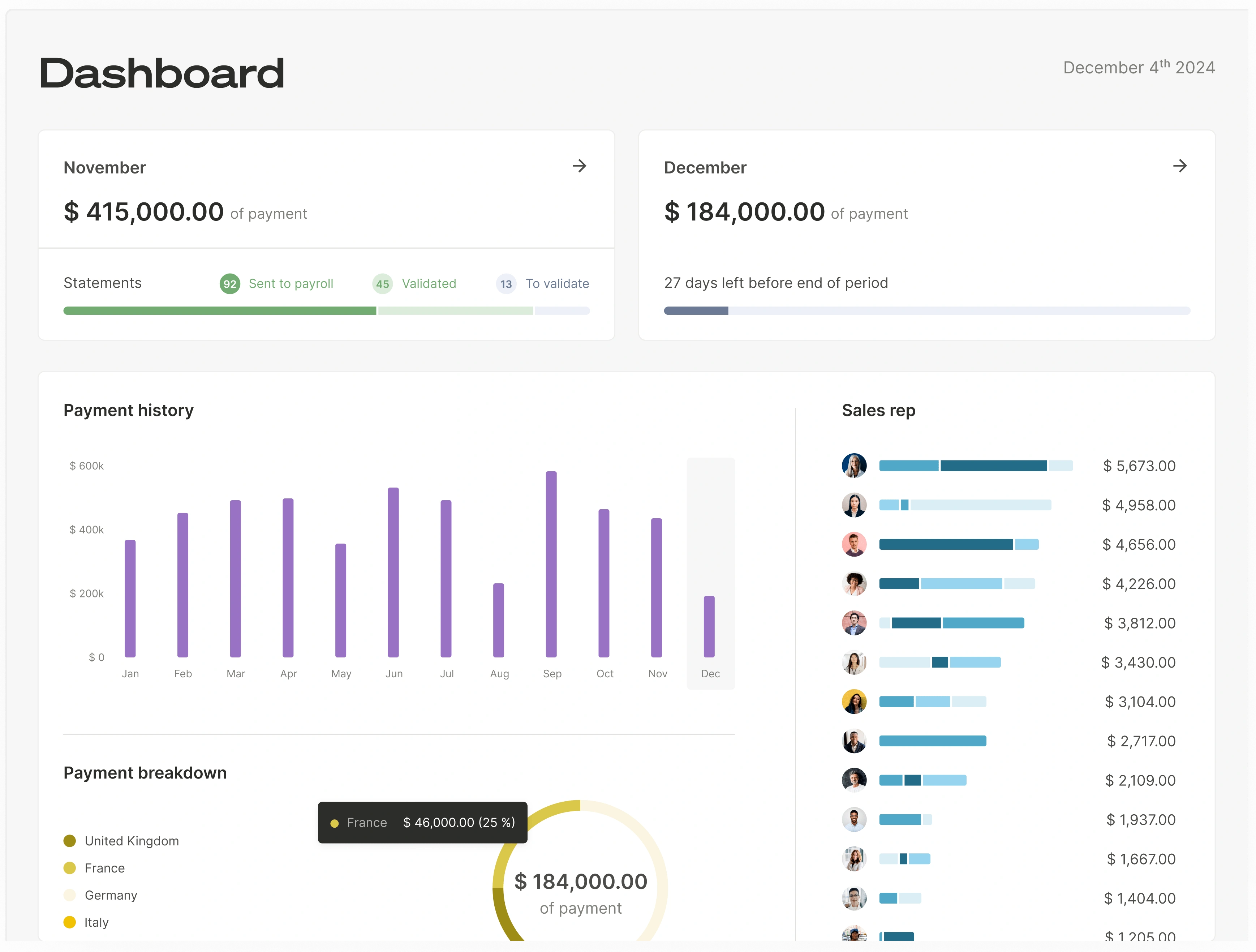
Qobra is a sales compensation platform built around ease of use and transparency. It replaces spreadsheets with a no-code engine, real-time dashboards, and a deep ecosystem of native integrations. With 4.8/5 on G2 (1,070+ reviews), High Performer and Easiest to Use badges, and an average implementation time of around one month, Qobra is positioned for fast-growing revenue teams that need reliability at scale.
Key features
- No-code plan editor: Build and iterate on commission rules - accelerators, splits, SPIFFs, kickers, through a visual interface that finance and RevOps own without engineering help.
- Real-time visibility for reps and leadership: Sales reps see commissions per deal as soon as data syncs; leaders track attainment, cost of sales, and underperformance in real time.
- Pipeline-based commission simulator: Reps simulate earnings on open deals to focus effort on the highest-value opportunities.
- Native integrations (CRM, billing, BI, ERP, HRIS): Pre-built connectors for Salesforce, HubSpot, Pipedrive, NetSuite, Chargebee, Snowflake, Power BI, Tableau, Slack, Docusign, and more.
- Reporting & analytics: Drill-down dashboards on commission costs, plan effectiveness, and team performance, exportable to BI tools.
- Security & compliance: SOC 2 certified, role-based permissions, audit trail on every plan change and adjustment.
Best for:
Mid-market and enterprise revenue teams that need a transparent, no-code commission engine, fast time-to-value, and real-time rep visibility. Trusted by 300+ companies including ElevenLabs, Contentsquare, Go1, GoCardless, Emarsys SAP and many more! For the head-to-head on AI and finance-system depth, see Qobra vs Visdum.
Pros
- Native integrations cut out manual CSV imports and reduce reconciliation effort at month-end.
- Transparent, deal-level statements lower payout disputes and improve rep trust.
- No-code editor scales with plan complexity without engineering dependencies.
Cons
- Complex initial plan modeling can take effort up front, though onboarding and dedicated support are included.
3) CaptivateIQ
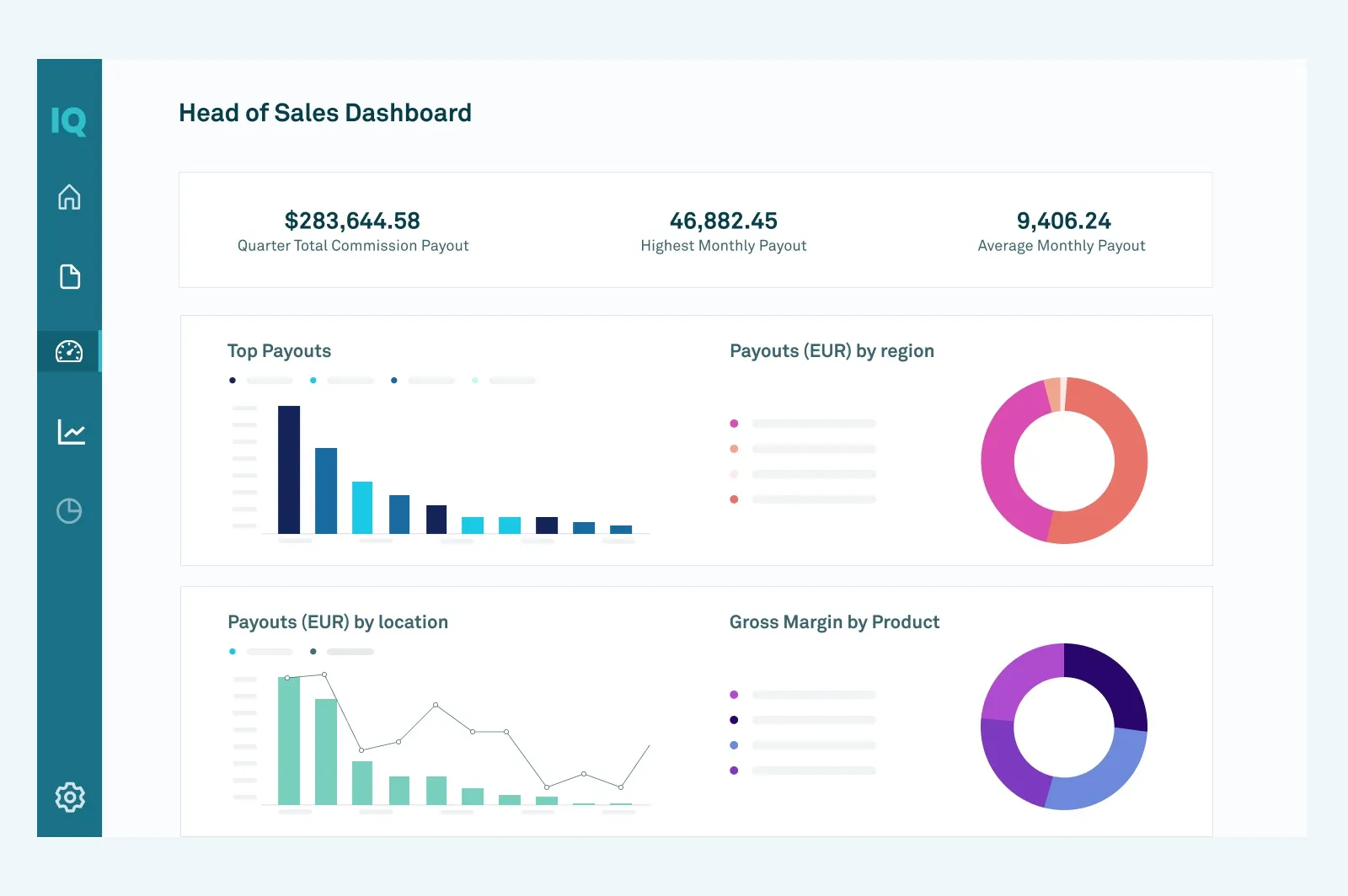
CaptivateIQ is a well-known commission management tool used for automating calculations and supporting complex plan modeling with reporting.
Key features
- Sales rep portal: Real-time commission visibility for payees and leadership.
- Management portal: Advanced reporting and real-time dashboards to track performance trends and understand drivers of results.
- Administration + platform: SmartGrid ELT modeling engine to ingest data from any source and transform it in real time (single source of truth).
- Plan building and agility: Logic-based workbooks and a no-code calculation engine, plus guided plan-building and scenario modeling with AI Assist.
- Forecasting: ML-powered forecasting and anomaly detection to predict quota attainment and flag payout anomalies.
Best for: Teams that want flexible modeling and a mature commissions workflow. If it is on your shortlist, CaptivateIQ vs Visdum compares the two on setup effort and usability.
Pros
- Strong plan modeling for nuanced commission rules.
- Reporting helps sales ops/finance troubleshoot payouts.
- Supports a structured commissions process.
Cons
- Setup and ongoing administration can be non-trivial for complex environments.
4) Xactly Incent
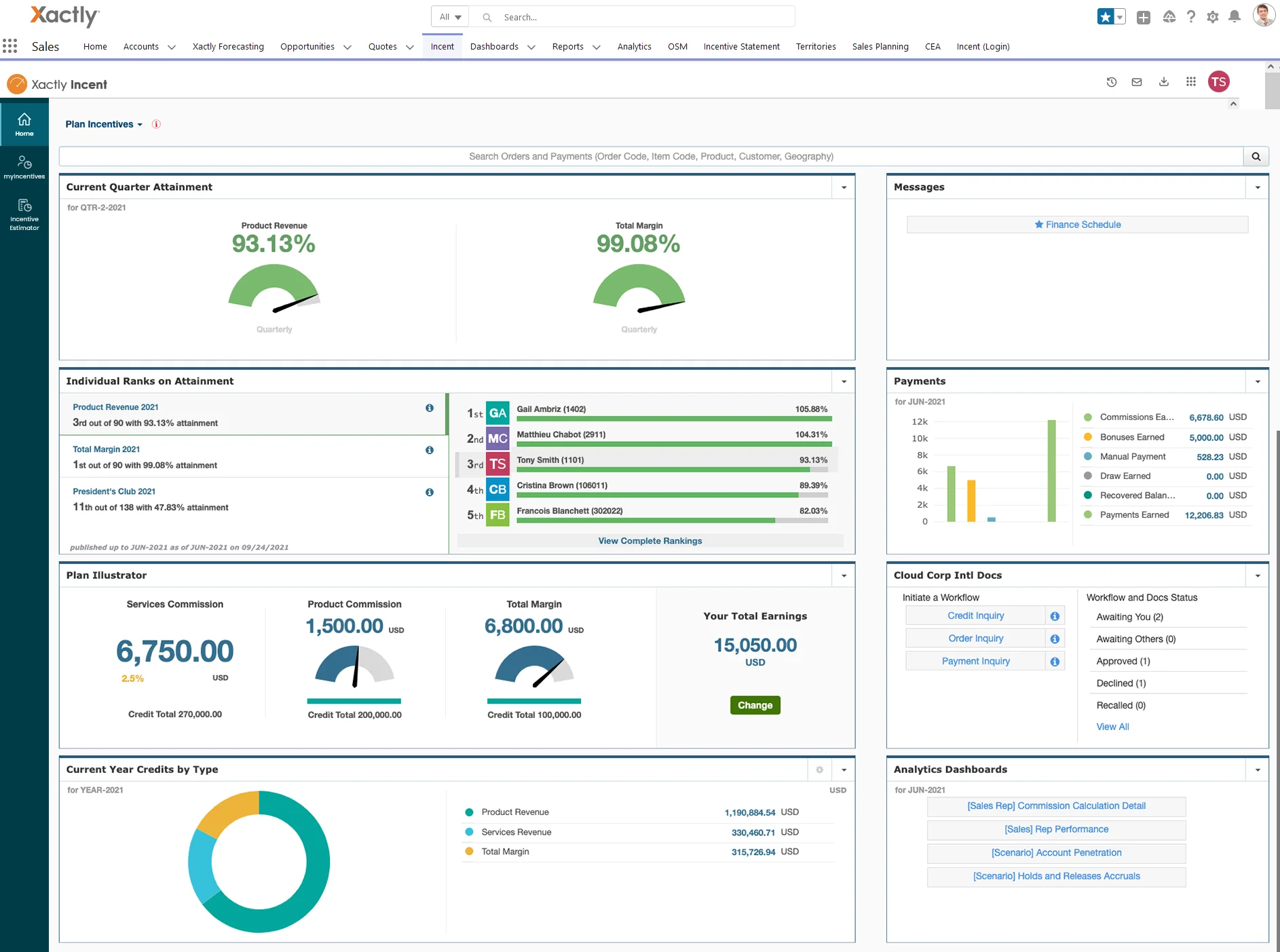
Xactly Incent is commonly shortlisted for enterprise commission management where governance and modeling depth are required.
Key Features of Xactly Incent
- Sales rep + leadership visibility: Clear, transparent visibility into sales compensation; reps and leaders can track earnings, quotas, and performance.
- Automation: Automates calculations to reduce manual work, errors, and error-prone spreadsheet processes.
- Centralized compensation data: Centralizes compensation data to manage commissions more efficiently.
- Reporting: Reporting that supports time savings and scalability as plans grow.
Best for: Enterprise teams needing advanced controls, modeling, and administration. Lean teams weighing a legacy suite against a modern platform can read Xactly vs Visdum.
Pros
- Governance and enterprise operating model fit regulated environments.
- Strong support for complex compensation structures.
Cons
- Longer implementation cycles are common for enterprise rollouts.
5) Everstage
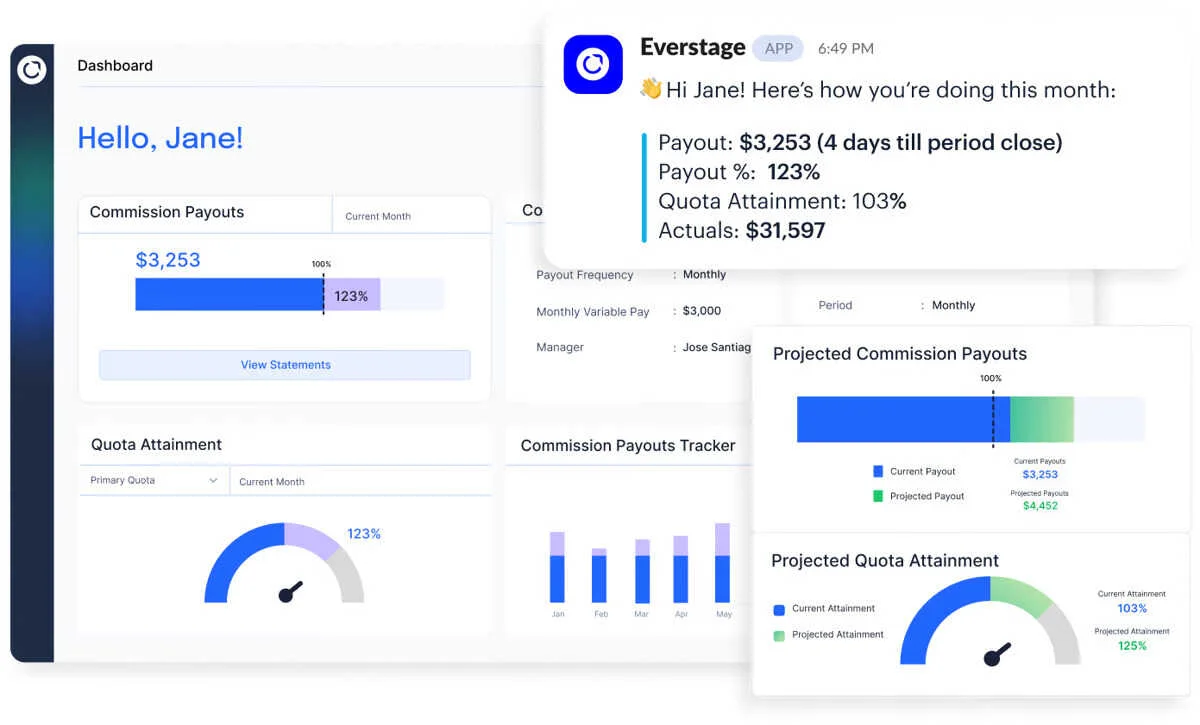
Everstage highlights rep transparency and operational controls like approvals, integrations, and admin workflows in its feature set.
Key Features of Everstage
- Sales rep portal: Real-time incentive earning statements to keep payees informed and reduce disputes (“Transparency”), plus clear visibility into payouts and performance.
- Management portal: Real-time incentive analytics to track plan performance and replicate winning comp plans (“Optimization”).
- Administration + platform: Automated commission calculations to reduce manual error (“Accuracy”), and the ability to build/modify/deploy plans as the business grows (“Scalability”).
- Governance + security: Role-based controls and audit trails for compliance, plus enterprise-grade security positioning.
- Integrations: Connects with CRMs, ERPs, accounting/invoicing tools, billing systems, and data warehouses to pull commissionable data.
Best for: Mid-market to enterprise teams that need rep self-serve plus approvals/workflows and strong integrations. For the ROI and support comparison, see Everstage vs Visdum.
Pros
- Rep visibility: commission estimator, compensation statements, plan documents, performance reports.
- Controls: quota management, sales hierarchy management, splits/overrides, workflow/approvals.
- Integrations: CRM integration, financial integration, HCM/HRIS integration, APIs.
Cons
- Broad capabilities can mean heavier implementation/admin ownership than lightweight SMB tools.
) QuotaPath
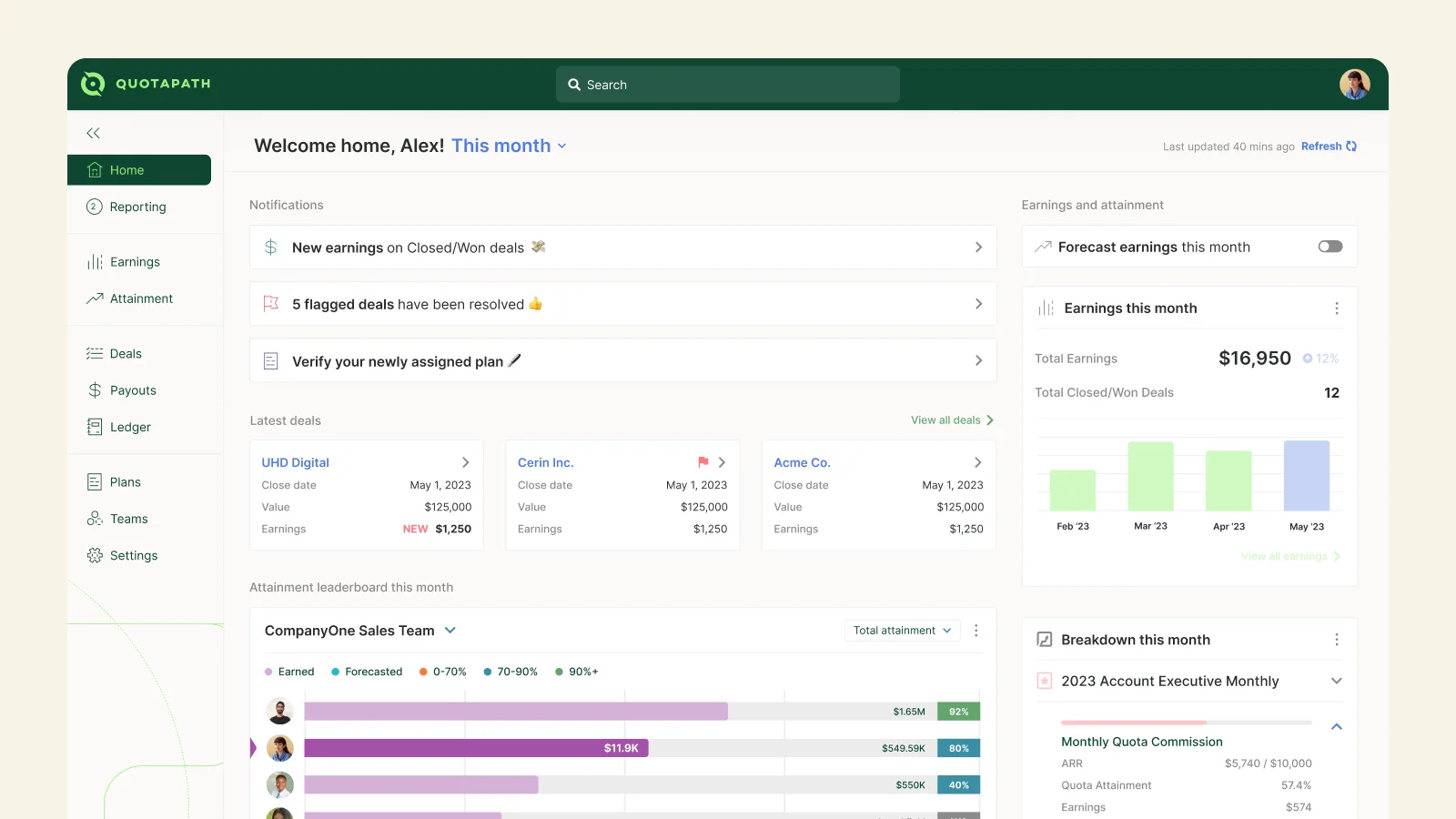
QuotaPath is positioned for running commissions and quotas with rep-facing visibility and straightforward operations, with features listed on G2.
Key features
- Plan building: AI-powered Plan Builder, including uploading a comp plan document to generate a tailored structure; supports quotas, accelerators, and commission rates.
- Commission operations: Automates tracking and payouts and supports payout eligibility rules and dispute resolution workflows.
- Governance: Locks previous-period data to preserve audit trails; supports tailored approval processes for reps, managers, executives, and finance.
- Integrations: Connected data pulled from CRM, ERP, accounting, and data warehouse systems; mentions Rippling integration to automate payroll.
- Flexibility: Self-service integrations and configurable payout rules to adapt processes as the business evolves.
Best for: SMB to mid-market teams that want a clean commission + quota workflow with rep transparency. Where that simplicity starts to bind is covered in QuotaPath vs Visdum.
Pros
- Rep portal basics: commission estimator, compensation statements, dispute management, performance reports.
- Admin usability: comp modeling, statement distribution, dashboards/reports.
- Platform capabilities: CRM integration, financial integration, APIs.
Cons
- Validate fit for very complex enterprise governance needs during a POC.
Compare Commission Management Platforms (Quick Table)
| Software | Best for | Rep transparency (estimator/statements) | Integrations (CRM/finance/HR) | Governance (approvals/controls) |
|---|---|---|---|---|
| Visdum | Scaling teams wanting CRM-connected commissions | Strong positioning (verify exact modules on your product page) | Strong positioning (verify exact connectors) | Strong positioning (verify exact controls) |
| Qobra | Mid-market & enterprise revenue teams | Strong positioning (real-time rep visibility + transparent statements + pipeline simulator) | Strong positioning (native CRM, billing, and BI integrations) | Strong positioning (validation workflows + audit traceability publicly cited; confirm exact controls) |
| CaptivateIQ | Flexible plan modeling | Commonly used for transparency; confirm estimator/statements per plan | CRM/accounting integrations commonly discussed; validate specifics | Validate approvals/audit specifics in demo checklist |
| Xactly Incent | Enterprise governance + modeling | Common in enterprise suites; validate specifics | Broad in enterprise ecosystems; validate specifics | Strong fit for controlled processes; validate specifics |
| Everstage | Rep self-serve + workflows | Yes (estimator + statements) | Yes (CRM + financial + HCM/HRIS + API) | Yes (workflow/approvals listed) |
| QuotaPath | SMB/mid-market simplicity | Yes (estimator + statements) | Yes (CRM + financial + API) | Yes (workflow/approvals listed) |
How Do You Choose The Right Commission Management Software?
Use this step-by-step process to choose the best commission management software for your team.
Step 1: What problems are you solving?
If period-close takes too long, you’re constantly adjusting prior periods, or you can’t explain payouts clearly, your process is already costing time and trust.
Step 2: What are your “non-negotiable” plan rules?
Document splits, tiering, overlays, clawbacks, accelerators, exceptions, and any “manual override” patterns you do every month.
Step 3: What systems must it connect to?
List your CRM, billing system, accounting/ERP, and HRIS, then confirm whether the vendor supports native integrations or a realistic API/import workflow.
Step 4: Run a POC using real scenarios
Test with real data and edge cases (mid-period territory changes, clawbacks, retroactive plan updates, split deals).
Step 5: Use a vendor question checklist
Bring a structured checklist to demos so you can compare vendors consistently (implementation timeline, integrations, flexibility, governance, transparency).
Commission Management Software Use Cases
Here are some of the situations our customers have faced before resorting to a commission management platform like Visdum, and getting them solved. For more customer success stories, visit our customer case studies.
#1 Use Case: “Our split deals break spreadsheets- reconciliation eats days”
When multiple stakeholders touch the same deal (AE + SDR + CS + partner + manager), splits and overlays force constant manual reconciliation across sheets and versions. A commission management tool solves this by applying split rules consistently, keeping a single source of truth for crediting, and letting you recompute without rebuilding formulas every time a deal changes.
Common signals
- Multiple versions of the “final” sheet.
- Frequent disputes because split logic isn’t visible.
- Retroactive fixes after a crediting change.
#2 Use case: “Commission payouts are always late and reps are frustrated”
As soon as commissions depend on data from multiple sheets/systems (CRM exports + billing + adjustments + approvals), period close slows down and payout timelines slip. Commission management software speeds this up by centralizing the workflow (data ingestion → calculations → approvals → statements) so Finance can close faster and reps get paid on time.
Common signals
- Payout dates slip every month/quarter.
- Finance is stuck in manual checks and exceptions.
- Reps chase updates because they can’t see status or earnings clearly.
#3 Use case: “We scaled the team and product lines- now tracking credits is chaos”
Spreadsheets don’t scale when you add more reps, more products, more regions, and more plan variations (different credits, approval paths, accelerators, product-line rates). A commission management platform handles this by supporting structured plan logic, role hierarchies, product/segment rules, and consistent approvals—without multiplying spreadsheets.
Common signals
- One plan becomes five “variants” across teams.
- More product lines = more tabs, more errors, more broken formulas.
- Approvals happen in email/Slack with no audit trail.

FAQs
What is commission management software?
Commission management software helps track, calculate, and manage sales commissions so payouts are accurate, visible, and easier to administer than spreadsheets.
How does commission management software work?
It typically pulls deal/performance data from systems like CRM/payroll/accounting, applies your commission rules (flat, tiered, accelerators, splits), and generates earnings visibility and payout outputs.
Who uses commission management tools?
Sales Ops/RevOps and Finance commonly own the process, while sales reps use the tool to view earnings and progress toward goals.
When should I switch from spreadsheets to a commission management platform?
When commission cycles become slow, error-prone, or dispute-heavy, and especially when plan complexity and payee count start breaking your spreadsheet workflow.
What features should the best commission management software have?
Core needs usually include automation of calculations, transparent rep visibility, reporting/analytics, and integrations with CRM and payroll/accounting systems.
Does commission management software support split commissions and overlays?
Most modern tools support complex rules like tiered rates, accelerators, and split structures, but you should validate your exact crediting scenarios during a proof-of-concept.
How long does it take to implement commission management software?
Implementation can range from a few weeks to a few months depending on plan complexity, data quality, and integrations.