Best Commission Tracking Software (2026)
.webp)
Commission tracking software helps sales reps and managers see earnings, quota progress, and deal-level commission impact without relying on spreadsheets.
This guide focuses on tracking-first requirements (rep visibility, real-time updates, CRM sync, payout status) so spreadsheets do not become the barrier to scaling up.
Key takeaways
- The best commission tracking software gives reps real-time earnings visibility and helps managers coach quota attainment with clean reporting.
- Prioritize CRM and spreadsheet connectivity to ensure teams can bring in their data reliably.
- Choose a commission tracking tool that supports your real-world crediting (splits/overrides) so you don’t fall back to reconciliation sheets.
What Is Commission Tracking Software?
Commission tracking software gives reps and leaders ongoing visibility into commissions, targets, and incentives, typically by connecting to systems like CRM and keeping data up to date.
For teams that are realizing that sales commissions are consuming too much time and are still causing disputes and delays in payments, commission tracking software is the solution that can help you scale up.
What Does “Commission Tracking” Mean In Practice?
- Reps can see commissions as deals move, not weeks later. They are aware of their payouts before payday.
- Leaders can monitor performance and quota attainment with reliable reporting. One dashboard for high-level insights instead of multiple sheets.
- Teams can reduce “spreadsheet shadow ops” by keeping one consistent view of commissions and performance.
Who needs commission tracking software?
- Sales reps need sales commission tracking software so they can see earnings in real time and understand how deals translate into pay.
- Managers need commission tracking tools to monitor quota progress and coach performance early- not after the month closes.
- RevOps/Finance benefits when fewer disputes, accurate data, and higher visibility lets them plan comp more effectively.
Best Commission Tracking Software (2026)
These tools are commonly shortlisted for commission tracking software because they emphasize rep visibility, CRM connection, reporting, and scalable tracking workflows. Here are the best commission tracking software you could go for in 2026:
1) Visdum
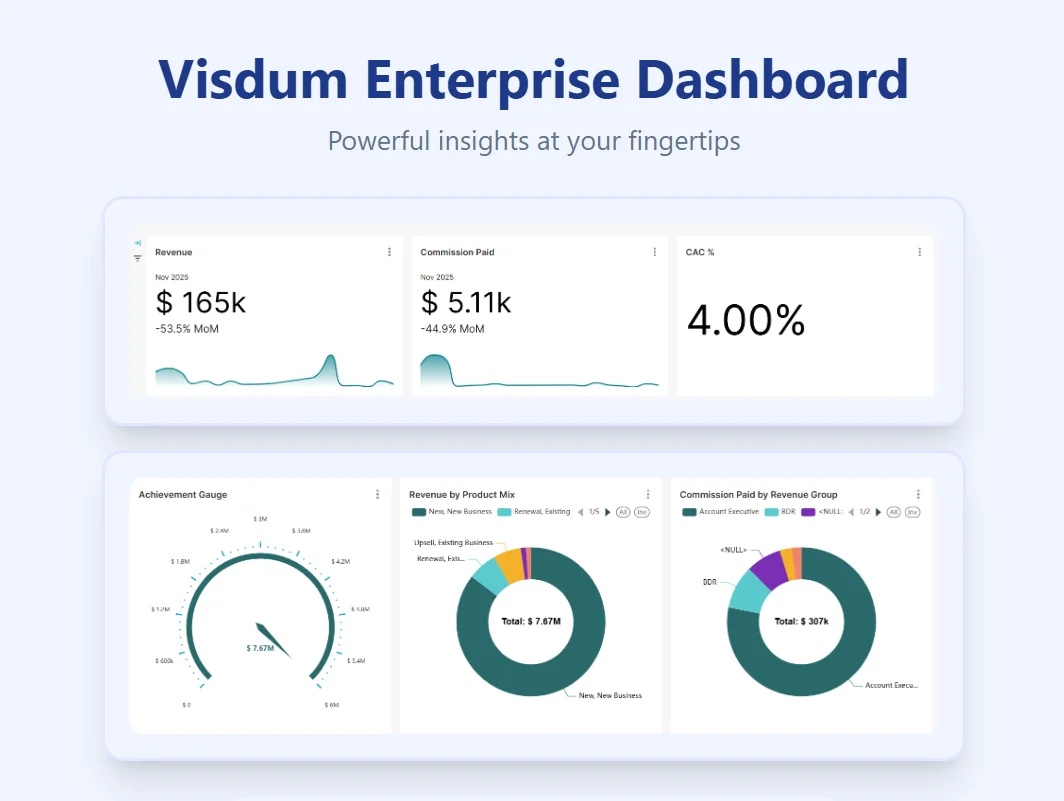
Visdum is a commission tracking platform positioned around ease of use and making the transition from spreadsheets to scalable commission systems easy.
Powered by strong integrations and dedicated support, Visdum ensures that teams can get a hang of the features easily. Visdum posts 99% on Ease of Use against a category average of 92%, and holds the Easiest Setup and Most Implementable badges for Mid-Market (G2, Summer 2026). Here's how a Visdum customer describes what they were shopping for:
"We knew we wanted something that would be easy to roll out quickly, that me and my team could understand well and manage without a lot of help, and that our users would have a nice experience. When we got to the end, we picked Visdum." - Lynn Cappuccino, Director of Revenue Operations, ToolsGroup
Watch the customer story:
Best For: Scaling teams that want ease of use and adaptability , along with clean data management. Perfect for mid-market companies looking to automate commissions.
Key features
- Ease of Use: With an Excel-Like columnar view of data, perfect control of data streams, and an intuitive user interface, Visdum is centered around making sales commission automation easy.
- Visual Rule Builder: Plan details and configuration can be done via a visual rule builder that makes it easy to implement split commissions, different tiers, and accelerators, etc.
- Integrations: Pre-built plug and play integrations with Salesforce (Native), HubSpot, Workday, Zoho, HiBob, DocuSign, and more. Visit the full list here.
- Dashboards: Enterprise-level dashboards for leadership with a top-down view (customizable), and achievement tracking dashboards for reps.
- Dedicated Support: Visdum also wins the ‘Best Relationship’ award in G2’s Winter 2026 reports, which highlights dedicated support as a core feature.
Pros
- Strong fit if “CRM-connected commission tracking” is the main requirement.
- Reduces manual spreadsheet-based tracking and payout turnaround time.
- Designed to improve transparency into commissions with a full audit trail to help accurate number-keeping.
Cons
- For teams who have never automated their commission process, there might be a learning curve to using the platform fully.
.webp)
2) Incentivate
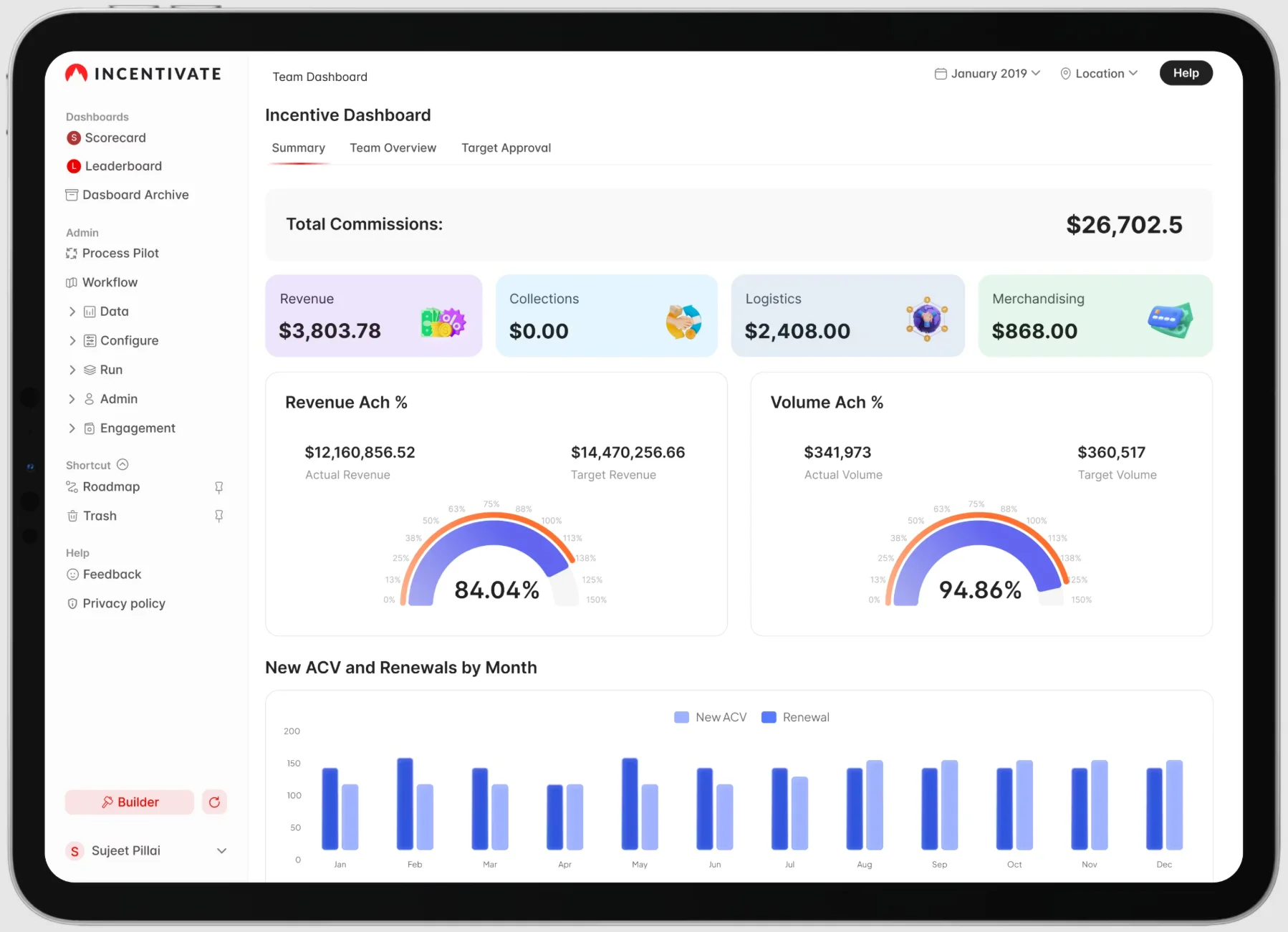
Incentivate is often evaluated for incentive/commission programs where teams want tracking plus configurable incentive structures.
Best for: Teams that need flexible incentive structures alongside commission tracking.
Key features
- Sales rep view: Earnings visibility and incentive progress tracking.
- Manager view: Performance reporting aligned to incentive outcomes.
- Admin & data: Configurable plan components to match org-specific incentives.
- Tracking readiness: Built to support structured incentive administration beyond simple spreadsheets.
Pros
- Useful for organizations running varied incentive programs.
- Helps centralize incentive tracking away from spreadsheets.
- Supports configurable plan needs.
Cons
- Confirm CRM sync depth and forecasting capabilities during evaluation.
3) QCommission
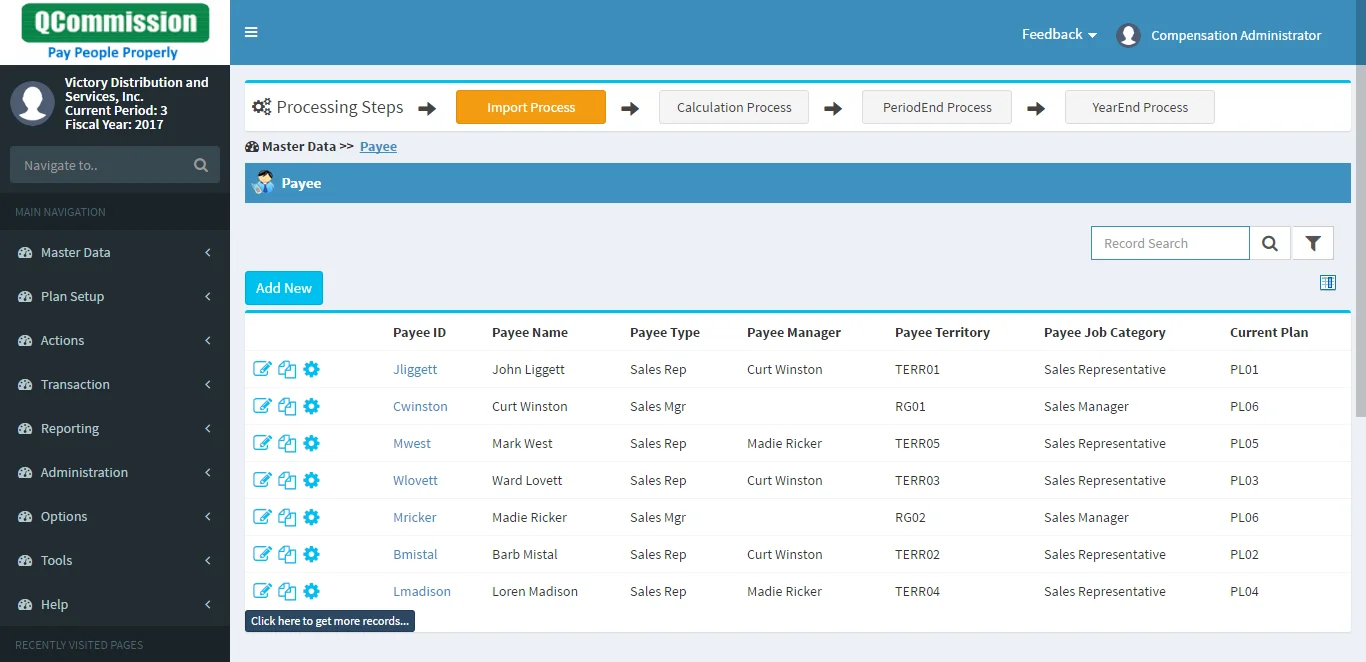
QCommission positions itself explicitly as sales commission software/commission tracking software, with online commission statements and integrations such as Salesforce and QuickBooks noted in its feature matrix.
Best for: Teams that want detailed commission statements and structured reporting for tracking commissions.
Key features
- Sales rep view: Reps/managers can view commission statements online.
- Manager view: Visibility into statements and performance via reporting outputs.
- Admin & data: Calculates commissions, bonuses, and incentives; supports tiered/threshold bonuses and different payout frequencies.
- Integrations: Integrations called out include Salesforce and QuickBooks.
Pros
- Strong “statement-first” visibility for tracking and explaining commissions.
- Handles multiple incentive types (commissions, bonuses).
- Useful for organizations that want structured reports and exports.
Cons
- Validate UI/UX and modern rep experience expectations during demo (especially if rep adoption is a priority).
4) Qobra
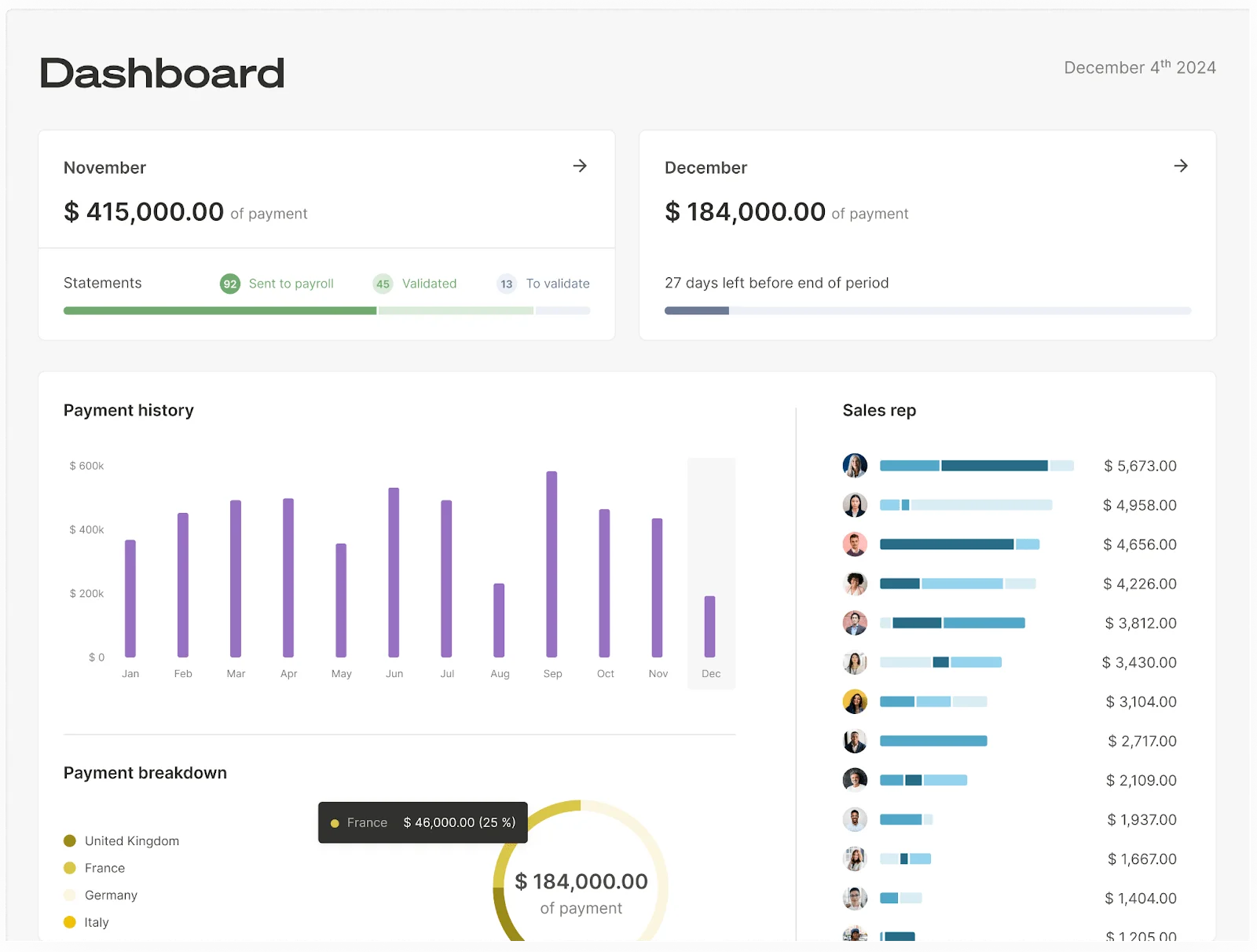
Qobra positions itself as a transparent commission tracker with real-time CRM connection, statements, Salesforce embed, plan version control, and simulation/sandbox capabilities.
Best for: Salesforce-centric orgs that want real-time commission visibility and manager-friendly tracking. The two rank first and second on usability; Qobra vs Visdum covers where they actually differ.
Key features
- Sales rep view: Real-time access to targets, commissions, and incentives; statements for each period.
- Manager view: Track achievements in real time and monitor performance with dashboards and reporting.
- Forecasting/what-if: Sandbox to simulate plans and estimate financial impact; simulations to prevent surprises.
- CRM fit: Real-time CRM connection and Salesforce embed for centralized workflows.
Pros
- Strong real-time commission visibility tied to CRM updates.
- Clear statements and transparency that support rep trust.
- Useful tooling for reporting and simulations.
Cons
- Validate how your edge-case rules (overrides, exceptions) are handled and who owns ongoing admin.
5) QuotaPath
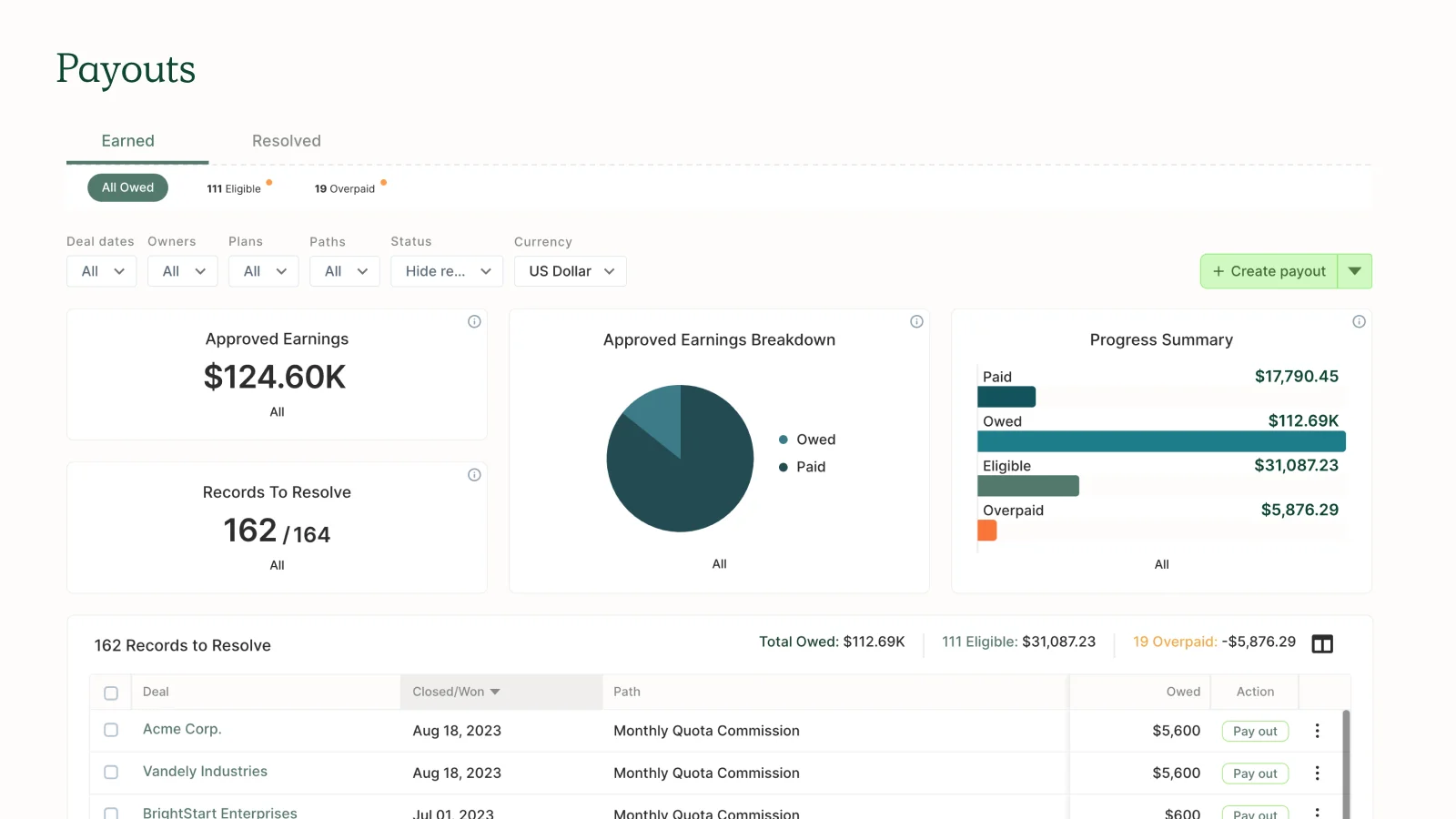
QuotaPath’s G2 feature set highlights a rep portal (commission estimator, statements, dispute management), management portal (quota management, splits/overrides, approvals), and platform integrations (CRM integration).
Best for: SMB to mid-market teams that want simple, rep-friendly commission tracking plus quota visibility. For where that simplicity starts to bind, see QuotaPath vs Visdum.
Key features
- Sales rep view: Commission estimator, compensation statements, dispute management, performance reports.
- Manager view: Quota assignments/management, rep monitoring, sales org performance reporting, splits/overrides.
- Admin & data: Comp modeling flexibility, statement calculation/distribution, reports/dashboards.
- Platform: CRM integration and reliable performance.
Pros
- Strong rep-facing tracking (estimator + statements).
- Solid manager tracking for quota and performance.
- Helpful baseline workflow support (approvals) without feeling “enterprise-only.”
Cons
- Validate fit if you need very advanced enterprise governance or global complexity.
6) CaptivateIQ
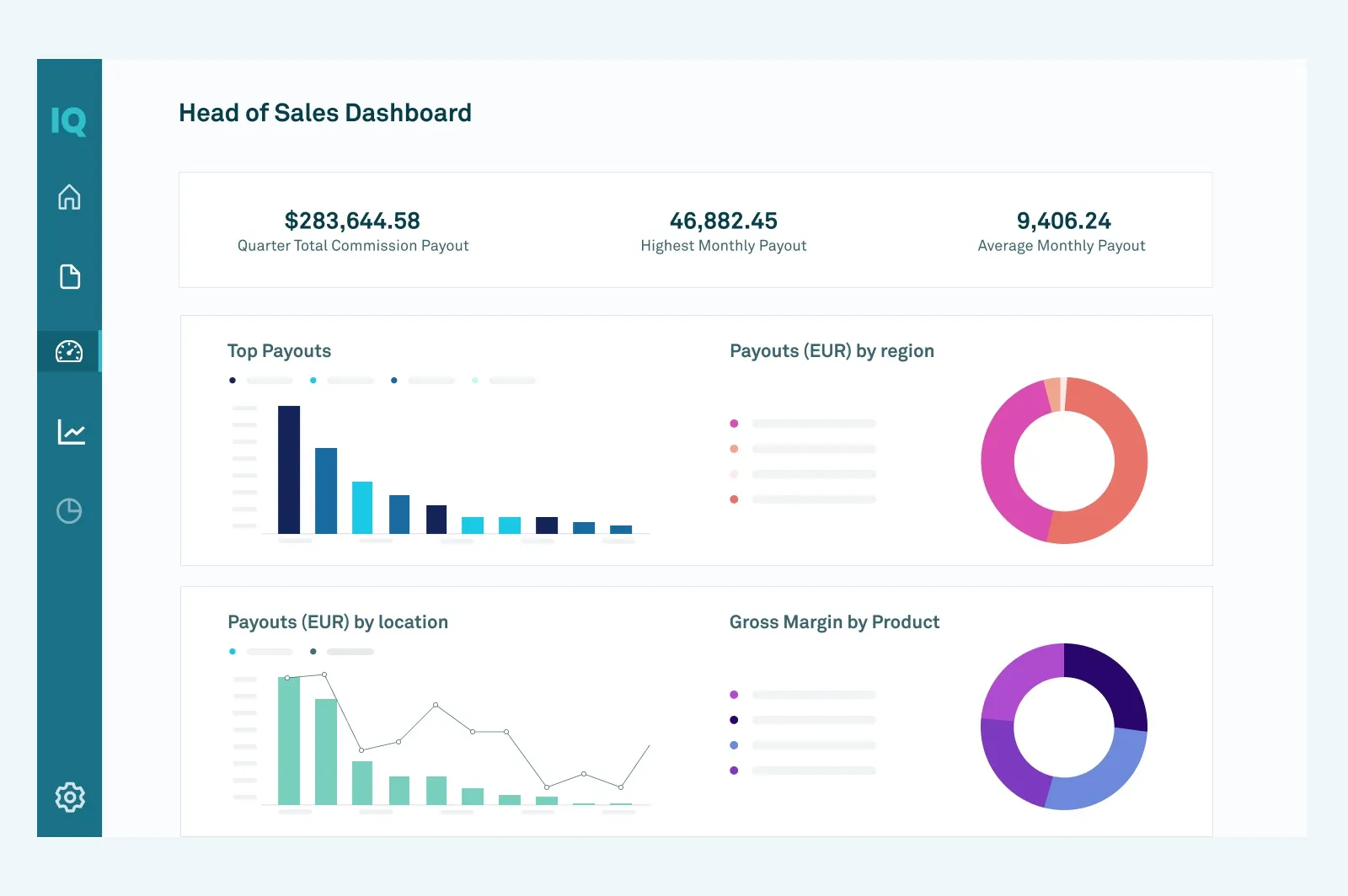
CaptivateIQ positions itself as an AI-infused workspace that brings planning and incentives together, with real-time commission visibility, dashboards, scenario modeling, and forecasting/anomaly detection.
Best for: Teams that want tracking + planning/forecasting in one workspace. On setup effort and day-to-day usability, CaptivateIQ vs Visdum goes deeper.
Key features
- Sales rep view: Real-time commission visibility for payees and leadership.
- Manager view: Reporting and dashboards to track performance trends and drivers.
- Admin & data: SmartGrid ELT modeling engine to ingest/transform data in real time; no-code calculation engine.
- Forecasting: ML-powered forecasting and anomaly detection.
Pros
- Strong combination of tracking visibility and modeling/analytics.
- Designed for agility (plan changes and scenario modeling).
- Built around a “single source of truth” concept for incentives/planning.
Cons
- Validate implementation effort and ownership model for your team (RevOps vs Finance).
7) Varicent

Varicent is typically evaluated in enterprise sales performance management and compensation contexts where scalability and advanced modeling are priorities.
Best for: Enterprise orgs with complex compensation needs that want scalable tracking and analytics.
Key features
- Sales rep view: Commission visibility and performance reporting.
- Manager view: Advanced reporting for quota and performance management.
- Admin & data: Scalable handling of complex compensation logic.
- Tracking readiness: Designed for larger org complexity.
Pros
- Strong fit for enterprise complexity and scale.
- Supports more advanced analytics needs.
- Often used when basic tracking tools no longer fit.
Cons
- Validate time-to-value and admin requirements in a POC.
How do these tools compare on tracking-relevant G2 scores?
Tracking software lives or dies on whether reps and admins actually use it, so the two G2 indexes worth weighing against the list above are Usability and Relationship (support quality once you are live). Both are Mid-Market, Summer 2026.
Mid-Market Usability Index
| Rank | Product | Score |
|---|---|---|
| 1 | Visdum | 9.47 |
| 2 | Qobra | 9.46 |
| 3 | CaptivateIQ | 9.22 |
| 4 | Everstage | 9.09 |
| 7 | QuotaPath | 8.73 |
| 8 | Salesforce Spiff | 8.69 |
| 15 | Xactly | 8.11 |
Mid-Market Relationship Index
| Rank | Product | Score |
|---|---|---|
| 1 | Visdum | 9.81 |
| 2 | Qobra | 9.57 |
| 3 | Everstage | 9.42 |
| 4 | CaptivateIQ | 9.40 |
| 5 | Performio | 9.18 |
| 7 | Salesforce Spiff | 8.99 |
| 8 | QuotaPath | 8.92 |
| 12 | Xactly | 8.31 |
Three of the platforms in those tables sit outside the shortlist above but come up constantly in evaluations. We compare each of them directly in Everstage vs Visdum, Spiff vs Visdum, and Xactly vs Visdum.
Source: Visdum on G2, G2 Summer 2026, Mid-Market.
Problems Automated Commission Tracking Solves
Here are the main problems that you can expect to solve once you implement any of the tools mentioned above:
“Split deals force constant reconciliation”
When deals involve multiple stakeholders, spreadsheet-based splits and overrides create reconciliation work and “version control” problems.
Look for basic split/override support and plan versioning so changes don’t break trust.
“Payout timelines get slower every quarter”
Multiple sheet systems and manual validation slow down the commission cycle, which frustrates reps and increases ad-hoc follow-ups.
Look for automated statements and workflows that support “pay on time” execution and clear visibility.
“Spreadsheets collapse when teams and product lines expand”
As you add payees, plans, products, and currencies, spreadsheet logic becomes fragile and hard to maintain. Look for platforms that explicitly support plan scalability across teams/countries/products and reliable data refresh.
Commission Tracking Comparison Table
| Tool | Best for | Rep earnings visibility | Quota/attainment tracking | CRM experience | Split credits |
|---|---|---|---|---|---|
| Visdum | CRM-connected tracking | Yes (positioned for CRM tracking) | Yes (positioned) | Plug-and-play integrations | Built-in functionality |
| Incentivate | Flexible incentives | Yes (positioned) | Validate | Validate | Validate |
| QCommission | Statement-first tracking | Commission statements online | Validate | Salesforce/QuickBooks integrations noted | Validate |
| Qobra | Real-time + Salesforce embed | Statements + real-time visibility | Yes (performance tracking) | Salesforce embed + real-time CRM connection | Yes (conditional logic/adjustments) |
| QuotaPath | SMB/mid-market visibility | Estimator + statements | Yes | CRM integration | Splits/overrides |
| CaptivateIQ | Tracking + planning | Real-time visibility | Yes (planning/monitoring positioning) | Data ingest from any source | Validate |
| Varicent | Enterprise scale | Validate | Validate | Validate | Validate |
Buyer Checklist for Commission Tracking Software
Use this checklist to choose the best commission tracking software without drifting into finer-than-necessary details and getting confused.
Can reps see projected vs earned commissions clearly?
Look for rep dashboards and statements that update as deals move through CRM stages.
Can managers coach quota attainment with team rollups?
Look for quota assignments/management, rep monitoring, and performance reports.
Does it forecast commission impact from pipeline changes?
Look for scenario modeling, forecasting, or sandbox functionality.
Does CRM sync stay reliable?
Look for real-time CRM connection or defined refresh schedules and clear exception handling.
Can it handle basic split credits without reconciliation sheets?
Look for explicit support for commission splits/overrides and adjustment handling.
Wrapping Up
Commission tracking software works best when it gives reps clear, real-time earnings visibility, helps managers coach quota attainment, and stays in sync with your CRM as deals move. As you shortlist tools, prioritize the rep experience (clarity + trust in the math) and the manager experience (rollups + drilldowns) before anything else.
If you’re ready to move beyond spreadsheets and automate commission tracking end-to-end, Visdum can help you get there quickly.

FAQs
What is the best commission tracking software?
The best commission tracking software for you is one that integrates with your stack (CRM, HRIS, Billing, etc.) and matches your workflow. Dedicated support, ease of use, intuitiveness, etc. should be considered as there is no single best tool for everyone.
Does commission tracking software support split commissions?
Many tools support commission splits and overrides, but you should validate your exact split rules in a demo/POC. Visdum, for instance, supports split credits, multi-deal commissions, accelerators, SPIFFs, etc.
Can commission tracking software forecast commissions?
Some platforms offer forecasting or scenario modeling capabilities; confirm whether forecasting is based on pipeline stages, quotas, or custom logic. Visdum has a commission estimator and commission spend forecaster built-in.
Does commission tracking software integrate with Salesforce?
Some tools offer direct CRM connections and even Salesforce embeds; confirm native vs API vs import approaches during evaluation. Visdum has a native connection with Salesforce.
What is the best way to keep track of commissions?
The best way to keep track of commissions is to use commission tracking tools such as CaptivateIQ, Visdum, Quotapath, etc. as the other alternative, which is spreadsheets, cannot be scaled efficiently when the time comes, leading to delays and disputes.