CRM Commission Tracking Software: Features, Costs, and How to Choose

Most teams treat commission tracking as a payout task. It is closer to a financial control: the system that decides whether every dollar of variable pay is accurate, defensible, and trusted across sales and finance.
CRM commission tracking software exists because your CRM was never built to run that control. Whether you use HubSpot, Salesforce, or Pipedrive, your CRM records what closed. It does not calculate who gets paid what, prove the math to an auditor, or show a rep why their number moved. That gap is where overpayments, disputes, and slow month-end closes live. This guide is built for the people who own that gap: finance, RevOps, and sales leaders deciding how to track commissions without a spreadsheet running the business.
Key Takeaways
- Commission tracking is a finance control, not a sales report - The right tool is judged on accuracy, audit readiness, and trust across teams, not dashboards.
- Manual tracking has a measurable price - Gartner estimates companies running manual processes lose 3 to 5 percent of total incentive compensation to overpayments, and finance loses days every month reconciling numbers.
- Your CRM tracks deals, not pay - HubSpot and Salesforce store the data. They do not calculate complex plans, amortize commissions under ASC 606, or explain a payout line by line.
- Integration means plan-to-pay, not just data sync - Territories, quotas, deal ownership, and splits all feed the calculation. Get the upstream data wrong and the payout is wrong.
- Visdum is compensation infrastructure - It reduces payout risk for finance and RevOps first, then gives reps real-time visibility, with an AI Copilot to explain every number.
What is CRM commission tracking software?
CRM commission tracking software is a tool that pulls closed-deal data from your CRM, applies your commission plans automatically, and shows each rep what they earned and why. It sits between your CRM and your payroll or accounting system, and it turns raw sales records into accurate, auditable payouts.
The distinction that matters: tracking is not the same as reporting. A dashboard that shows monthly totals is reporting. Tracking means the system handles the full path from a booked deal to a verified payout, including tiers, accelerators, splits, clawbacks, and quota attainment. Tools that stop at totals tend to break the moment your plans get complex.
A useful test of any platform is whether three groups trust the same number. If sales, RevOps, and finance each pull a different figure, the tool has failed regardless of its feature list. Buyers on community forums describe the core problem plainly: reps cannot see their own closed revenue and earned commission in one place, so working out pay stays manual and slow. Commission tracking software closes that loop.
What does manual commission tracking actually cost you?
The case for automating is not "spreadsheets feel old." It is that manual tracking carries a recurring, quantifiable cost that compounds every pay cycle. Three numbers make the cost concrete.
The commission budget that leaks to errors
Spreadsheets are error-prone by design.
University of Hawaii research found that 88 percent of spreadsheets contain at least one error in their formulas. In commission math, those errors turn into money. Gartner estimates that companies using manual processes lose 3 to 5 percent of total incentive compensation to overpayments. On a $1 million commission budget, that is $30,000 to $50,000 leaving the business every year, most of it unnoticed because no one is measuring it.
The finance time manual tracking burns
Reconciliation is the hidden tax. Industry analyses of manual commission workflows put finance and RevOps time at close to 89 hours a month on commission processing, which is nearly half a full-time role spent tracing deal IDs across the CRM and billing system, resolving mismatches, and chasing sign-off. That is time finance is not spending on forecasting or close.
The shadow spreadsheets your reps keep
The third cost is trust. When reps do not trust the official number, they build their own. This is shadow accounting, and it is close to universal: reps maintain private spreadsheets to verify their own pay because they have been burned by errors before. Estimates put the time reps lose to this at two to four hours a week. For a 50-rep team, that is 5,000 to 10,000 hours a year of selling time spent auditing payroll. Shadow accounting is the clearest signal that your tracking system has stopped being trusted.
🔔 Related: The invisible costs of sales commission overpayments and clawbacks
How do you evaluate CRM commission tracking software?
Most buyers compare price first. The teams that scale compare operational risk first. Use this four-part framework to evaluate any tool, and weight the criteria by where your specific pain is worst.
An audit trail you can defend
Auditability is the criterion finance should rank highest. The system must record how every payout was calculated, retain the version of the plan that applied, and let you trace any number back to the deal that produced it. If your answer to an auditor is "let me rebuild the spreadsheet," you do not have audit readiness. You have risk.
Handling your plan complexity
Plans rarely stay simple. Once you add tiers, accelerators, multipliers, splits, overrides, and clawbacks, spreadsheet logic and CRM-native fields start to crack. Validate the tool against your hardest plan, not your simplest. Marginal tiers, mid-cycle role changes, and quota threshold transitions are where manual systems silently overpay.
Connecting CRM and accounting, not just CRM
Tracking commissions accurately means connecting two systems, not one. The CRM tells you what closed. Your accounting or ERP system tells you what was billed and recognized. A deal can close in Salesforce on the last day of a month and not appear in NetSuite until the next month. If your tool only reads the CRM, those edge cases become disputes. Strong platforms reconcile CRM, billing, and finance into one version of the truth.
Scaling past your next hiring wave
A tool that works at 30 reps can collapse at 120. Scalability means new plans roll out in days, not weeks, new hires onboard without rebuilding logic, and multi-currency and multi-region comp work without parallel spreadsheets. Buy for the org you will be in 18 months, not the one you are in today.
CRM-native vs spreadsheets vs a dedicated platform: which tracks commissions accurately?
Here is how the three common approaches compare on the criteria that decide payout trust. CRM-native tracking covers built-in CRM reports and basic add-ons. A dedicated platform refers to purpose-built compensation software like Visdum.
The pattern is consistent. CRM-native tracking and spreadsheets are viable until plans get complex or headcount grows. After that, the work shifts from running the business to reconciling the math.
🔔 Related: Calculating SaaS sales commissions: why spreadsheets do not work

Who is CRM commission tracking software best for?
This is not a tool every company needs on day one. It earns its cost when specific conditions are true.
It is the right move when any of these describe you:
- More than roughly 50 sellers, or more than two or three concurrent plans, or comp running across regions and currencies.
- Reps doing shadow accounting on their own pay.
- Finance needing more than two days to close commission accruals.
- Disputes exceeding 5 percent of monthly payouts.
- Auditors flagging amortization or clawback inconsistencies.
When two or more of those are true, the spreadsheet has become a constraint.
It is the wrong move when: you have a handful of reps on a single flat-rate plan with no audit exposure. At that scale, a clean spreadsheet still works. Honesty here matters: buying compensation infrastructure for a five-person team is over-engineering.
The clearest fit is mid-market to enterprise revenue teams: recurring or usage-based revenue, multi-region GTM, and the plan complexity that comes with growth.
What myths still stop teams from automating?
The benefits are well understood. The hesitation usually comes from four myths worth retiring.
Myth: the setup is too complex to be worth it
Setup is faster than most teams expect. Commission software connects to HubSpot or Salesforce, maps your fields, and starts syncing without engineering work. The longer task is modeling your plans correctly, which is a one-time investment that ends the monthly spreadsheet rebuild.
Myth: it is one-size-fits-all
No. Plans differ by role, region, and segment, and a tool that cannot model that is not worth buying. The evaluation question is whether the platform handles your hardest plan, not whether it exists.
Myth: it is too expensive
Compare it to the cost of the problem. Against 3 to 5 percent of commission budget lost to overpayments, days of finance time per month, and reps auditing their own pay, the tool is usually cheaper than the status quo. The expensive option is the spreadsheet you are not measuring.
Myth: it only helps internal teams
Payout clarity reaches customers too. Reps who trust their pay and spend less time reconciling it spend more time selling, which is why only a minority of rep time currently goes to revenue-generating work. Fixing comp trust returns selling hours.
What is the best commission tracking software?
There is no single best tool. The best commission tracking software is the one that matches your plan complexity, your audit requirements, and your stack. A 40-rep team on flat-rate plans and a 400-rep enterprise with ASC 606 obligations should not buy the same product.
The strongest platforms share four traits you can use as a shortlist filter: they eliminate spreadsheet logic, explain payouts clearly enough that reps, finance, and leadership trust the number, connect the CRM to accounting rather than reading deals in isolation, and scale across plans, regions, and currencies. Score your shortlist on accuracy, explainability, and trust across teams before you score it on price.
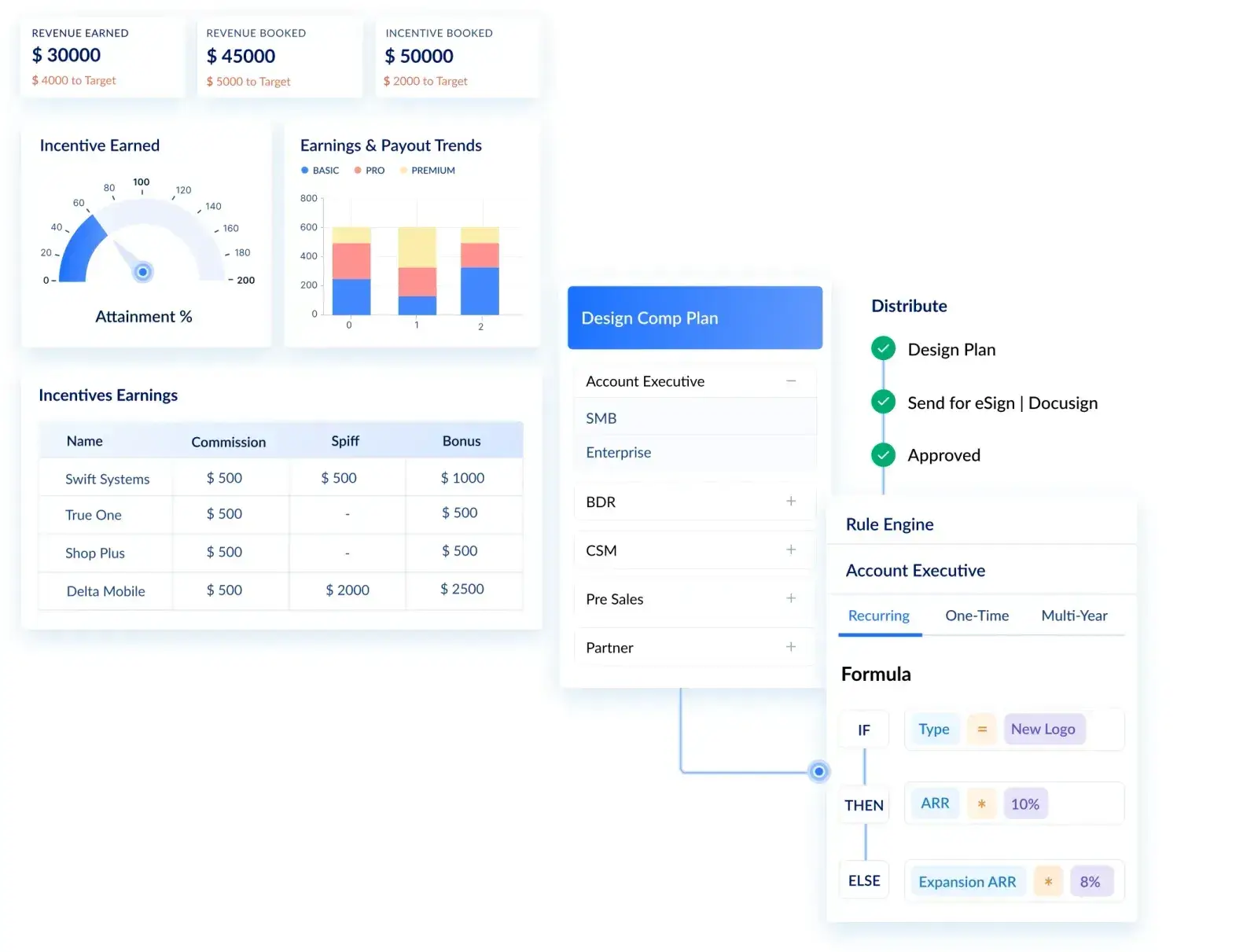
For mid-market and enterprise teams, Visdum - a Hubspot certified software is built to that checklist. It is made for complex compensation, not just standard plans: AE and SDR splits, overlays, partner channels, accelerators, tiered quotas, clawbacks, and multi-currency comp, all with the audit trail and ASC 606 amortization finance needs.
Visdum’s G2 Rating: 4.8/5 (600+ Reviews)
It is also rated the easiest-to-use sales compensation software on G2, Capterra, and TrustRadius, which is the rarer combination: enterprise-grade flexibility without the admin overhead that usually comes with it.
.webp)
Does commission tracking software have AI features?
Yes, and in 2026 the AI conversation has moved from automation to explainability. The sales commission software market is projected at roughly $6 billion in 2026 and growing fast, and more than half of organizations still running spreadsheets produce incorrect payments.
Visdum runs three AI agents on top of reconciled compensation data, and each one targets a different job.
- The AI Copilot is the explainability layer. It is a conversational AI Assistant that answers plain-language questions about plans, credits, and payouts, reasoning through how a number was produced rather than restating it, so admins get answers without opening a dashboard or filing a ticket. It breaks any payout down deal by deal, surfaces the plan component behind each number, and flags anomalies.
- The AI Nudge Generator handles coaching at scale. It reads a rep's real numbers and plan, then drafts a performance email with an earnings breakdown and a tip pointing at their highest-payoff work. Nothing sends until an admin approves it, and reps see exactly where their earnings come from, which is the transparency that ends shadow accounting.
- The AI Report Builder builds a report for you instantly: describe what you need, review a live preview, refine it in chat, and save it. It handles everyday summaries and filtered tables, and is honest about its limits.
The point is not that Visdum has three AI features. It is that all three run on one reconciled dataset, so the explanation, the coaching, and the report all agree with the payout.
How does Visdum reduce commission risk for finance and RevOps?
Visdum is not a HubSpot add-on or a sales dashboard. It is compensation infrastructure for finance, RevOps, and sales teams, built so that variable pay stays accurate, auditable, and trusted as the organization scales.
For finance, the value is risk reduction:
- Payout accuracy. Rules applied continuously replace spreadsheet math, which removes the overpayment leakage that erodes the commission budget.
- Audit readiness. Every calculation carries a full deal-to-payout trail and plan version history.
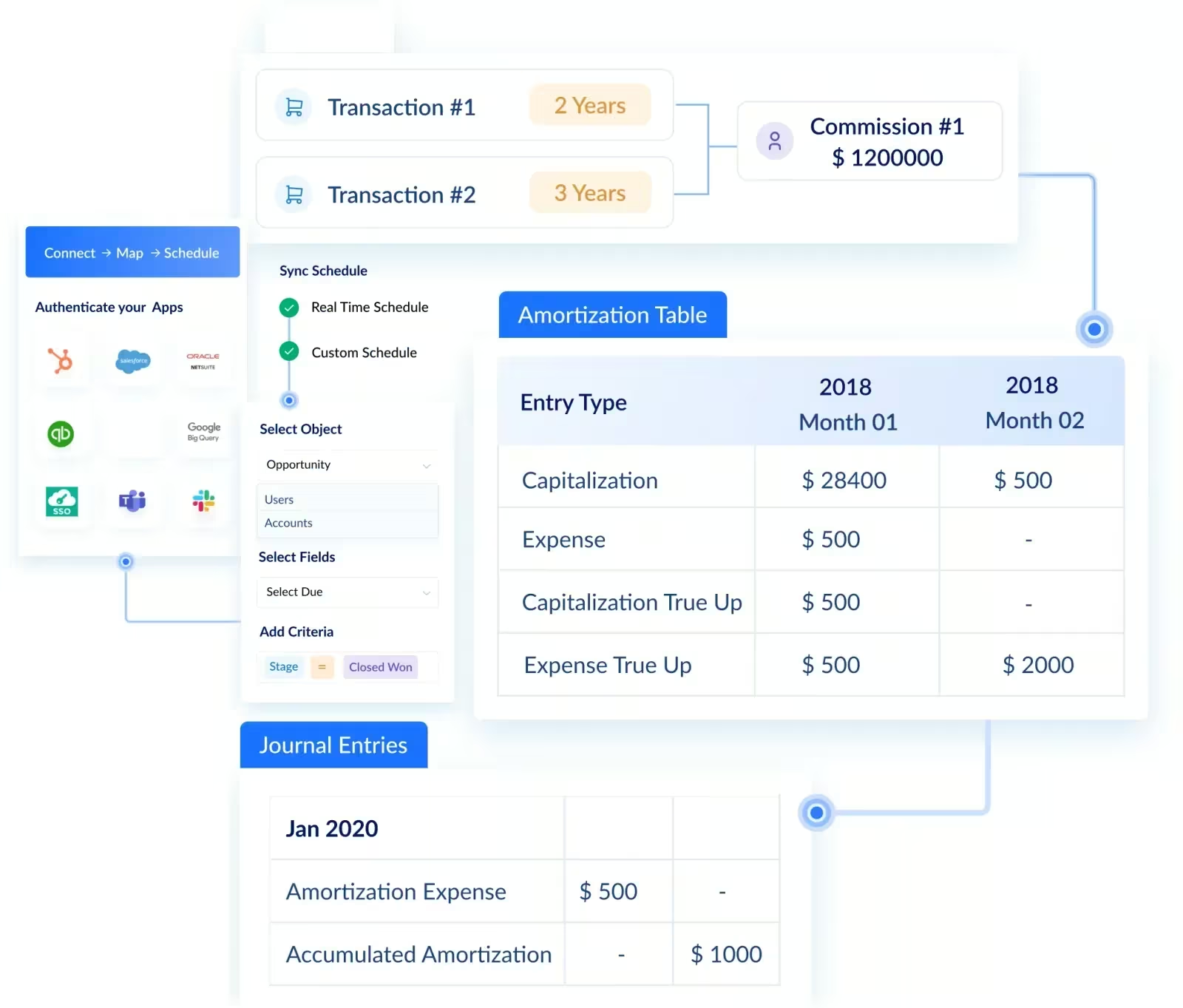
- ASC 606 support. Commission amortization is handled in the system, so incremental, multi-period commissions are amortized correctly and others expensed immediately.
- Faster month-end close. The cross-system reconciliation that consumes finance time goes away.
- Commission forecasting. Leaders project incentive expense from live pipeline rather than guess.
For RevOps: plans stay explainable and maintainable as the GTM org grows, with tiers, splits, clawbacks, territories, and quota complexity handled without parallel spreadsheets.
For reps: real-time, deal-by-deal visibility into earnings, which is what makes shadow accounting disappear.
What does the spreadsheet-to-automation shift look like in practice?
Cyble, a cybersecurity company with 300+ employees and 70+ reps across the US, UAE, Singapore, Australia, and India, hit every structural HubSpot commission gap this guide describes.
Their setup: HubSpot for deal and pipeline management, QuickBooks and Zoho for invoice collection across different geographies. Their comp model: 8 different plans across Sales, PreSales, and Partner teams, with tier-based commissions paid on invoice collection rather than closed-won.
That last detail is the structural problem this entire guide is built around. HubSpot has no concept of invoice payment, so Cyble's finance team was manually stitching together deal data from HubSpot, collection data from QuickBooks and Zoho, and comp plan logic across spreadsheets for every payout cycle.
After moving to Visdum's HubSpot integration:
- 8+ data sets from HubSpot, QuickBooks, and Zoho automated with real-time sync
- 95% of finance team time saved on running commissions
- 100% payout accuracy achieved across all geographies and currencies
- Multi-currency conversion for reps in five countries handled natively
- A custom C-suite dashboard surfacing CAC, invoices collected, sales performance, and earnings in one view
The architectural pattern is the same one this guide describes: HubSpot stayed the deal data layer, Visdum became the commission logic layer, and downstream systems fed into a single audit-ready output.
.webp)
FAQs
Can HubSpot track commissions?
HubSpot does not track commissions natively. It manages customer relationships and deal data, but it has no built-in engine to calculate tiered plans, amortize commissions, or produce an audit trail. Teams add this through a HubSpot-certified integration like Visdum, which reads deal data from HubSpot, applies your plans automatically, and gives reps real-time visibility into earned commission. The CRM stays the source of deal data. The commission platform runs the pay.
Can you track commissions in Salesforce?
You can, but how you do it matters. Salesforce is customizable enough to build commission logic with custom objects, fields, and workflows, and some teams do. Those builds get brittle as plans change and rarely handle audit trails or ASC 606 amortization well. The more reliable path is a dedicated tool on the AppExchange like Visdum, which calculates plans, reconciles CRM with finance data, and explains each payout without custom maintenance.
What is the easiest way to track commissions?
The easiest reliable way is dedicated commission tracking software connected to your CRM and accounting system. It automates calculation, removes manual errors, and gives reps and managers real-time visibility, which is what makes the numbers trusted. Spreadsheets are easy to start and hard to maintain. Dedicated software is the reverse: a setup investment, then low ongoing effort.
How is commission tracking different from commission reporting?
Reporting shows you totals after the fact. Tracking handles the full path from a booked deal to a verified payout, including tiers, splits, clawbacks, and quota attainment, with a trace back to the underlying deal. A tool that only reports breaks when plans get complex. A tool that tracks holds up under an audit.